
1. Introduksjon
The Fenix TK25R is a high-performance, multi-role tactical flashlight engineered for demanding environments. It delivers up to 3600 lumens with a beam reach of 382 yards (350 meters), providing exceptional clarity and distance. This flashlight features a versatile multi-light system, offering white, red, UV, and red/blue flashing modes to adapt to various operational needs. Its rugged, IP68-rated waterproof aluminum body ensures reliable performance in challenging conditions, while intuitive dual tail switches and a rotary toggle provide precise control over all functions.
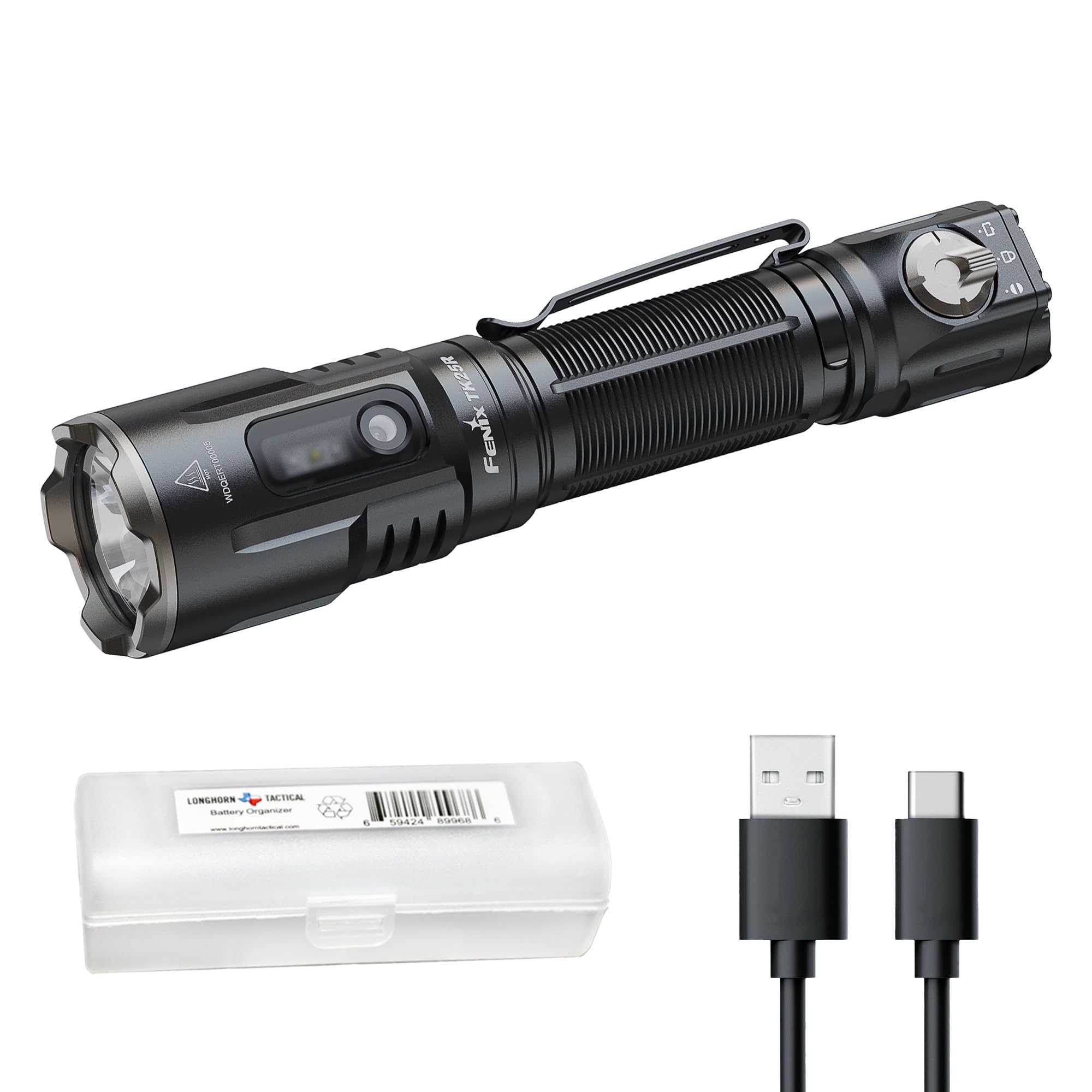
Figure 1: Fenix TK25R Multi-Role Tactical Flashlight.
2. Hva er i esken
- Fenix TK25R lommelykt
- ARB-L21-5000 V2.0 Rechargeable Battery
- USB-C ladekabel
- Hylster
- Snørebånd
- Reserve O-ring
- Brukerhåndbok
3. Funksjoner
- 3600-Lumen Output & Long Throw: Delivers up to 3,600 lumens with a 382-yard (350 m) beam distance, suitable for patrol, search and rescue, and outdoor use.
- Multi-Light System: Features dedicated auxiliary emitters including white light for general tasks, red light to preserve night vision, UV light for inspection, and red/blue flashing for high-visibility warning and signaling.
- Fast, No-Look Tactical Controls: Dual tail switches enable momentary-on, instant Turbo, and instant Strobe. A rear rotary toggle switches between Duty, Tactical Support, and Lockout modes.
- USB-C Rechargeable with Extended Runtime: Supports USB-C fast charging, provides up to 55 hours of runtime on low mode, and includes a battery level indicator.
- Rugged, Weather-Sealed Construction: Durable aluminum body with IP68 waterproof rating and 1-meter impact resistance, built for reliable performance in demanding field conditions.
4. Oppsett
4.1 Installasjon av batteri
- Skru av baklokket på lommelykten.
- Insert the included ARB-L21-5000 V2.0 battery with the positive (+) end facing towards the flashlight head.
- Screw the tail cap back on securely to ensure proper contact and water resistance.
4.2 Lading
The Fenix TK25R features a built-in USB-C charging port for convenient recharging. The battery level indicator provides real-time status.
- Locate the USB-C charging port on the flashlight body, typically covered by a protective rubber flap.
- Koble den medfølgende USB-C-ladekabelen til porten, og koble den andre enden til en kompatibel USB-strømkilde.
- The battery level indicator will show red during charging and turn green when fully charged. Fast charging allows for a full charge in approximately 1.5 hours.

Figure 2: USB-C Charging of the TK25R.
5. Bruksanvisning
5.1 kontroller overview
The TK25R utilizes a dual tail switch system and a rotary toggle for intuitive operation.
- Tactical Switch (Large Round Button): Tap for momentary-on, full press for constant-on.
- Functional Switch (Oval Button): Used for mode selection within Duty or Tactical Support modes, and long press for instant Strobe.
- Rotary Toggle Switch: Located at the tail, it allows selection between Duty Mode, Tactical Support Mode, and Lockout Mode.

Figure 3: TK25R Control Layout.
5.2 Duty Mode
Rotate the rotary toggle to the 'Duty' position. In this mode, the flashlight primarily uses its main white light emitter.
- Slå på/av: Full press the Tactical Switch.
- Lysstyrkevalg: With the light on, single click the Functional Switch to cycle through Low, Medium, High, and Turbo brightness levels.

Figure 4: TK25R Beam Distance in Duty Mode.
5.3 Tactical Support Mode
Rotate the rotary toggle to the 'Tactical Support' position. This mode activates the auxiliary light emitters.
- Slå på/av: Full press the Tactical Switch.
- Auxiliary Light Selection: With the light on, single click the Functional Switch to cycle through White Light (Low), UV Light, Red Light, and Red & Blue Flashing modes.

Figure 5: Main and Auxiliary Light Modes.
5.4 Instant Access Functions
- Instant Turbo: From any mode (except Lockout), press and hold the Tactical Switch to instantly activate Turbo mode. Release to return to the previous mode.
- Øyeblikkelig strobe: From any mode (except Lockout), press and hold the Functional Switch for 0.5 seconds to activate Strobe mode. Release to return to the previous mode.
5.5 Utlåsingsmodus
Rotate the rotary toggle to the 'Lockout' position to prevent accidental activation of the flashlight. This ensures user safety and conserves battery life when not in use.

Figure 6: Activating Lockout Mode.
5.6 Produktvideodemonstrasjon
Watch this official product video for a visual demonstration of the Fenix TK25R's multi-role capabilities, including its various light modes, tactical controls, and robust design.
Video 1: Fenix TK25R Multi-Role Tactical Flashlight Demonstration.
6. Vedlikehold
Proper maintenance ensures the longevity and optimal performance of your Fenix TK25R flashlight.
- Rengjøring: Regularly clean the flashlight body and threads with a clean cloth.
- Vedlikehold av O-ring: Inspect the O-rings periodically for wear and tear. Replace them with the spare O-ring provided if necessary to maintain the IP68 waterproof rating. Apply silicone grease to the O-rings to keep them supple.
- Batteripleie: Store the battery in a cool, dry place when not in use. Recharge the battery regularly, even if not fully depleted, to prolong its lifespan.
7. Feilsøking
Hvis Fenix TK25R ikke fungerer som den skal, kan du prøve følgende trinn:
- Lyset slår seg ikke på:
- Check if the battery is correctly installed with the positive (+) end facing the head.
- Ensure the battery is charged. Refer to the charging instructions.
- Confirm the rotary toggle is not in Lockout Mode.
- Clean the battery contact points and threads with a clean cloth.
- Dim lys eller flimring:
- Batterinivået kan være lavt. Lad opp batteriet.
- Ensure the battery contacts and threads are clean and free from debris.
- Tighten the tail cap and head of the flashlight.
- Intermitterende operasjon:
- Check for loose connections in the battery compartment or head.
- Ensure the O-rings are properly seated and not damaged.
If the issue persists after performing these steps, please contact Fenix customer support for further assistance.
8. Spesifikasjoner
| Trekk | Detalj |
|---|---|
| Lyseffekt (hvit) | Turbo: 3600 Lumens, High: 1000 Lumens, Med: 350 Lumens, Low: 30 Lumens |
| Runtime (White) | Turbo: 2h 20min, High: 3h, Med: 7h, Low: 55h |
| Beam Distance (White) | Turbo: 350m, High: 170m, Med: 100m, Low: 30m |
| Light Intensity (White) | Turbo: 28000cd, High: 7500cd, Med: 2800cd, Low: 270cd |
| Hjelpelys | White Light (150 Lumens), UV Light (900mW 365nm), Red Light (15 Lumens), Red & Blue Flashing (15 Lumens) |
| Slagmotstand | 1 meter |
| Vannmotstand | IP68 (nedsenkbar) |
| Dimensjoner | 1.42" D x 1.03" B x 6.46" H |
| Varevekt | 8 unser |
| Materiale | Aluminium |
| Strømkilde | Batteridrevet (1 litiumionbatteri inkludert) |
9. Garanti og støtte
The Fenix TK25R comes with a Limited Warranty. For detailed information regarding warranty coverage, terms, and conditions, please refer to the official Fenix website or contact Fenix customer support directly. Keep your purchase receipt as proof of purchase for any warranty claims.
For technical support, troubleshooting assistance, or any product-related inquiries, please visit the Fenix-butikken på Amazon or contact Fenix customer service.