
Introduksjon
The LOFREE Pudding Dual Mode Wireless Mouse (Model OE929) is designed for versatile use across various operating systems and devices. It offers both Bluetooth and 2.4G wireless connectivity, adjustable DPI settings, and a comfortable, ergonomic design. This manual provides instructions for setup, operation, maintenance, and troubleshooting to ensure optimal performance of your device.
Pakkeinnhold
- LOFREE Pudding Dual Mode Wireless Mouse
- USB-mottaker (2.4G)
- Charging Cable (USB-C to USB-A, typically)
- Brukerhåndbok
Produkt overview
The LOFREE Pudding mouse features a unique transparent texture and an ergonomic design for comfortable use. It includes an adjustable ambient light feature and a scroll wheel with integrated button functionality.

Bilde: The LOFREE Pudding mouse showcasing its high transparency texture and sleek design.

Bilde: A hand holding the LOFREE Pudding mouse, illustrating its comfortable, skin-like touch and ergonomic grip.
Oppsett
1. Lade musen
Before first use, ensure the mouse is fully charged. Connect the provided charging cable to the mouse's charging port and to a USB power source. The ambient light may indicate charging status (e.g., breathing light while charging, solid when full).

Bilde: The LOFREE Pudding mouse, highlighting its approximately 100 hours of battery life on a single charge.
2. Dual-Mode Connection
The mouse supports two wireless connection methods: 2.4G via USB receiver and Bluetooth.
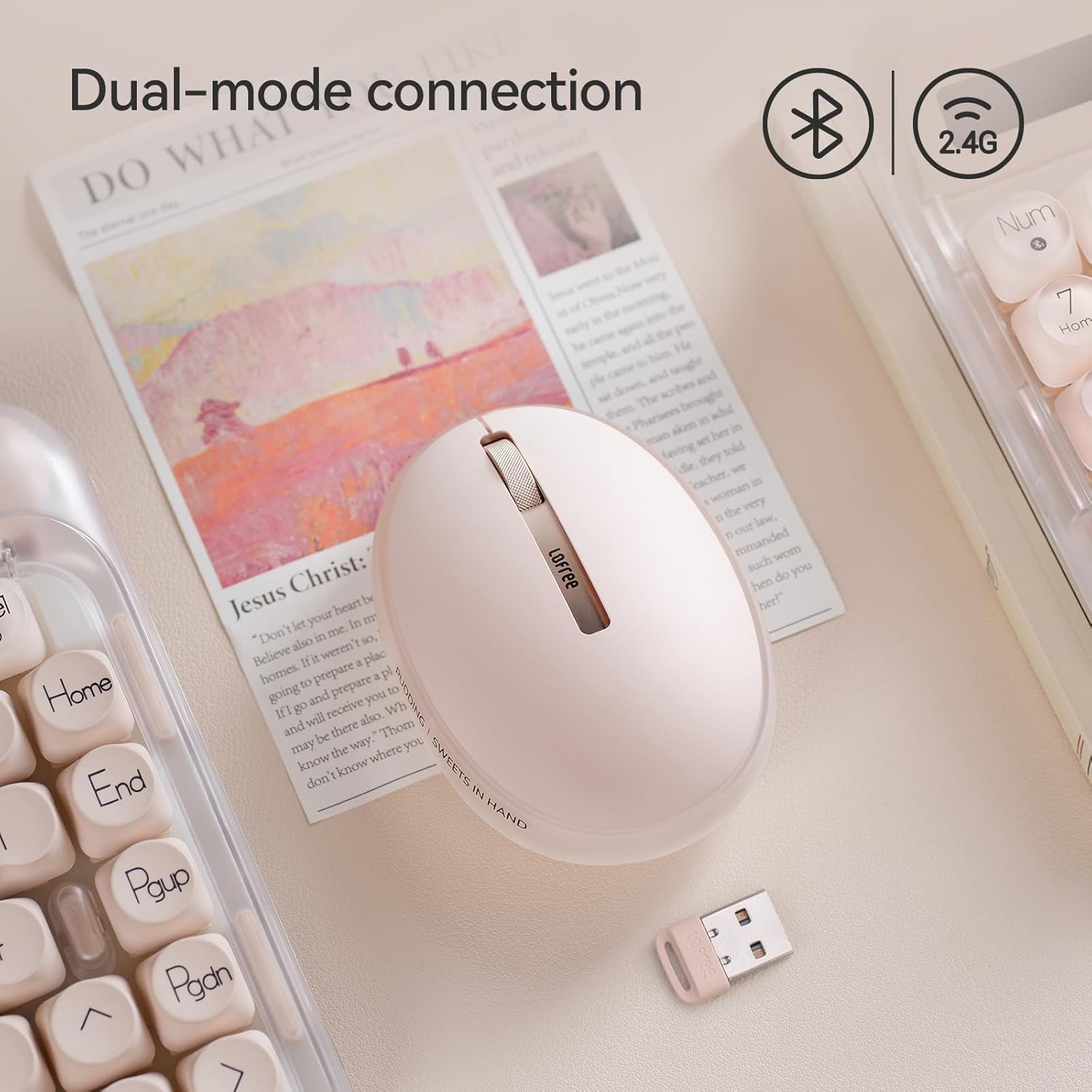
Bilde: The LOFREE Pudding mouse demonstrating its dual-mode connection capability, supporting both Bluetooth and 2.4G wireless technologies.
2.1. 2.4G trådløs tilkobling
- Locate the USB receiver, typically stored in a compartment on the mouse or in the packaging.
- Koble USB-mottakeren til en ledig USB-port på datamaskinen.
- Slå på musen. Datamaskinen skal automatisk oppdage og installere de nødvendige driverne.
- Note: For systems below Windows 7, the 2.4G connection is recommended as Bluetooth mode may not be supported.
2.2. Bluetooth-tilkobling
- Sørg for at Bluetooth på enheten din er aktivert.
- Switch the mouse to Bluetooth mode (refer to the mouse's bottom switch or button for mode selection).
- On your device, search for Bluetooth devices. The mouse should appear as "LOFREE Pudding Mouse" or similar.
- Select the mouse to pair. Follow any on-screen prompts to complete the pairing process.
3. Kompatibilitet
The LOFREE Pudding mouse is compatible with a wide range of operating systems and devices, including:
- Windows (Windows 7 and above for Bluetooth)
- macOS
- iOS
- Android
- PC, Mac, Laptop, and other compatible devices.
Bruksanvisning
1. Justering av DPI-nivåer
The mouse features 5 adjustable DPI levels to suit different tasks and preferences. You can cycle through these settings by pressing the DPI button, usually located near the scroll wheel or on the bottom of the mouse.
- Tilgjengelige DPI-innstillinger: 600, 800, 1200, 1600, 3600.
- Press the DPI button to switch between levels. The mouse cursor speed will change accordingly.

Bilde: A hand demonstrating the adjustment of DPI levels on the LOFREE Pudding mouse, with available settings of 600, 800, 1200, 1600, and 3600.
2. Ambient Light Modes
The mouse is equipped with an adjustable ambient light feature, offering two modes:
- Constant Always On: The light remains steadily illuminated.
- Pustemodus: The light gently pulses on and off.
To switch between these modes, refer to the dedicated light control button or combination of buttons on the mouse. In dormant state, the ambient light will turn off and can be reactivated by clicking any button on the mouse.

Bilde: The LOFREE Pudding mouse displaying its adjustable ambient light feature, with options for "Always On" or "Breathing" modes.
3. Strømstyring
The mouse is designed to conserve battery life. It will enter a dormant state after a period of inactivity, turning off the ambient light. To wake the mouse, simply click any button.
Vedlikehold
1. Rengjøring
- Use a soft, dry, lint-free cloth to clean the mouse surface.
- For gjenstridig smuss, litt dampno kluten med vann eller et mildt, ikke-slipende rengjøringsmiddel.
- Unngå å bruke sterke kjemikalier, løsemidler eller slipende materialer, da disse kan skade musens overflate.
- Sørg for at det ikke kommer væske inn i musens indre komponenter.
2. Batteripleie
- Lad musen regelmessig for å opprettholde batterilevetiden.
- Unngå å utlade batteriet helt ofte.
- If storing the mouse for an extended period, charge it to approximately 50% to prevent deep discharge.
Feilsøking
Musen svarer ikke / kobler fra
- Sjekk batteri: Ensure the mouse is charged. Connect it to a power source.
- 2.4G-tilkobling:
- Sørg for at USB-mottakeren er ordentlig koblet til en fungerende USB-port.
- Prøv en annen USB-port.
- Sørg for at musen er satt til 2.4G-modus.
- Bluetooth-tilkobling:
- Sørg for at Bluetooth er aktivert på enheten din.
- Ensure the mouse is switched to Bluetooth mode.
- Unpair and re-pair the mouse from your device's Bluetooth settings.
- Ensure your device's operating system supports Bluetooth for mice (e.g., Windows versions below 7 may have limited support).
- Interferens: Move the mouse closer to the receiver/device. Avoid using it near other wireless devices that might cause interference.
DPI endres ikke
- Sørg for at du trykker på riktig DPI-justeringsknapp.
- If the mouse is unresponsive, try restarting it (turn off and on).
Ambient Light Not Working
- Check if the mouse is in a dormant state; click a button to wake it.
- Sørg for at batteriet er tilstrekkelig ladet.
- Verify you are using the correct button or combination to cycle through light modes.
Spesifikasjoner
| Trekk | Detalj |
|---|---|
| Modellnummer | OE929 |
| Tilkoblingsteknologi | Bluetooth, 2.4G Radio Frequency |
| Bevegelsesdeteksjonsteknologi | Optisk |
| DPI-nivåer | 600, 800, 1200, 1600, 3600 (Justerbar) |
| Batterikapasitet | 500mAh |
| Batterilevetid | Omtrent 100 timer |
| Spesielle funksjoner | LED Lights (Ambient), Lightweight, Rechargeable, Wireless |
| Kompatibilitet | Windows, macOS, iOS, Android (PC, Mac, Laptop) |
| Varevekt | 8.9 unser |
| Pakkedimensjoner | 5.2 x 4.13 x 2.4 tommer |
Garanti og støtte
LOFREE products are manufactured to high-quality standards. For warranty information, technical support, or service inquiries, please refer to the official LOFREE webnettstedet eller kontakt kundestøtten deres direkte. Ta vare på kjøpskvitteringen for garantikrav.
For mer informasjon, besøk LOFREE-butikken på Amazon.