
MorePro AIR6
MorePro Fitness Tracker AIR6 Black User Manual
Model: AIR6 Black
1. Introduksjon
Welcome to the MorePro Fitness Tracker AIR6 Black user manual. This guide provides detailed instructions on how to set up, operate, and maintain your new fitness tracker. The MorePro AIR6 is designed to help you monitor your health and fitness activities with features such as 24/7 heart rate, blood pressure, blood oxygen, and sleep tracking. It also includes multiple sports modes, smart notifications, and a durable, waterproof design.
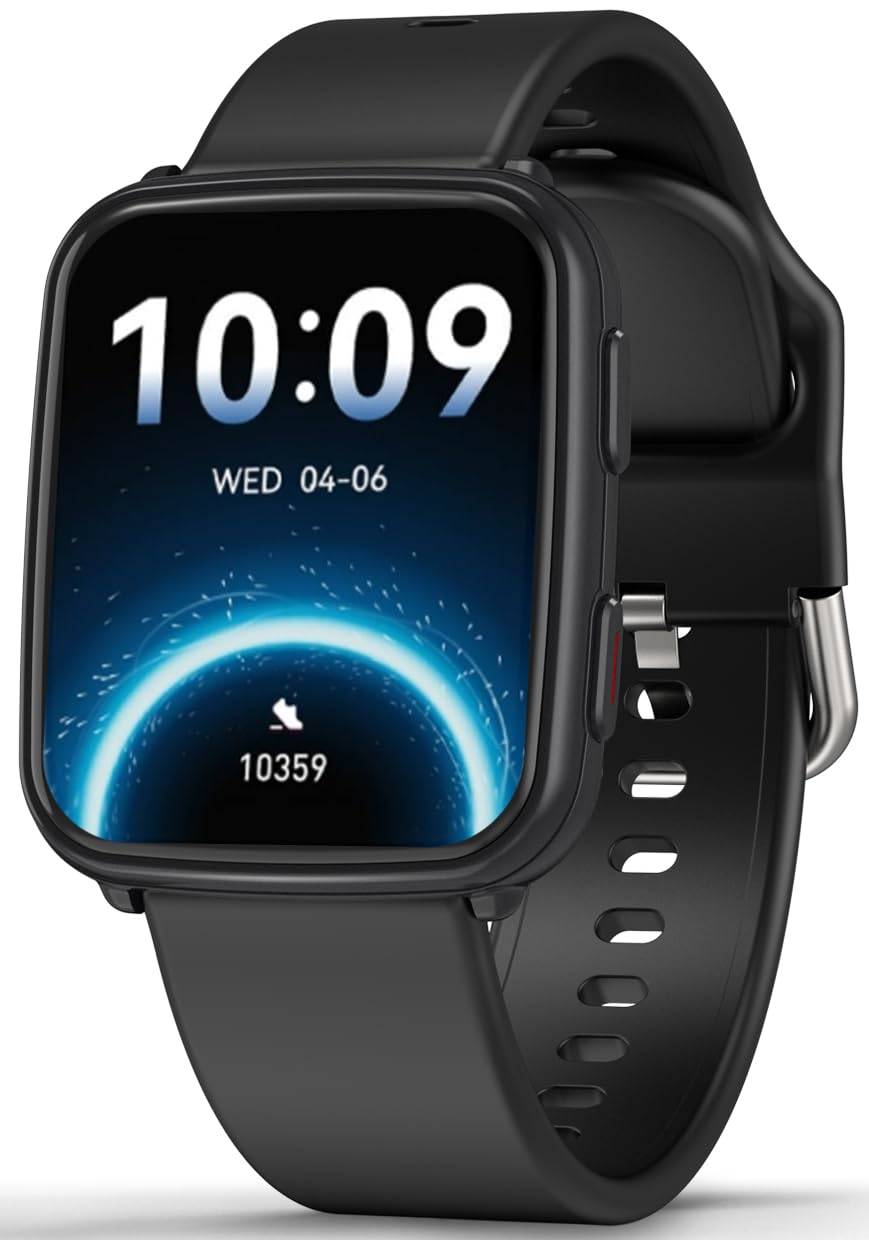
Image: MorePro Fitness Tracker AIR6 Black, showcasing det elegante designet.
2. Oppsettveiledning
2.1. Utpakking og førstegangs betaling
Upon opening the package, you will find the MorePro Fitness Tracker, a charging cable, and this user manual. Before first use, ensure the device is fully charged.
- Koble den magnetiske ladekabelen til ladepunktene på baksiden av klokken.
- Koble USB-enden av kabelen til en standard USB-strømadapter (ikke inkludert) eller en datamaskins USB-port.
- Klokkeskjermen vil vise ladestatus. En full lading tar vanligvis omtrent 2 timer.
2.2. Powering On and App Pairing
- To power on the device, press and hold the side button until the screen lights up.
- Select your preferred language from the options displayed on the screen.
- Scan the QR code shown on the watch screen or in the manual using your smartphone to download the companion MorePro app. The app is compatible with Android 7.0+ and iOS 13.0+ devices.
- Open the MorePro app on your smartphone, create an account, and follow the on-screen instructions to pair your fitness tracker via Bluetooth. Ensure Bluetooth is enabled on your phone.
Video: Demonstrates unboxing, connecting the charger, powering on the watch, selecting language, and scanning the QR code for app download and pairing.
3. Bruksanvisning
3.1. Grunnleggende navigering
The MorePro Fitness Tracker features a responsive touchscreen and a side button for navigation:
- Sveip opp/ned: Bla gjennom menyer og varsler.
- Sveip til venstre/høyre: Access quick data screens (e.g., steps, heart rate, weather).
- Trykk på: Velg et element eller bekreft en handling.
- Sideknapp: Press to return to the previous screen or wake the display. Press and hold to access the main menu or power options.
3.2. Helseovervåking
The device continuously monitors various health metrics:
- Hjertefrekvens: Provides 24/7 heart rate tracking. Access detailed graphs in the app.
- Blodtrykk: Offers on-demand blood pressure measurements. (Note: Not for medical use.)
- Oksygen i blodet (SpO2): Check your blood oxygen levels at any time.
- Søvnsporing: Automatically tracks deep sleep, light sleep, and wake-up times to provide comprehensive sleep insights.

Image: The watch screen showing real-time heart rate, blood pressure, and blood oxygen data.

Image: A close-up of the smart watch displaying heart rate monitoring.

Image: The smart watch screen showing blood pressure measurement.

Image: The smart watch displaying blood oxygen levels.
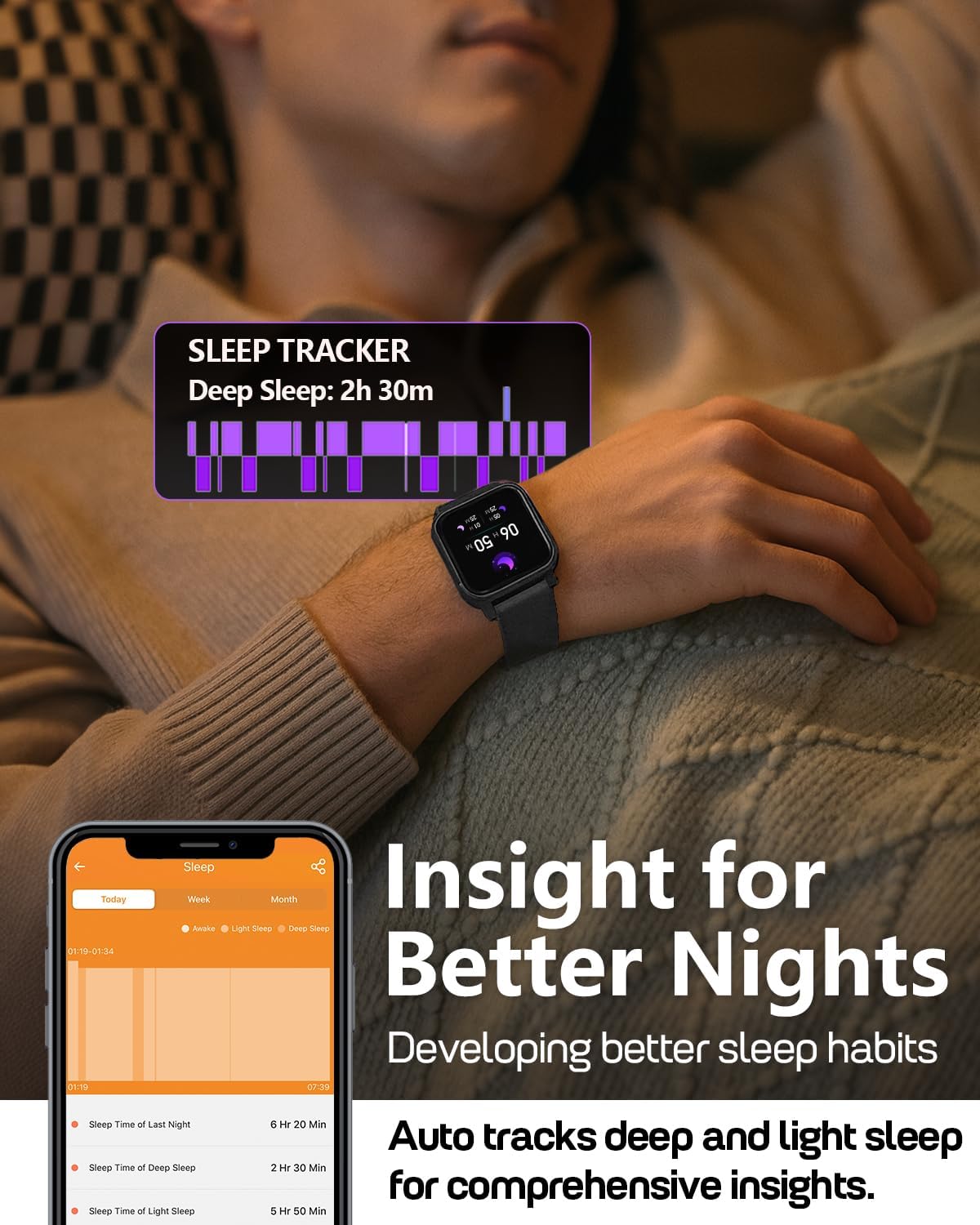
Image: A person wearing the MorePro Fitness Tracker while sleeping, with sleep data displayed on the screen.

Image: The smart watch displaying sleep tracking data.
3.3. Aktivitetssporing
The tracker supports over 20 sports modes and records daily activity:
- 20+ sportsmoduser: Includes running, walking, cycling, yoga, elliptical, swimming, basketball, football, badminton, table tennis, skipping, tennis, baseball, rugby, hula hoop, golf, and more.
- Daglig aktivitet: Registrerer skritt, distanse og forbrente kalorier.

Image: A person exercising while wearing the MorePro Fitness Tracker, displaying activity time, heart rate, steps, and calories burned.

Image: The fitness tracker displaying various sports modes like cycling, exercise bike, swimming, and yoga.
3.4. Sporing av kvinners helse
The tracker includes a dedicated feature for women's health, allowing you to log and track menstrual periods, safe days, ovulation windows, and ovulation days directly on your wrist. The app supports period mode, trying-to-conceive mode, and pregnancy mode.

Image: A woman using the smart watch to track her menstrual cycle.
3.5. Smarte funksjoner
Stay connected and organized with these smart features:
- Varsler: Receive real-time call, SMS, and app message notifications (e.g., Facebook, Instagram, TikTok) on your wrist.
- Værmelding: Get on-wrist weather updates.
- Musikkkontroll: Kontroller musikkavspilling på telefonen.
- Kamerakontroll: Bruk klokken som en fjernutløser for telefonens kamera.
- Stoppeklokke og timer: Innebygde verktøy for tidsregistrering av aktiviteter.
- Alarm Clock: Still inn alarmer direkte fra håndleddet.
- Finn telefon: Finn den forlagte smarttelefonen din.
- Sedentary & Hydration Reminders: Prompts to move and drink water throughout the day.
- Egendefinerte urskiver: Choose from over 200 watch faces or create custom ones using your own photos.

Image: The smart watch showing notifications from various social media apps and a stress monitor.

Image: The 1.52-inch HD screen of the MorePro Fitness Tracker displaying various watch face options, including custom photo faces.
4. Vedlikehold
4.1. Vanntetting
The MorePro Fitness Tracker is IP68 waterproof, meaning it is resistant to sweat, rain, and can be worn during hand-washing or swimming. However, it is not recommended for hot showers, saunas, or diving.

Image: Demonstrates the IP68 waterproof feature, showing the watch being exposed to sweat, poolside splashes, and hand-washing.
4.2. Rengjøring
To maintain your device, regularly clean the watch and strap with a soft, damp klut. Unngå bruk av sterke kjemikalier eller slipende materialer.
4.3. Batterilevetid og lading
The device offers up to 7-10 days of battery life with normal use and 15 days on standby. Recharge using the provided magnetic charging cable when the battery is low.

Image: A person in a desert setting, highlighting the ultra-long battery life of 15 days standby and 7 days normal use, with a 2-hour magnetic charging time.
5. Feilsøking
If you encounter issues with your MorePro Fitness Tracker, try the following steps:
- Enheten slår seg ikke på: Sørg for at enheten er fulladet. Koble den til laderen og vent noen minutter før du prøver å slå den på igjen.
- Tilkoblingsproblemer: Make sure Bluetooth is enabled on your smartphone and the tracker is within range. Restart both your phone and the tracker. Check the app for pairing status.
- Unøyaktige avlesninger: Sørg for at klokken sitter tett på håndleddet, ikke for stram eller for løs. Rengjør sensorene på baksiden av klokken.
- Appen synkroniserer ikke: Verify your phone has an active internet connection. Close and reopen the MorePro app.
- Varsler vises ikke: Check your phone's notification settings for the MorePro app and ensure all necessary permissions are granted.
For further assistance, refer to the in-app help section or contact customer support.
6. Spesifikasjoner
| Trekk | Detalj |
|---|---|
| Merke | MorePro |
| Modell | AIR6 Black |
| Skjermstørrelse | 1.52 tommer |
| Visningstype | LCD |
| Minnelagringskapasitet | 128 MB |
| Operativsystem | Android og iOS |
| Kompatible enheter | Smarttelefon |
| Spesielle funksjoner | Activity Tracker, Cycle Tracking, Daily Workout Memory, Music Player, Sedentary Reminder, Heart Rate, Blood Pressure, Blood Oxygen, Sleep Monitor, Weather, Alarm Clock, Find Phone, Camera Control, Stopwatch, Timer, Hydration Reminder |
| Vanntett vurdering | IP68 |
| Batterikapasitet | 230 millioneramp Timer |
| Batterilevetid (normal bruk) | 7-10 dager |
| Batterilevetid (standby) | 15 dager |
| Ladetid | Ca. 2 timer |
| Tilkoblingsteknologi | Bluetooth 5.3 |
| Materialtype | Plast |
| Kompatibilitet med håndleddsstørrelse | 6.3–8.6 tommer |

Image: Details on watch dimensions, minimum and maximum wrist sizes, and compatibility with Android 7.0+ and iOS 13.0+ via Bluetooth 5.3.

Image: The smart watch highlighting its 1.52-inch HD screen and various watch face options.

Image: Detailed measurements of the watch strap, indicating its adjustable length for wrist sizes between 6.3 and 8.6 inches.
7. Garanti og støtte
MorePro offers comprehensive support for your fitness tracker:
- 2-års erstatning: Enjoy a 2-year replacement policy for manufacturing defects.
- Livstidstjeneste: Benefit from lifetime technical support and service.
- 12-Hour Quick Reply: Forvent raskt svar på dine henvendelser innen 12 timer.
For any questions or support needs, please contact MorePro customer service.

Image: Highlights MorePro's after-sales support, including a 2-year premium service and 12-hour quick support.