
1. Introduksjon
This manual provides comprehensive instructions for the setup, operation, and maintenance of your GOBOULT Mustang Racer Smart Watch. Please read this manual thoroughly before using the device to ensure proper functionality and to maximize your user experience. Keep this manual for future reference.
2. Hva er i esken
Bekreft at alle varene er til stede i pakken:
- GOBOULT Mustang Racer Smart Watch
- Ladekabel
- Brukerhåndbok (dette dokumentet)
- Garantikort
3. Produktet er overview
Familiarize yourself with the key components of your GOBOULT Mustang Racer Smart Watch.
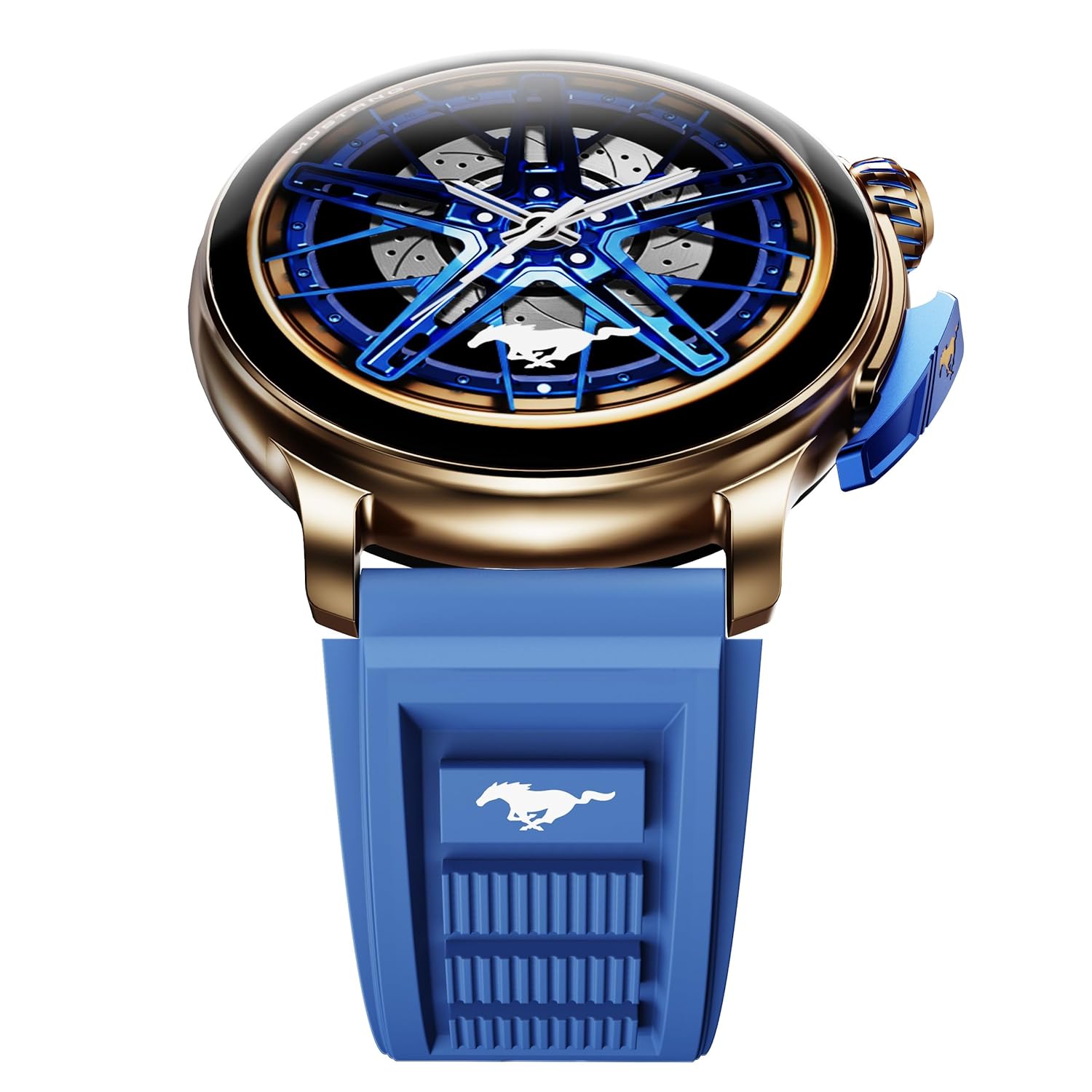
Image: The GOBOULT Mustang Racer Smart Watch, showcasing its 1.43-inch AMOLED display and overall design.
Display and Bezel
The watch features a 1.43-inch AMOLED display with 500 Nits brightness for clear visibility. The functional rotating bezel allows for intuitive navigation through menus and features.

Bilde: En detaljert view of the smartwatch's 1.43-inch AMOLED display and the rotating bezel, highlighting its design and brightness.
Buttons and Crown
The watch includes a rotating tyre-tread crown for navigation and selection, along with a functional paddle shifter button for quick access to features.

Image: The smartwatch featuring its functional paddle shifter and rotating crown, designed for enhanced control.
4. Oppsett
4.1. Lading av smartklokken
Before initial use, fully charge your smartwatch. Connect the magnetic charging cable to the charging pins on the back of the watch and plug the USB end into a compatible power adapter (not included) or a computer's USB port. The watch will display a charging indicator. A full charge takes approximately 120 minutes.
4.2. Slå på/av
- Strøm på: Press and hold the main power button (crown) for a few seconds until the GOBOULT logo appears.
- Slå av: From the watch face, swipe down to access quick settings, or navigate to the settings menu. Select "Power Off" and confirm. Alternatively, press and hold the main power button until the power-off option appears.
4.3. Paring med smarttelefonen din
To unlock all features, pair your GOBOULT Mustang Racer Smart Watch with the companion app on your smartphone via Bluetooth.
- Download the official GOBOULT app from your smartphone's app store (iOS App Store or Google Play Store).
- Sørg for at Bluetooth er aktivert på smarttelefonen.
- Open the GOBOULT app and follow the on-screen instructions to create an account or log in.
- In the app, select "Add Device" or similar option.
- Select "GOBOULT Mustang Racer" from the list of available devices.
- Bekreft paringsforespørselen på både smarttelefonen og smartklokken.
Når den er paret, synkroniserer klokken data med telefonen din, og du kan tilpasse innstillingene via appen.

Image: The smartwatch highlighting its Bluetooth V5.3 connectivity for quick syncing and IP67 water resistance.
5. Bruksanvisning
5.1. Navigasjon
- Sveip opp/ned/venstre/høyre: Navigate through menus, notifications, and quick access panels.
- Trykk på: Velg et element eller bekreft en handling.
- Rotating Bezel/Crown: Rotate to scroll through lists or adjust settings. Press to select or return to the home screen.
- Paddle Shifter Button: Customizable shortcut for frequently used functions (e.g., sports modes).
5.2. Bluetooth-anrop
With integrated speaker and microphone, you can make and receive calls directly from your wrist after pairing with your smartphone.
- Sørg for at klokken din er koblet til telefonen din via Bluetooth.
- Slik ringer du: Gå til oppringeren eller kontaktlisten på klokken din.
- For å motta et anrop: Et varsel om innkommende anrop vises på klokken din. Trykk for å svare eller avslå.
5.3. Urskiver
Customize your watch's appearance with over 150 watch faces, including exclusive Mustang designs. Long-press the watch face to change it, or use the companion app for more options.

Bilde: Smartklokkeshowetasing multiple watch face options, including exclusive Mustang designs.
5.4. Sportsmoduser
The watch supports over 120 sports modes to track your physical activities. Access sports modes from the main menu or via the paddle shifter shortcut (if configured).
- Select your desired sport.
- Start the activity. The watch will record metrics such as duration, calories burned, and heart rate.
- End the activity to save data. Review your performance in the app.

Image: The smartwatch displaying a sports tracking interface, indicating its capability to monitor various physical activities.
5.5. Helseovervåking
The GOBOULT Mustang Racer Smart Watch provides comprehensive health tracking features:
- 24/7 pulsmåler: Sporer pulsen din kontinuerlig.
- SpO2-blodmetningsmonitor for oksygen: Måler oksygennivået i blodet.
- Søvnovervåking: Analyzes sleep patterns (deep sleep, light sleep, awake time).
- Stressmonitor: Gir innsikt i stressnivået ditt.
- Blodtrykk: (Note: Smartwatch blood pressure measurements are for reference only and should not be used for medical diagnosis.)
Access these features from the watch's health menu or view detaljerte rapporter i tilhørende app.

Bilde: En intern view of the smartwatch highlighting its health tracking sensors, with text indicating features like heart rate, SpO2, sleep, and stress monitoring.
5.6. AI-stemmeassistent
Activate the AI Voice Assistant on your watch to perform tasks, set reminders, or get information using voice commands. Ensure your watch is connected to your phone for this feature to function.
5.7. Smarte varsler
Receive notifications for calls, messages, and app alerts directly on your watch. Manage notification settings through the GOBOULT app.
5.8. Always On Display
The Always On Display feature allows the time and essential information to remain visible on the screen without needing to raise your wrist or press a button. This feature can be enabled or disabled in the watch settings to manage battery consumption.

Image: The smartwatch displaying the time and a car image, illustrating the Always On Display functionality.
6. Funksjoner og spesifikasjoner
Nøkkelfunksjoner:
- 1.43" AMOLED Display with 500 Nits Brightness
- Bluetooth Calling (BT V5.3)
- Rotating Bezel for intuitive control
- 150+ Watch Faces, including exclusive Mustang designs
- AI stemmeassistent
- Health Monitoring: SpO2, Heart Rate, Sleep, Stress, Blood Pressure
- 120+ sportsmoduser
- IP67 vanntett
- Up to 7-day battery runtime with fast charging
Tekniske spesifikasjoner:
| Merke | GOBOULT |
| Modellnummer | GOBOULT Mustang Racer |
| Skjermstørrelse | 1.43 tommer |
| Trådløs type | Bluetooth V5.3 |
| Batteriladetid | 120 minutter |
| Batteriets energiinnhold | 1.11 wattimer |
| Vannmotstand | IP67 |
| Varevekt | 55 g |
| Opprinnelsesland | Kina |
7. Vedlikehold
7.1. Rengjøring av smartklokken
Regelmessig rengjøring bidrar til å opprettholde klokkens utseende og funksjonalitet:
- Tørk av skjermen og huset med en myk, lofri klut.
- For gjenstridige flekker, litt dampSkyll kluten med vann. Unngå bruk av sterke kjemikalier eller slipende materialer.
- Clean the charging contacts periodically with a dry cloth to ensure proper charging.
7.2. Vannmotstand (IP67)
The GOBOULT Mustang Racer Smart Watch is IP67 water resistant, meaning it can withstand immersion in up to 1 meter of fresh water for up to 30 minutes. It is suitable for daily use and light splashes. However, it is not recommended for swimming, showering with hot water, or diving. Avoid exposure to saltwater or chemicals, as this may damage the device.
7.3. Batteripleie
- Unngå å utlade batteriet helt ofte.
- Oppbevar klokken på et kjølig og tørt sted når den ikke er i bruk over lengre tid.
- Bruk kun den medfølgende ladekabelen.
8. Feilsøking
| Problem | Mulig løsning |
|---|---|
| Klokken slår seg ikke på. | Sørg for at klokken er fulladet. Koble den til laderen i minst 30 minutter. |
| Kan ikke pares med smarttelefon. |
|
| Unøyaktige helsedata. |
|
| Kort batterilevetid. |
|
9. Garanti og støtte
Your GOBOULT Mustang Racer Smart Watch comes with a warranty as specified on the included Warranty Card. Please refer to the card for details regarding warranty period, coverage, and terms and conditions.
For technical support, product inquiries, or warranty claims, please contact GOBOULT customer service through the contact information provided on your Warranty Card or visit the official GOBOULT webnettstedet.
Inkluderte komponenter: Charging Cable, Mustang Racer Apex Blue Smart watch, User Manual, Warranty Card