
OLIXIS 1411BK2-HJ3Nsun
OLIXIS Office Desk Chair Instruction Manual
Model: 1411BK2-HJ3Nsun
Introduksjon
Thank you for choosing the OLIXIS Office Desk Chair. This manual provides detailed instructions for the assembly, operation, maintenance, and troubleshooting of your new chair. Please read this manual thoroughly before assembly and use to ensure proper function and safety.
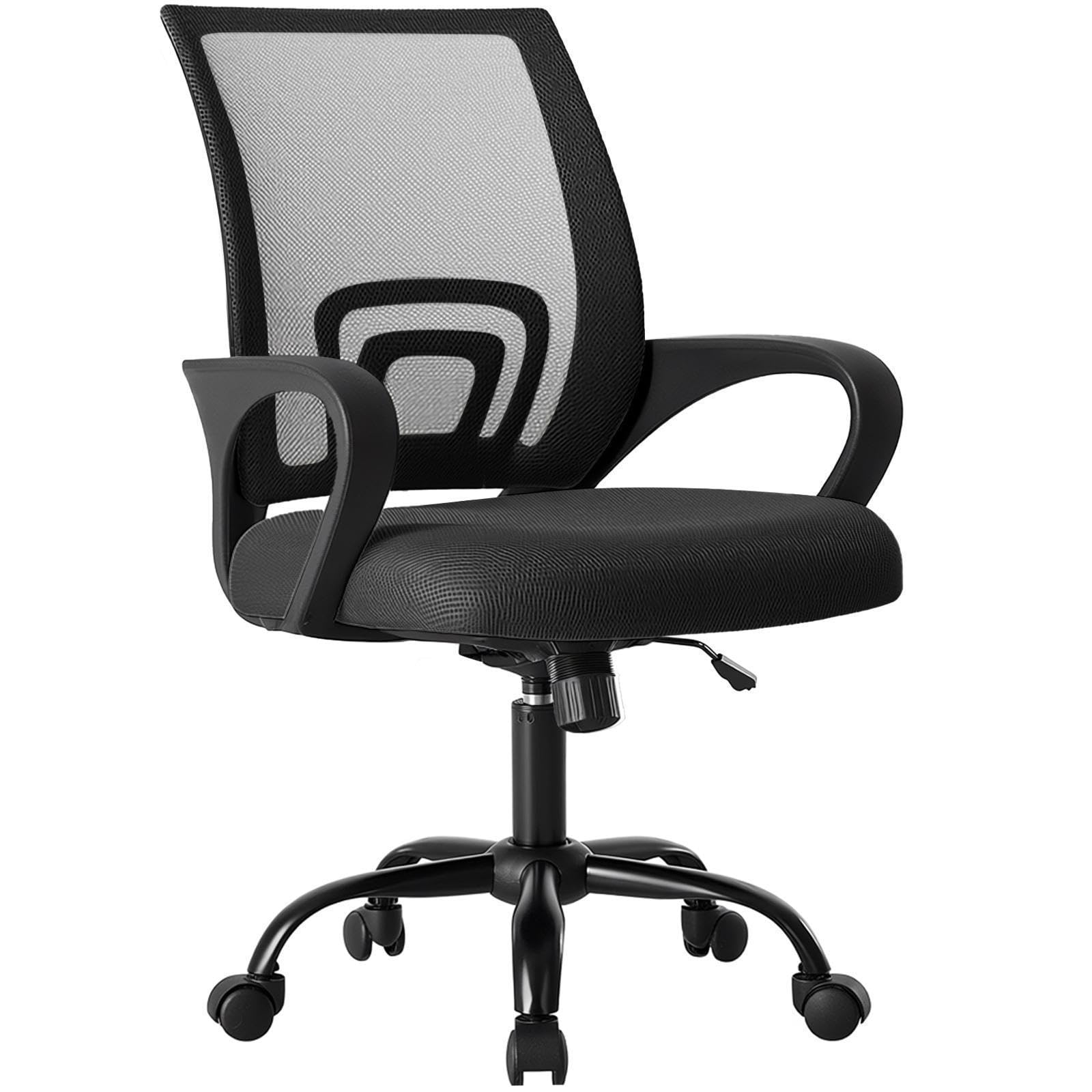
Figure 1: OLIXIS Office Desk Chair (Model 1411BK2-HJ3Nsun)
Sikkerhetsinformasjon
- Følg alltid monteringsanvisningen nøye.
- Ikke stå på stolen.
- Ikke bruk stolen hvis noen deler mangler, er skadet eller slitt.
- Ensure all bolts and screws are tightened before use. Periodically check and re-tighten as necessary.
- Ikke overskrid den maksimale vektkapasiteten på 113.4 kg.
- Hold barn unna bevegelige deler under justering.
- Bruk stolen på et jevnt underlag for å unngå at den velter.
Pakkeinnhold
Før monteringen starter, må du sørge for at alle komponenter er til stede og uskadet. Hvis noen deler mangler eller er skadet, vennligst kontakt kundeservice.
- Ryggstøtte (1)
- Setepute (1)
- Armrests (2, fixed to seat)
- Gassløftesylinder (1)
- Base (1 XNUMX)
- Hjul (5)
- Mekanismeplate (1)
- Screws and Allen Wrench (1 set)

Figure 2: Product dimensions and components overview.
Oppsett og montering
Follow these steps to assemble your OLIXIS Office Desk Chair. It is recommended to assemble the chair on a soft, clean surface to prevent damage.
- Fest hjulene til basen: Insert each of the five casters into the holes at the end of each leg of the chair base. Push firmly until they click into place.
- Sett inn gassløft: Plasser gassløftesylinderen i det midtre hullet på den monterte basen.
- Fest mekanismeplaten til setet: Align the mechanism plate with the screw holes on the underside of the seat cushion. Ensure the front of the mechanism plate faces the front of the seat. Secure with screws using the provided Allen wrench.
- Fest ryggstøtten til setet: Align the backrest with the designated attachment points on the seat cushion (usually at the rear). Secure with screws.
- Koble seteenheten til gassløfteren: Plasser forsiktig det monterte setet og ryggstøtten på gassløftsylinderen, og sørg for at det midterste hullet på mekanismeplaten er på linje med toppen av gassløfteren. Trykk godt ned for å feste.
Kontroller at alle tilkoblinger er sikre før du bruker stolen.
Bruksanvisning
Your OLIXIS Office Desk Chair offers several adjustment features for personalized comfort.
1. Høydejustering
Slik justerer du setehøyden:
- For å heve: While seated, lift the lever located on the right side of the chair. The seat will rise. Release the lever at the desired height.
- For å senke: While seated, lift the lever located on the right side of the chair. Apply slight body weight to lower the seat. Release the lever at the desired height.
The seat height is adjustable from 14.7 inches to 17.7 inches.
2. Rocking Mode and Tilt Tension
The chair features a rocking mode with adjustable tilt tension.
- Engage/Disengage Rocking Mode: Pull the same lever used for height adjustment outwards to enable rocking. Push it inwards to lock the chair in an upright position (90 degrees).
- Adjust Tilt Tension: Rotate the round knob located underneath the seat, at the front of the mechanism plate. Turn clockwise to increase tension (making it harder to recline) or counter-clockwise to decrease tension (making it easier to recline).
The rocking range is approximately 90 to 120 degrees.

Figure 3: Height adjustment and rocking mode controls.
3. 360° Swivel and Casters
The chair is designed with a 360-degree swivel function and smooth-rolling casters for easy movement within your workspace.
- Sving: The seat can freely rotate 360 degrees.
- Hjul: The silent casters are designed to move smoothly on various floor types, including carpets, without causing scratches.
4. Lumbar Support and Fixed Armrests
The chair features an ergonomic mid-back design with integrated lumbar support and fixed armrests for comfort and stability.
- Korsryggstøtte: The contoured backrest provides support to the natural curve of your spine.
- Fixed Armrests: The armrests are designed to provide stable support and are not adjustable.

Figure 4: Ergonomic features including back support, lumbar support, and fixed armrests.
5. Storage Back
A convenient storage space is integrated into the back of the chair, suitable for holding items like books, newspapers, or tablets.
Vedlikehold
Regelmessig vedlikehold bidrar til å forlenge levetiden og utseendet til stolen din.
- Rengjøring: Tørk av med annonseamp klut. Unngå sterke kjemikalier eller slipende rengjøringsmidler.
- Nettingrygg: Gently vacuum the mesh backrest to remove dust and debris. For stains, dab with a mild soap solution and a soft cloth, then wipe with a clean, damp klut.
- Hjul: Sjekk hjulene regelmessig for hår eller rusk som kan hindre jevn bevegelse. Rengjør etter behov.
- Maskinvare: Sjekk regelmessig alle skruer og bolter for å sikre at de er stramme. Stram til om nødvendig.
- Unngå direkte sollys: Prolonged exposure to direct sunlight can fade the fabric and mesh.

Figure 5: Breathable mesh back and high-resilience foam seat construction.
Feilsøking
Hvis du støter på problemer med stolen din, kan du se følgende vanlige problemer og løsninger:
| Problem | Mulig årsak | Løsning |
|---|---|---|
| Stolen justerer ikke høyden. | Gas lift cylinder malfunction or lever not engaged properly. | Sørg for at høydejusteringsspaken er helt i stilling. Hvis problemet vedvarer, kan det hende at gassløfteren må byttes ut. Kontakt kundestøtte. |
| Stolen er ustabil eller ustø. | Løse skruer eller ujevnt gulv. | Check and re-tighten all assembly screws. Ensure the chair is on a flat, level surface. |
| Hjulene ruller ikke jevnt. | Rusk (hår, lo) sitter fast i hjulene. | Snu stolen og fjern forsiktig eventuelt rusk fra hjulene. |
| Stolen knirker når den beveger seg. | Løse forbindelser eller friksjon mellom deler. | Re-tighten all screws. Apply a small amount of silicone lubricant to moving parts if necessary, avoiding contact with fabric. |
Spesifikasjoner
| Merke | OLIXIS |
| Modellnavn | OLIXIS Office Desk Chair |
| Modellnummer | 1411BK2-HJ3Nsun |
| Farge | Svart |
| Materiale | Mesh (Back), Foam (Seat) |
| Produktdimensjoner (D x B x H) | 60D x 57.4B x 95H centimeter (23.6D x 22.6B x 37.4H tommer) |
| Justeringsområde for setehøyde | 14.7 tommer til 17.7 tommer |
| Varevekt | 19.4 pund (8.8 kg) |
| Anbefalt maksimal vekt | 250 pund (113.4 kg) |
| Tilbake stil | Nettingrygg |
| Armstil | Fikset |
| Spesielle funksjoner | Adjustable Height, Arm Rest, Back Support, Ergonomic, Rolling, Rocking Mode, Lumbar Support, Storage Back |
Garantiinformasjon
OLIXIS products are manufactured to high-quality standards. For specific warranty terms and conditions, please refer to the warranty card included with your purchase or visit the official OLIXIS webnettstedet. Ta vare på kjøpskvitteringen som kjøpsbevis for eventuelle garantikrav.
Kundestøtte
If you have any questions, require assistance with assembly, or need troubleshooting help that is not covered in this manual, please contact OLIXIS customer service. You can typically find contact information on the product packaging or the official OLIXIS webnettstedet.
We are committed to providing you with the best possible experience with your OLIXIS Office Desk Chair.
Ask a question about this manual
Ask about setup, troubleshooting, compatibility, parts, safety, or missing instructions. Manuals+ will review the question and use this page’s manual context to help answer it.