
Introduksjon
Thank you for choosing the GOBOULT Y1 v2.0 Wireless Earbuds. This manual provides essential information for setting up, operating, and maintaining your earbuds to ensure optimal performance and longevity. Please read it carefully before use.
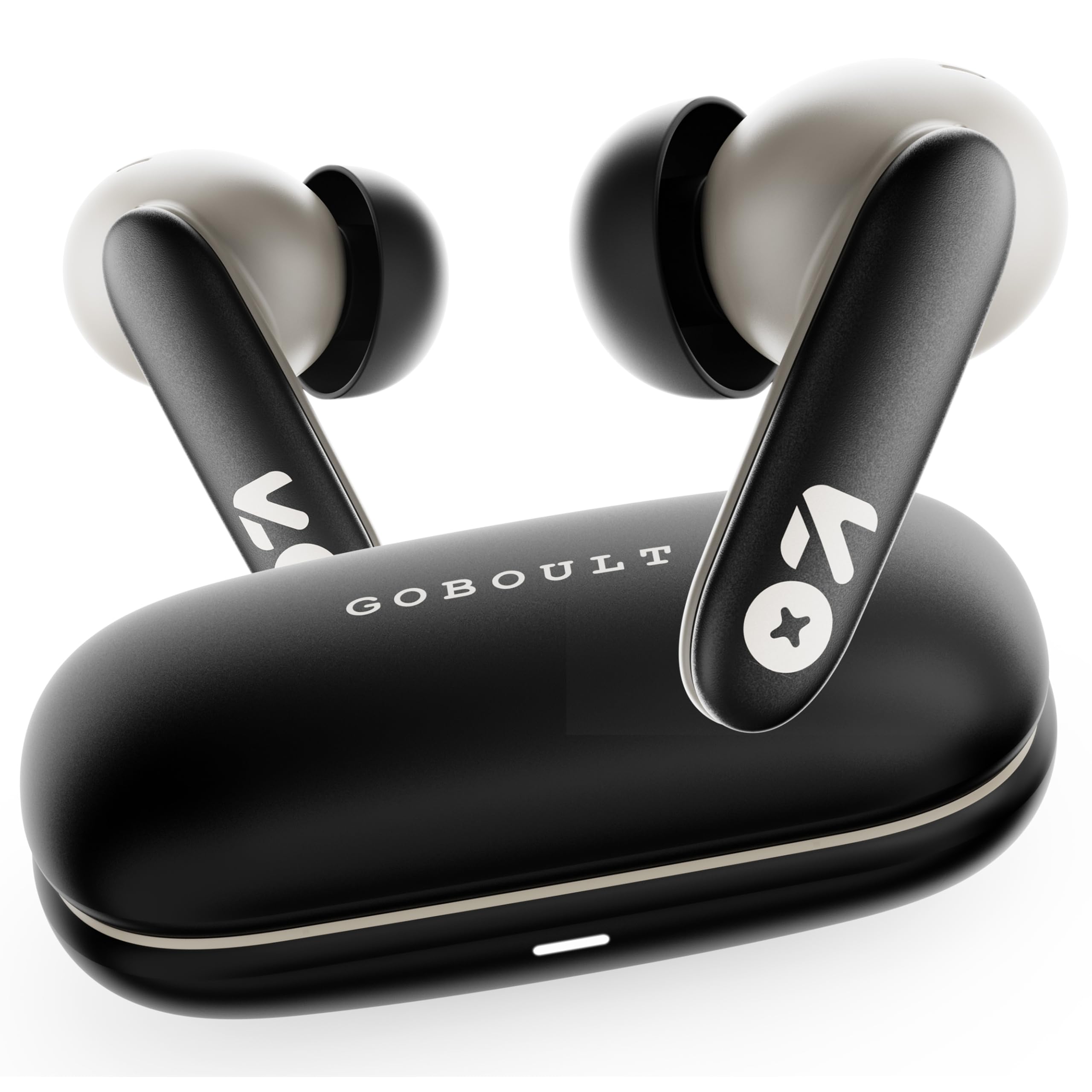
Image: GOBOULT Y1 v2.0 Wireless Earbuds and their charging case, showcasing det elegante designet.
Hva er i esken
- GOBOULT Y1 v2.0 Wireless Earbuds
- Ladeetui
- USB Type-C ladekabel
- Øreputer (forskjellige størrelser)
- Brukerhåndbok
- Garantikort
Produktfunksjoner
The GOBOULT Y1 v2.0 earbuds are designed with advanced features for an enhanced audio experience:
- Utvidet spilletid: Opptil 60 timers total spilletid med ladeetuiet.
- Bluetooth 6.0: Ensures fast, stable, and efficient wireless connectivity.
- Zen Quad Mic ENC: Environmental Noise Cancellation with four microphones for clear calls.
- Lav ventetid: 45ms ultra-low latency for gaming and video synchronization.
- Berøringskontroll: Intuitive touch sensors for managing music, calls, and voice assistant.
- Dual Device Pairing: Connect and switch seamlessly between two devices.
- 13mm Bass Driver: Gir kraftig bass og klar lyd.
- AMP App støtte: Customize audio settings and controls via the dedicated application.
- IPX5 vannmotstand: Protection against sweat and light splashes.
- Rask lading: Type-C port for quick charging of the case.

Bilde: Overview of GOBOULT Y1 v2.0 features including sleek design, AMP App support, Bluetooth 6.0, 60 hours battery life, and dual device pairing.
Oppsettveiledning
1. Lade øreproppene og etuiet
Lad øreproppene og ladeetuiet helt opp før første gangs bruk.
- Plasser øreproppene i ladeetuiet. Sørg for at de er riktig plassert.
- Koble USB Type-C-ladekabelen til ladeporten på etuiet og til en strømkilde.
- The LED indicator on the case will show charging status. A full charge typically takes approximately 1.5-2 hours.

Image: The GOBOULT Y1 v2.0 earbuds and charging case, highlighting the 60-hour battery life and Type-C fast charging capability.
2. Initial Pairing (Single Device)
- Åpne ladeetuiet. Øreproppene vil automatisk gå inn i paringsmodus.
- Aktiver Bluetooth på enheten din (smarttelefon, nettbrett osv.).
- Søk etter available Bluetooth devices and select "GOBOULT Y1 v2.0".
- Når du er tilkoblet, vil du høre en bekreftelsestone.
3. Paring av doble enheter
The Y1 v2.0 supports connecting to two devices simultaneously.
- Pair the earbuds with your first device as described in "Initial Pairing".
- Deaktiver Bluetooth på den første enheten. Øreproppene vil gå inn i paringsmodus på nytt.
- Koble øreproppene sammen med den andre enheten din.
- Aktiver Bluetooth på nytt på den første enheten. Øreproppene skal koble seg til begge enhetene automatisk.
- To switch between devices, simply play audio on the desired device.

Image: The GOBOULT Y1 v2.0 earbuds connected to both a laptop and a smartphone, illustrating the dual device pairing feature.
Bruksanvisning
1. Trykk på Kontroller
The earbuds feature intuitive touch controls on their stems:
| Handling | Funksjon |
|---|---|
| Enkelt trykk (venstre/høyre) | Spill av/pause musikk, svar på/avslutt samtale |
| Dobbelttrykk (høyre) | Neste spor |
| Dobbelttrykk (venstre) | Forrige spor |
| Trippeltrykk (venstre/høyre) | Aktiver stemmeassistent |
| Langt trykk (venstre/høyre) | Avvis anrop |
| Langt trykk (høyre) | Volum opp |
| Langt trykk (venstre) | Volum ned |

Image: Visual representation of touch controls for music playback and call management, along with the IPX5 water resistance rating.
2. Stemmeassistent
Activate your device's voice assistant (Siri, Google Assistant) by triple-tapping either earbud. You can then issue commands like making calls or playing music.

Image: The GOBOULT Y1 v2.0 earbuds highlighting Bluetooth 6.0 for stable connection and integration with AI voice assistants like Siri and Google Assistant.
3. Gaming Mode (Low Latency)
For an optimized gaming experience, activate the 45ms ultra-low latency gaming mode. Refer to the AMP App or specific touch control gestures (if available) for activation.

Image: The GOBOULT Y1 v2.0 earbuds illustrating the 45ms ultra-low latency Gaming Mode.
4. AMP Appstøtte
Download the GOBOULT AMP App to unlock advanced customization options:
- Juster equalizer-innstillingene (EQ) for personlig lyd.
- Tilpass berøringskontroller.
- Access additional features like Water Ejection mode.

Image: Screenshot of the GOBOULT AMP App interface, demonstrating equalizer adjustments and other customization features.
Vedlikehold
1. Rengjøring
Regelmessig rengjøring bidrar til å opprettholde lydkvalitet og hygiene.
- Bruk en myk, tørr og lofri klut til å tørke av øreproppene og ladeetuiet.
- Gently remove any earwax or debris from the ear tips and speaker mesh using a small brush or cotton swab.
- Ikke bruk slipende rengjøringsmidler, alkohol eller kjemiske løsemidler.
2. Vannmotstand (IPX5)
The GOBOULT Y1 v2.0 earbuds are rated IPX5 water resistant, meaning they are protected against low-pressure water jets from any direction. This makes them suitable for workouts and light rain.
- Ikke senk øreproppene i vann.
- Ladetasken er ikke vanntett.
- Sørg for at øreproppene er tørre før du setter dem tilbake i ladeetuiet for å unngå skade.
Feilsøking
| Problem | Løsning |
|---|---|
| Øreplugger kan ikke pares | Sørg for at øreproppene er ladet. Slå av og på Bluetooth på enheten din. Glem enheten i Bluetooth-innstillingene og par den på nytt. |
| Kun én øreplugg fungerer | Place both earbuds back in the case, close it, then open again. Ensure both are charged. Reset earbuds if issue persists. |
| Lavt volum eller dårlig lydkvalitet | Clean earbud speaker mesh. Adjust volume on both earbuds and connected device. Try different ear tip sizes for a better seal. |
| Ladeetui lader ikke | Check USB Type-C cable and power adapter. Ensure connections are secure. |
Spesifikasjoner
| Trekk | Detalj |
|---|---|
| Merke | GOBOULT |
| Modellnavn | Y1 v2.0 (Airbass) |
| Øreplassering | In Ear |
| Støykontroll | Miljøstøydemping (ENC) |
| Bluetooth-versjon | 6.0 |
| Bluetooth-rekkevidde | 10 meter |
| Batterilevetid (totalt) | Opptil 60 timer |
| Lyddriverstørrelse | 13 millimeter |
| Lydforsinkelse | 45 millisekunder (spillmodus) |
| Frekvensrespons | 20 Hz–20 000 Hz |
| Vannmotstandsnivå | IPX5 |
| Kontrollmetode | Berøringskontroll, app |
| Kompatible enheter | Android, iOS, Desktops, Laptops, Tablets |
| Varevekt | 50 gram |

Image: A detailed comparison table showing the specifications of GOBOULT Y1 v2.0 versus the previous Y1 model, highlighting improvements.
Garanti og støtte
The GOBOULT Y1 v2.0 Wireless Earbuds come with a 1 års produsentgaranti fra kjøpsdatoen. Denne garantien dekker produksjonsfeil.
For warranty claims, technical support, or any product-related inquiries, please refer to the contact information provided on your warranty card or visit the official GOBOULT support webnettstedet.