
1. Introduksjon
Takk for kjøpetasing the VIBOX 49-inch 120Hz Curved Ultra-Wide Gaming Monitor. This manual provides essential information for setting up, operating, and maintaining your monitor. Please read it thoroughly before use to ensure optimal performance and safety.
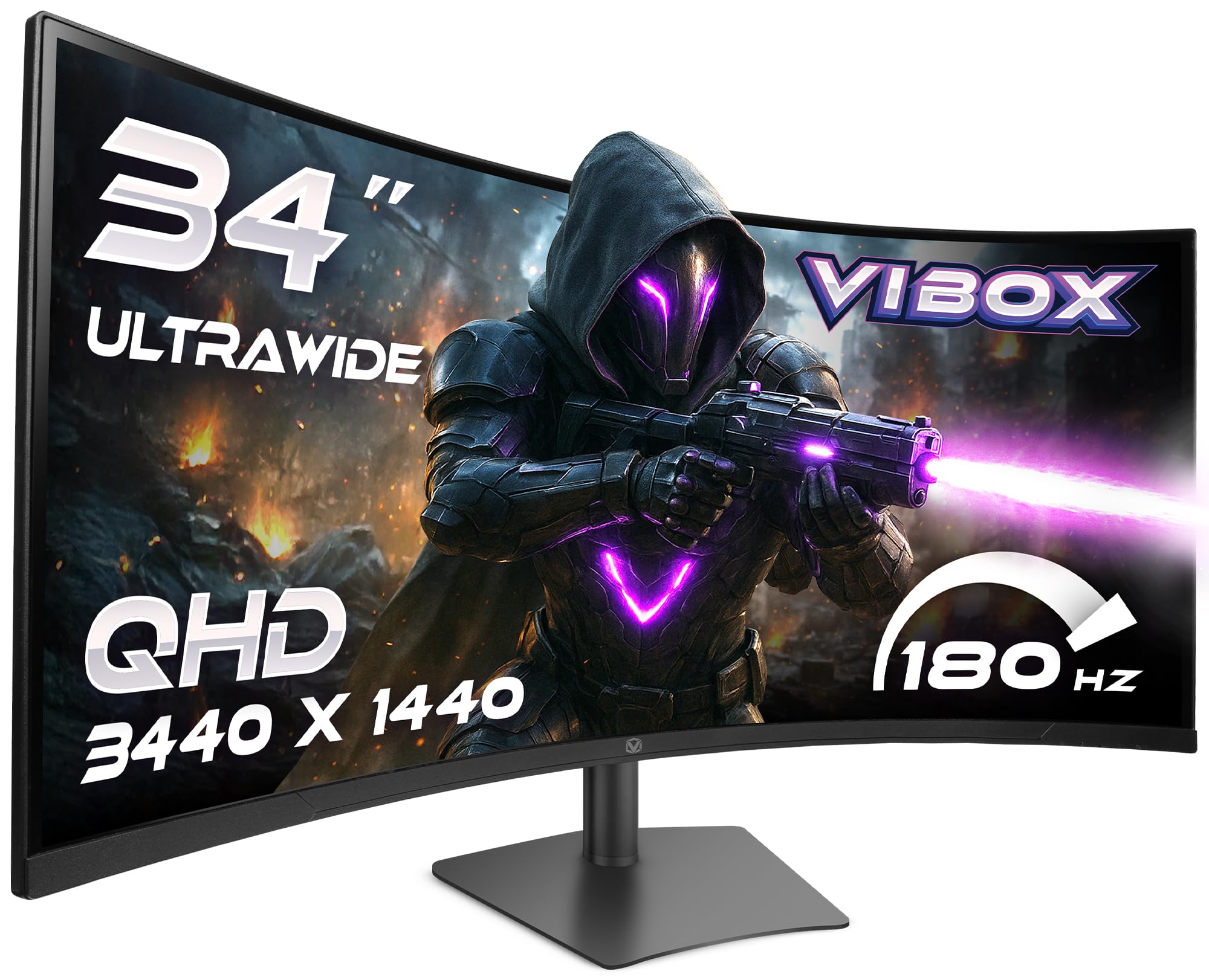
Image: The VIBOX 49-inch Curved Ultra-Wide Gaming Monitor, showcasing its expansive display.
2. Sikkerhetsinformasjon
To prevent damage and ensure safe operation, please observe the following precautions:
- Ikke utsett skjermen for regn, fuktighet eller ekstreme temperaturer.
- Unngå å plassere skjermen i nærheten av varmekilder eller i direkte sollys.
- Sørg for tilstrekkelig ventilasjon; ikke blokker noen ventilasjonsåpninger.
- Bruk kun strømadapteren som følger med skjermen.
- Disconnect the power cable during lightning storms or when unused for extended periods.
- Ikke forsøk å demontere eller reparere skjermen selv. Overlat all service til kvalifisert personell.
3. Pakkens innhold
Bekreft at alle varene er til stede i pakken din:
- VIBOX 49-inch Curved Ultra-Wide Gaming Monitor
- Skjermstativ (base og hals)
- Strømadapter og kabel
- HDMI-kabel
- DisplayPort-kabel
- Brukerhåndbok
4. Produktet er overview
4.1. Bakpanel og porter
The rear panel of your monitor features various ports for connectivity and power. Familiarize yourself with these connections before setup.

Bilde: Bak view of the VIBOX monitor, highlighting the power input, 2x HDMI 2.0 ports, 2x DisplayPort, and 3.5mm audio port, along with RGB lighting around the stand connection.
- Strøminngang: Kobles til strømadapteren.
- HDMI 2.0-porter (x2): Koble til enheter som støtter HDMI-utgang.
- DisplayPort (x2): Koble til enheter som støtter DisplayPort-utgang.
- 3.5 mm lydport: For tilkobling av eksterne hodetelefoner eller høyttalere.
- Kontrollknapper: Typically located on the rear or bottom for navigating the On-Screen Display (OSD) menu.
5. Oppsett
5.1. Montering av stativ
- Ta forsiktig ut komponentene til skjermen og stativet fra emballasjen.
- Attach the stand neck to the monitor panel, ensuring it clicks securely into place or is fastened with screws as indicated in the quick start guide.
- Fest stativbasen til stativhalsen, og fest den med den medfølgende skruen.
- Plasser den monterte skjermen på en stabil, flat overflate.
5.2. Koble til en enhet
- Connect one end of the HDMI or DisplayPort cable to the corresponding port on your computer or gaming console.
- Connect the other end of the cable to an available HDMI or DisplayPort on the monitor's rear panel.
- Koble strømadapteren til skjermens strøminngang, og koble deretter strømkabelen til en stikkontakt.
5.3. Justering av skjermstativet
Skjermstativet tilbyr ergonomiske justeringer for optimal viewkomfort.

Image: A diagram illustrating the adjustable height, tilt, and swivel capabilities of the VIBOX monitor stand, allowing for a customized viewing vinkel.
- Høydejustering: Skyv eller dra forsiktig skjermen opp eller ned til ønsket høyde.
- Justering av vippe: Tilt the monitor screen forward or backward to find the best viewing vinkel.
- Svingjustering: Roter skjermen til venstre eller høyre på basen.
6. Bruksanvisning
6.1. Slå på/av
Press the power button, usually located on the rear or bottom of the monitor, to turn it on or off. The power indicator light will illuminate when the monitor is active.
6.2. On-Screen Display (OSD)-meny
Use the control buttons to navigate the OSD menu and adjust various settings:
- Bildeinnstillinger: Lysstyrke, kontrast, skarphet, fargetemperatur.
- Inndatavalg: Bytt manuelt mellom HDMI- og DisplayPort-innganger.
- Lydinnstillinger: Volume control for built-in speakers or connected headphones.
- Spillfunksjoner: Adaptive Sync, Response Time overdrive, Crosshair.
- Systeminnstillinger: Språk, OSD-gjennomsiktighet, tilbakestilling til fabrikkinnstillinger.
7. Nøkkelfunksjoner
7.1. Super Ultrawide 49-inch DQHD Display
Experience an expansive 32:9 aspect ratio with a DQHD (5120 x 1440) resolution, offering a vast workspace and immersive gaming environments.

Image: A visual comparison demonstrating the difference between a standard QHD (2560x1080) display and the VIBOX Ultrawide QHD (5120x1440) VA panel, showcasing enhanced resolution and detail.
7.2. 1500R Curved Design
The 1500R curvature matches the natural field of view, reducing eye strain and enhancing immersion, especially in gaming and cinematic content.

Image: The VIBOX 49-inch curved monitor displaying a racing game, illustrating the 1500R curvature that brings the action closer to the user for ultimate immersion.
7.3. Ultra-Smooth 120Hz Refresh Rate & 1ms Response Time
Enjoy fluid motion and rapid pixel transitions with a 120Hz refresh rate and a 1ms (MPRT) response time, crucial for fast-paced gaming.

Image: A comparison showing a 60Hz monitor with significant motion blur on the left, contrasted with the VIBOX monitor (120Hz, 1ms MPRT) on the right, demonstrating superior clarity and smoothness in fast-moving scenes.
7.4. Adaptive Sync Technology
Compatible with AMD FreeSync, this technology synchronizes the monitor's refresh rate with your GPU's frame rate, eliminating screen tearing and stuttering for a seamless visual experience.

Image: A split image illustrating the effect of Adaptive Sync. The left side shows screen tearing and stuttering when sync is off, while the right side displays a fluid and responsive visual experience with sync enabled.
7.5. Frameless Design
The ultra-thin bezels enhance the aesthetic of your setup and provide a more immersive viewing experience, especially in multi-monitor configurations.

Bilde: Panoramabilde view from an airplane cockpit simulator displayed on the VIBOX monitor, emphasizing the elegant frameless design that maximizes screen real estate.
8. Feilsøking
Hvis du støter på problemer med skjermen, kan du se følgende vanlige problemer og løsninger:
| Problem | Mulig løsning |
|---|---|
| Intet bilde på skjermen | Ensure power cable is securely connected. Check video cable (HDMI/DisplayPort) connections. Select correct input source via OSD. |
| Bildet er uskarpt eller forvrengt | Adjust resolution and refresh rate settings on your computer. Check video cable for damage. Perform OSD factory reset. |
| Ingen lyd fra høyttalere/hodetelefoner | Check audio cable connection (if external speakers). Adjust volume in OSD and on your computer. Ensure audio output is set to the monitor on your computer. |
| Skjermflimmer eller -riving | Sørg for at Adaptive Sync er aktivert i OSD-menyen og i grafikkortinnstillingene. Oppdater grafikkdriverne. |
9. Spesifikasjoner
Detailed technical specifications for the VIBOX 49-inch 120Hz Curved Ultra-Wide Gaming Monitor:
| Trekk | Spesifikasjon |
|---|---|
| Merke | VIBOX |
| Modellnummer | 49Z120UWQHDC |
| Skjermstørrelse | 49 tommer |
| Oppløsning | DQHD Ultra Wide 1440p (5120 x 1440 Pixels) |
| Aspektforhold | 32:9 |
| Beskrivelse av skjermoverflaten | Matte |
| Responstid | 1 Millisecond (MPRT) |
| Oppdateringsfrekvens | 120 Hz |
| Visningstype | VA |
| Tilkoblingsteknologi | DisplayPort, HDMI (2x HDMI 2.0, 2x DisplayPort) |
| Spesielle funksjoner | Built-in Speaker, Curved, Ultra-Wide Screen |
| Forbedring av bildekvalitet | Adaptive Sync (FreeSync compatible) |
| Varedimensjoner (D x B x H) | 17.8D x 118.9B x 54.4H centimeter |
| Varevekt | 7.95 kilo |
| Farge | Svart |
| VESA-festetype | Bordmontering |
10. Vedlikehold
10.1. Rengjøring av skjermen
For å rengjøre skjermen, tørk den forsiktig med en myk, lofri klut. For gjenstridige merker, tørk den lett.ampen the cloth with water or a specialized screen cleaner. Avoid using harsh chemicals, abrasive cleaners, or spraying liquid directly onto the screen.
10.2. Rengjøring av Casing
Tørk av skjermen casing with a soft, dry cloth. If necessary, use a slightly damp cloth. Do not use any solvents or abrasive materials.
11. Garanti og støtte
Your VIBOX 49-inch 120Hz Curved Ultra-Wide Gaming Monitor is covered by a 2 års produsentgaranti from the date of purchase. This warranty covers manufacturing defects and ensures repair or replacement of faulty components.
For technical support, warranty claims, or further assistance, please contact VIBOX customer service through the retailer where you purchased the product or visit the official VIBOX webnettsted for kontaktinformasjon.
Vennligst ta vare på kjøpsbeviset for garantivalidering.