
1. Introduksjon
The IRiver IAB60 is a versatile audio system designed to enhance your daily life with multiple entertainment and utility features. It combines a CD player, FM radio, Bluetooth connectivity, wireless charging, and an alarm clock into a compact and stylish unit. This manual provides detailed instructions for setup, operation, and maintenance to ensure optimal performance and longevity of your device.

2. Pakkens innhold
- IRiver IAB60 Main Unit
- Strømkabel
- Fjernkontroll
- Brukerhåndbok (dette dokumentet)
3. Oppsett
3.1 Strømtilkobling
- Connect the provided power cable to the DC IN port on the rear of the IAB60 unit.
- Plug the other end of the power cable into a standard AC power outlet (100-240V, 60Hz).
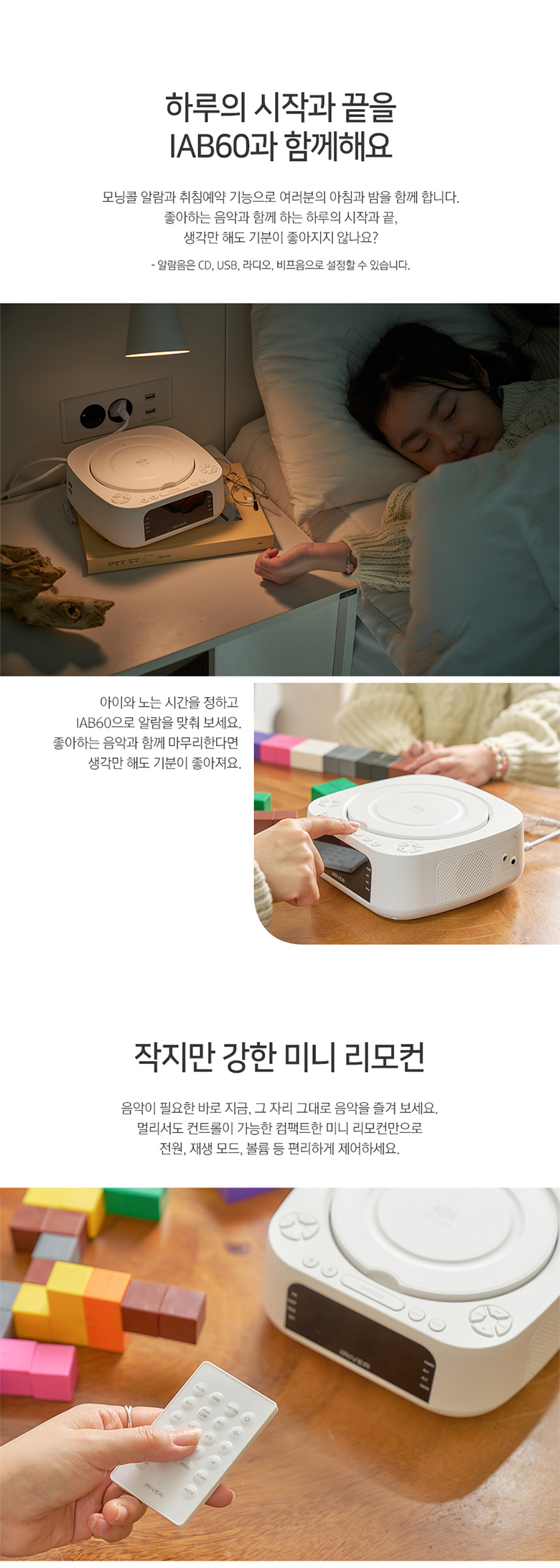
3.2 Battery Installation (for Clock Memory)
For å beholde tids- og alarminnstillinger under strømbruddtage, install two AAA batteries (not included) in the battery compartment located on the bottom of the unit.
3.3 FM-antennetilkobling
For optimal FM radio reception, connect the included FM antenna wire to the FM ANT port on the rear of the unit. Extend the antenna fully and position it for best signal.
4. Bruksanvisning
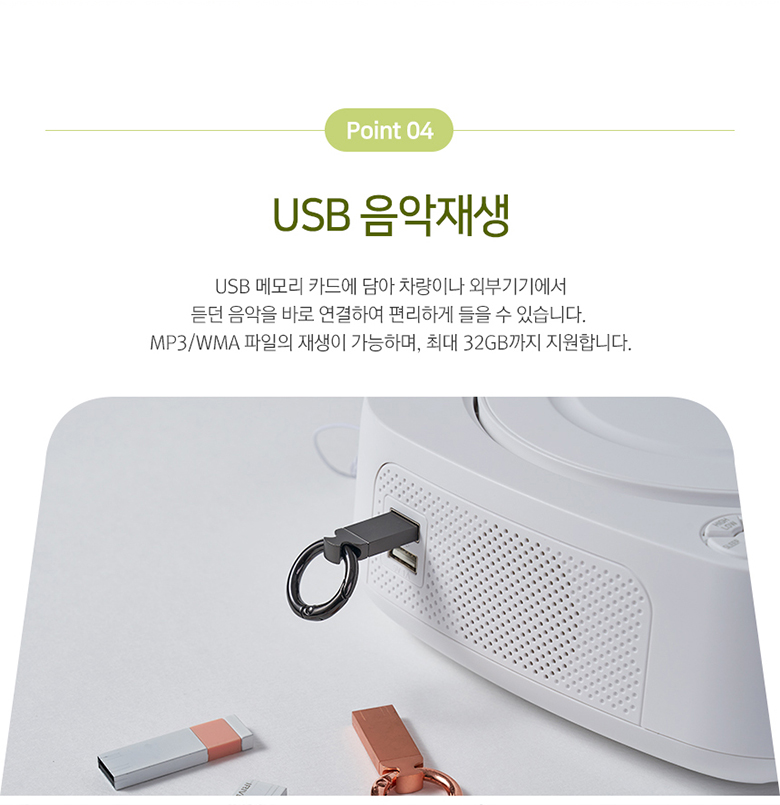
4.1 Strøm på/av
Trykk på MAKT button on the top panel or remote control to turn the unit on or off.
4.2 Klokke- og alarminnstillinger
The IAB60 features a clear LED display for time and alarm functions.
- Innstillingstid: Bruk TIDEN SATT -knappen for å gå inn i tidsinnstillingsmodus. Bruk +/- buttons to adjust hours and minutes.
- Stille inn alarmer: Pressen AL1 or AL2 to set individual alarms. You can choose to wake up to CD, FM radio, or a buzzer sound.
4.3 Bruk av CD-spiller
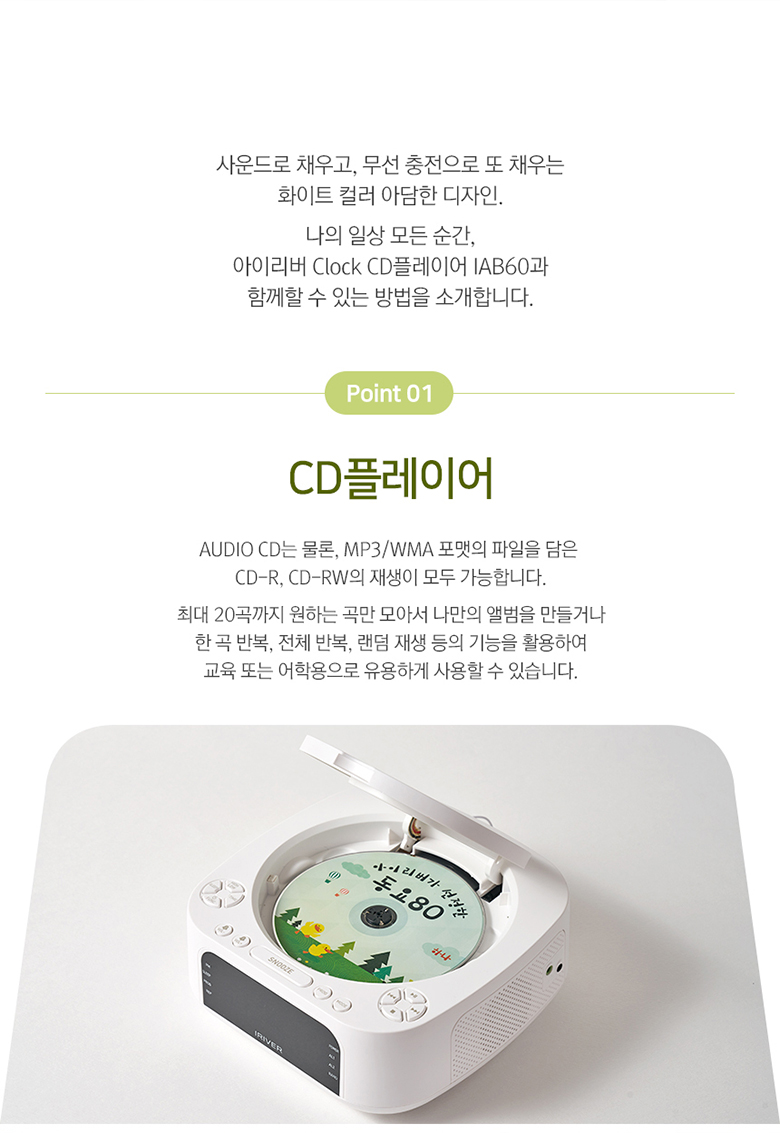
The IAB60 supports AUDIO CD, CD-R, and CD-RW discs with MP3/WMA formats.
- Gently open the top cover of the CD player.
- Plasser en CD med etikettsiden opp på spindelen.
- Close the top cover. The unit will automatically detect the CD and begin playback or display 'OP' if no disc is detected.
- Bruk SPILL/PAUSE, STOPPE, SKIP (◀◀/▶▶), GJENTA, og PROG (program up to 20 tracks) buttons for control.
4.4 Bluetooth Connectivity (v5.0)
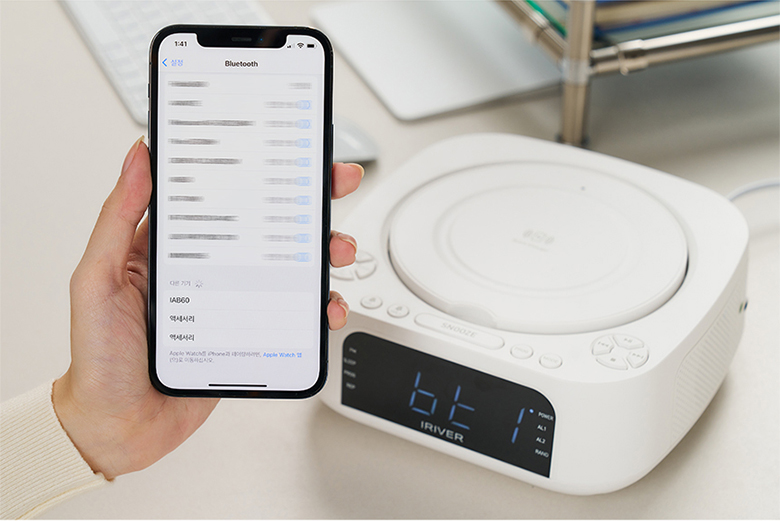
The IAB60 supports Bluetooth v5.0 for both input (playing audio from your phone) and output (connecting to Bluetooth headphones/speakers).
- Paringsmodus: Trykk på MODUS button until 'BT' appears on the display. The unit will enter pairing mode.
- Connecting to a Device (Input): On your smartphone or other Bluetooth device, search for 'IAB60' in the Bluetooth settings and connect.
- Connecting to Headphones/Speakers (Output): Refer to the specific instructions for your Bluetooth headphones or speakers to put them into pairing mode, then initiate pairing from the IAB60 (specific button or menu option may vary, refer to remote control functions).
4.5 FM-radio
Enjoy clear FM radio reception with the built-in tuner.
- Trykk på MODUS -knappen til «FM» vises på displayet.
- Bruk TUNE +/- buttons to manually tune to a station, or press and hold to auto-scan for the next available station.
- Trykk på PROG button to save favorite stations.
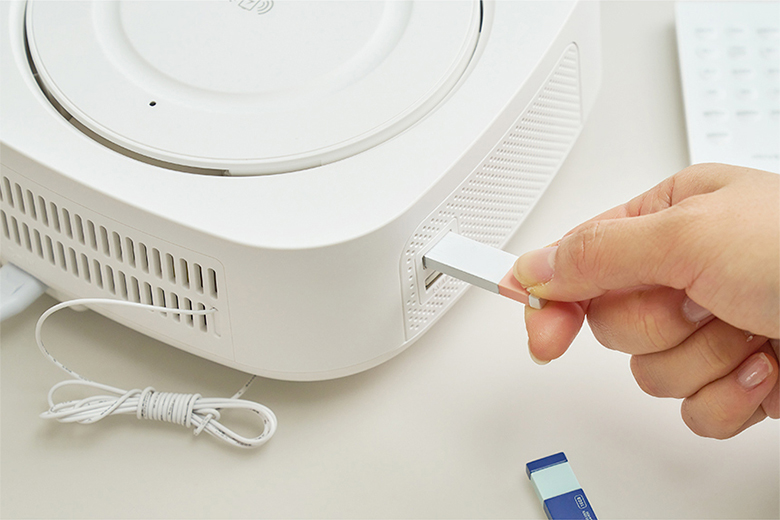
4.6 USB Music Playback
Play MP3/WMA audio files directly from a USB flash drive (up to 32GB).
- Insert a USB flash drive into the USB port on the side of the unit.
- Trykk på MODUS -knappen til «USB» vises på skjermen.
- Bruk avspillingskontrollene (SPILL/PAUSE, HOPPE OVER) for å navigere i musikken din.
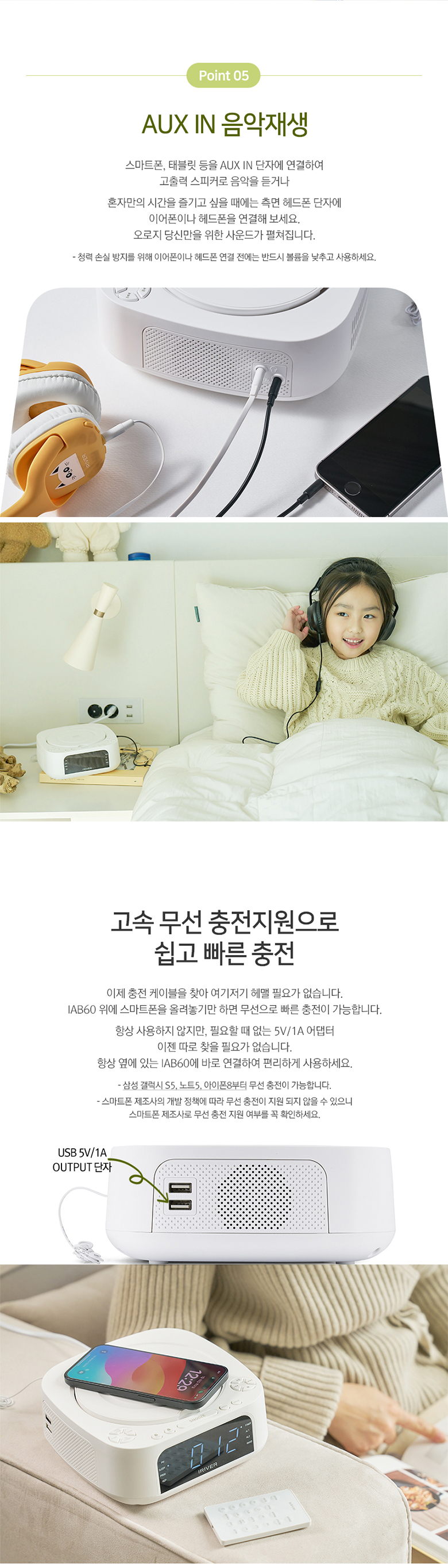
4.7 AUX IN
Connect external audio devices (e.g., MP3 players, smartphones) using a 3.5mm audio cable.
- Connect one end of a 3.5mm audio cable to the AUX IN port on the side of the IAB60.
- Koble den andre enden til hodetelefonkontakten eller lydutgangen på den eksterne enheten.
- Trykk på MODUS -knappen til «AUX» vises på displayet.
- Kontroller avspilling fra din eksterne enhet.
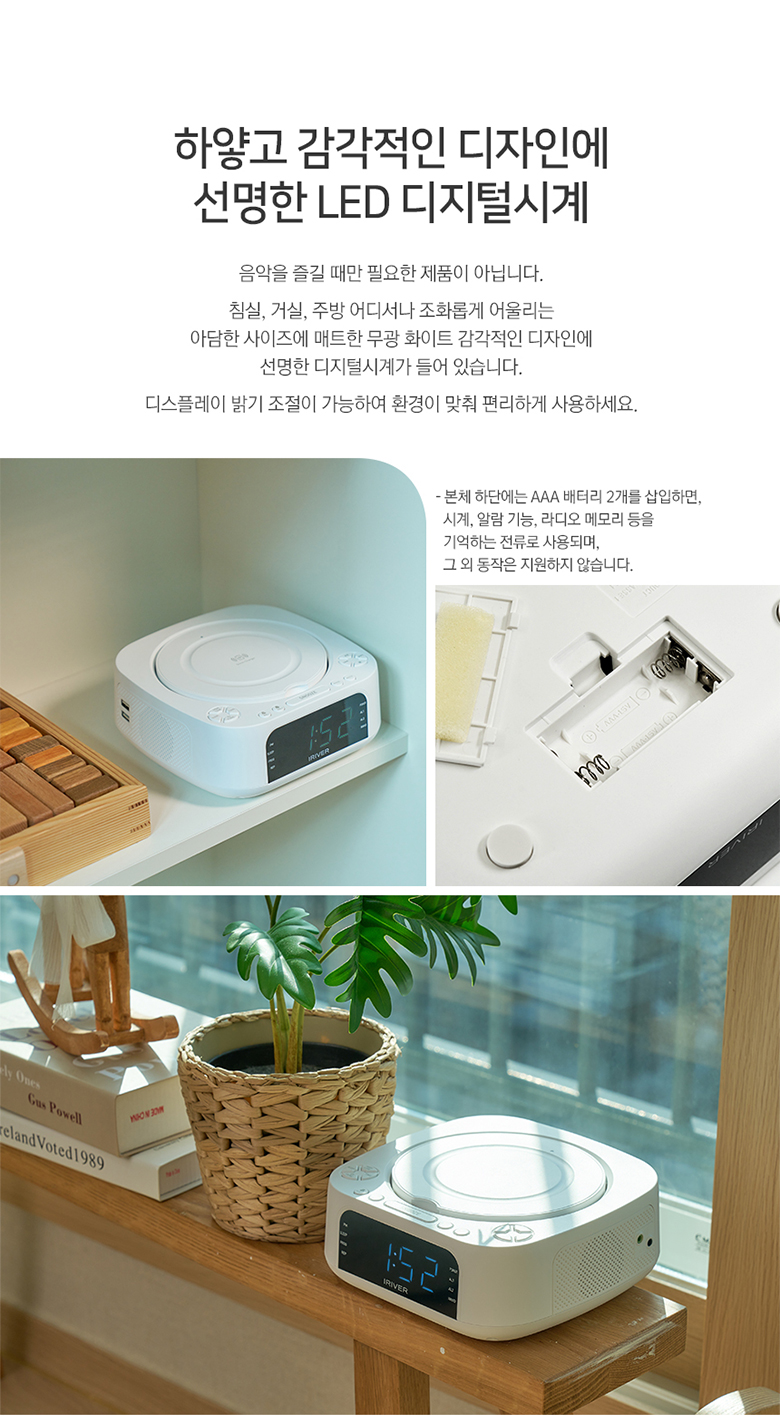
4.8 Trådløs lading
The IAB60 features a high-speed wireless charging pad on its top surface.
- Ensure the IAB60 is powered on.
- Place your Qi-compatible smartphone or device on the center of the wireless charging pad.
- The device should indicate that it is charging. If not, adjust its position slightly.
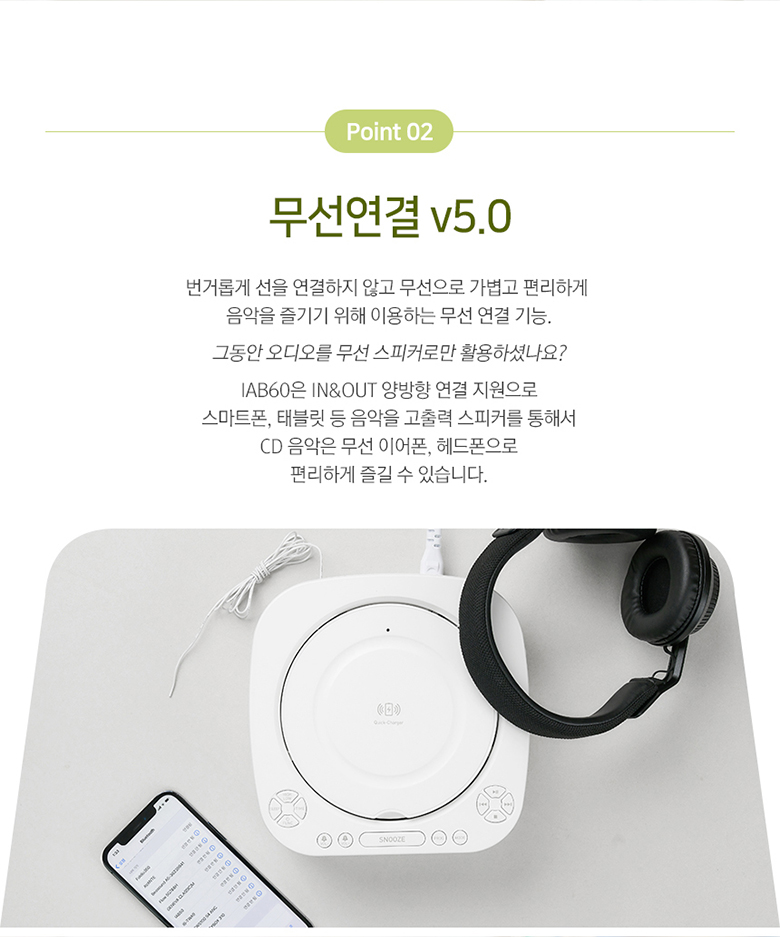
4.9 Fjernkontroll
The included mini remote control provides convenient access to all major functions, including power, mode selection, playback controls, volume, alarm settings, and sleep timer.
5. Vedlikehold
- Rengjøring: Bruk en myk, tørr klut til å rengjøre utsiden av enheten. Ikke bruk slipende rengjøringsmidler eller løsemidler.
- CD-spiller: Keep the CD compartment clean and free of dust. Avoid touching the lens.
- Batteribytte: Replace the AAA backup batteries annually or when the clock settings are not retained during power interruptions.
- Lagring: If storing the unit for an extended period, disconnect it from power and remove the backup batteries.
6. Feilsøking
- Ingen strøm: Sørg for at strømkabelen er ordentlig koblet til både enheten og stikkontakten.
- Ingen lyd: Check the volume level. Ensure the correct mode (CD, FM, BT, USB, AUX) is selected. If using Bluetooth output, ensure your external device is properly paired and connected.
- CD spiller ikke: Sørg for at CD-en er satt inn riktig (med etikettsiden opp) og at den er ren og fri for riper. Prøv en annen CD.
- Bluetooth kobler ikke til: Ensure the IAB60 is in Bluetooth mode and your external device's Bluetooth is enabled and in pairing mode. Move devices closer together.
- Trådløs lading fungerer ikke: Ensure your device is Qi-compatible and placed centrally on the charging pad. Remove any thick cases that might interfere with charging.
- Dårlig FM-mottak: Adjust the position of the FM antenna. Try moving the unit to a different location.
7. Spesifikasjoner
| Trekk | Spesifikasjon |
|---|---|
| Modell | IAB60 |
| Farge | Hvit |
| Dimensjoner (B x D x H) | 180.5 x 198 x 73.5 mm |
| Vekt | Ca. 1.13 kg |
| Strøminngang | AC 100-240V, 60Hz |
| Strømutgang | DC 9V, 2A |
| Driftstemperatur | 0°C–40°C |
| Høyttalerutgang | 5W x 2 (Total 10W) |
| Bluetooth-versjon | 5.0 |
| Bluetooth Profiles | A2DP, AVRCP |
| Bluetooth-rekkevidde | Opptil 10 meter (33 fot) |
| CD-avspilling | AUDIO CD, CD-R, CD-RW |
| Støttede lydformater | MP3, WMA |
| FM-radiofrekvens | 87.5 - 108.0 MHz (0.1 MHz step) |
| USB-port | 5V 1A output, Max 32GB support |
| AUX IN | 3.5 mm stereo jack |
| Reservebatteri | 2 x AAA batteries (for clock memory) |

8. Garanti og støtte
For garantiinformasjon og teknisk støtte, se dokumentasjonen som fulgte med ved kjøpstidspunktet eller kontakt forhandleren din. Ta vare på kjøpsbeviset for eventuelle garantikrav.
9. Brukertips
- Plassering av trådløs lading: For optimal wireless charging, ensure your device is centered on the charging pad. Slight adjustments may be needed for different phone models.
- Rekkevidde for fjernkontroll: Ensure there are no obstructions between the remote control and the main unit for best performance.
- Lydkvalitet: Experiment with the unit's placement in your room to find the best acoustic environment for sound quality.