Introduksjon
This manual provides detailed instructions for the setup, operation, and maintenance of your Zebronics ZEB-BT6860RUCF 5.1 Channel Multimedia Speaker System. Please read this manual thoroughly before using the product to ensure proper functionality and to maximize your audio experience.
Pakkeinnhold
Bekreft at alle varene som er oppført nedenfor er inkludert i pakken din:
- 1 x subwooferenhet
- 5 x Satellite Speaker Units
- 1 x fjernkontroll
- Audio Cables (AUX, RCA)
- Brukerhåndbok
Produkt overview

Image: The complete Zebronics ZEB-BT6860RUCF 5.1 speaker system, including the subwoofer, five satellite speakers, and the remote control.

Image: Close-up of the subwoofer's front panel, illustrating the 'Input', 'Previous', 'Next', 'Play', 'Volume' controls, along with the SD/MMC card slot and USB port.
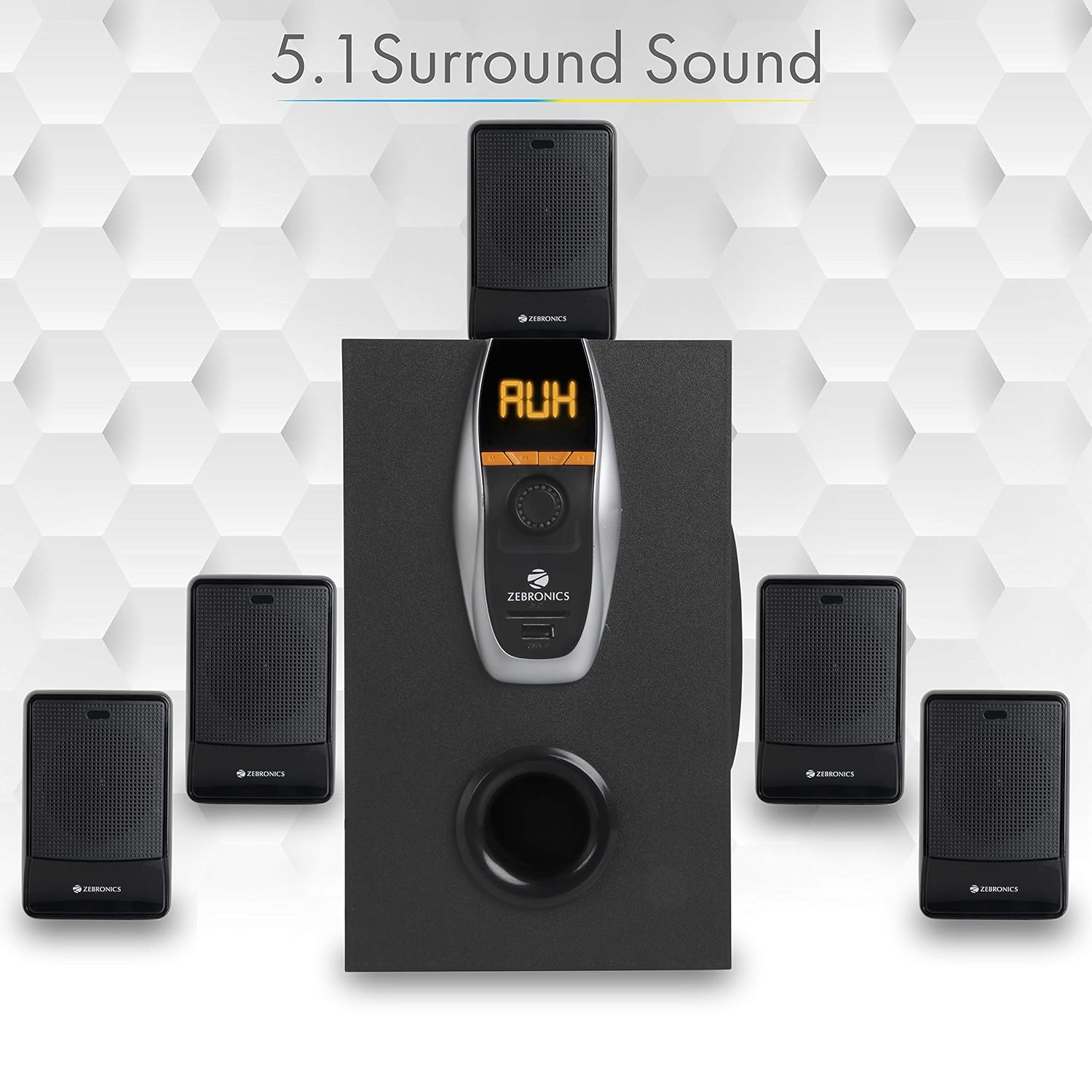
Image: A visual representation of the recommended 5.1 surround sound speaker setup, showing the central subwoofer and the five satellite speakers positioned for optimal audio distribution.

Bilde: En detaljert view of the subwoofer, highlighting its wooden enclosure design, which contributes to sound quality.

Image: The rear panel of the subwoofer, showing the various input and output ports, including Stereo Input, 5.1 Input, Satellite Output terminals, and the main Power Switch.

Image: A diagram illustrating the physical dimensions of the subwoofer unit: 160 mm (Width), 240 mm (Depth), and 277 mm (Height).
Oppsettinstruksjoner
- Høyttalerplassering: Position the subwoofer centrally. Place the five satellite speakers around your listening area for optimal 5.1 surround sound. Refer to the 5.1 Surround Sound Speaker Placement image for guidance.
- Koble til satellitthøyttalere: Connect each of the five satellite speakers to the corresponding output terminals on the rear panel of the subwoofer. Ensure correct polarity (positive to positive, negative to negative).
- Strømtilkobling: Connect the power cable to the subwoofer and then plug it into a suitable power outlet.
- Lydkildetilkobling:
- For 5.1 Input: Use the provided RCA cables to connect your 5.1 channel audio source (e.g., DVD player, compatible TV) to the 5.1 Input ports on the subwoofer's rear panel.
- For Stereo/AUX Input: Use a 3.5mm to RCA cable to connect your stereo audio source (e.g., computer, laptop, MP3 player) to the Stereo Input (AUX) ports on the subwoofer's rear panel.
- Strøm på: Flip the power switch on the rear panel of the subwoofer to the 'ON' position. The front display will illuminate.
Bruksanvisning
Kontroller på frontpanelet
The subwoofer's front panel features controls for various functions:
- Inndata: Press to cycle through input modes (Bluetooth, USB, SD, AUX, FM).
- Tidligere: Short press for previous track/station. Long press for fast rewind (USB/SD).
- Neste: Short press for next track/station. Long press for fast forward (USB/SD).
- Spill av/pause: Spill av eller sett lydavspillingen på pause. I FM-modus trykker du lenge for å automatisk skanne og lagre stasjoner.
- Volumknapp: Drei for å justere hovedvolumnivået.
- USB-port: Insert a USB flash drive for MP3 playback.
- SD/MMC-kortspor: Insert an SD or MMC card for MP3 playback.
Fjernkontrollfunksjoner
The included remote control provides convenient access to all speaker functions:
- Makt: Turn the speaker system On/Off.
- Modus: Select input source (BT/USB/SD/AUX/FM).
- Volum +/-: Juster mastervolumet.
- Stum: Slå av eller på lyden.
- Spill av/pause: Kontroller avspilling.
- Forrige neste: Naviger spor eller FM-stasjoner.
- EQ: Select equalizer presets (if available).
- Numeriske taster: Direct track selection (USB/SD) or FM station input.
Bluetooth-drift
- Power on the speaker system.
- Press the 'Input' button on the front panel or 'Mode' button on the remote until 'BT' mode is selected. The display will show 'BT' and a pairing indicator will flash.
- Enable Bluetooth on your mobile device or computer and search for available devices.
- Select 'ZEB-BT6860RUCF' from the list of devices.
- Når den er paret, vil høyttaleren bekrefte tilkoblingen, og du kan begynne å spille av lyd fra enheten din.
Bruk av USB/SD -kort
- Insert a USB flash drive or SD/MMC card (up to 32GB) containing MP3 audio files inn i den respektive porten/sporet på frontpanelet.
- The speaker system will automatically switch to USB or SD mode and begin playing the first track. If not, press the 'Input' or 'Mode' button to select the correct source.
- Use the 'Previous', 'Next', and 'Play/Pause' buttons on the front panel or remote control to manage playback.
AUX-inngangsoperasjon
- Connect your audio source to the AUX input ports on the rear panel using an appropriate audio cable.
- Press the 'Input' button on the front panel or 'Mode' button on the remote until 'AUX' mode is selected.
- Spill av lyd fra den tilkoblede enheten.
FM-radiodrift
- Press the 'Input' button on the front panel or 'Mode' button on the remote until 'FM' mode is selected.
- To auto-scan and save available FM stations, long press the 'Play/Pause' button on the front panel or remote control. The system will scan and store stations automatically.
- Bruk knappene «Forrige» og «Neste» for å navigere gjennom de lagrede FM-stasjonene.
Vedlikehold
- Rengjøring: Use a soft, dry cloth to clean the speaker surfaces. Do not use abrasive cleaners, waxes, or solvents.
- Ventilasjon: Ensure the subwoofer and satellite speakers have adequate ventilation. Do not block any ventilation openings.
- Miljø: Avoid exposing the speaker system to direct sunlight, extreme temperatures, high humidity, or dusty environments.
- Slå av: Always power off the system and unplug it from the power outlet before cleaning or if it will be unused for an extended period.
Feilsøking
| Problem | Mulig årsak | Løsning |
|---|---|---|
| Ingen strøm | Strømkabelen er ikke tilkoblet; Strømbryteren er av; Strømuttaket er defekt. | Ensure power cable is securely connected. Turn the power switch ON. Test the power outlet with another device. |
| Ingen lyd | Volume too low; Incorrect input mode; Audio cables loose/faulty; Mute activated. | Increase volume. Select correct input mode. Check audio cable connections. Deactivate mute function. |
| Bluetooth kobler ikke til | Speaker not in BT mode; Device Bluetooth off; Already connected to another device; Interference. | Ensure speaker is in BT mode. Turn on device Bluetooth. Disconnect from other devices. Move closer to the speaker. |
| Problemer med USB/SD-avspilling | Uriktig file format; Ødelagt files; USB/SD card not inserted correctly; Max memory size exceeded. | Sikre files are MP3 format. Check for corrupted files. Reinsert USB/SD card. Use cards up to 32GB. |
| Fjernkontrollen virker ikke | Batteries depleted; Obstruction; Remote sensor blocked. | Replace remote control batteries. Remove any obstructions between remote and speaker. Ensure remote sensor on subwoofer is clear. |
| Dårlig FM -mottak | Svakt signal; Antennen er ikke strukket ut. | Extend the FM antenna fully. Try repositioning the antenna or the speaker system for better signal. |
Spesifikasjoner
| Trekk | Spesifikasjon |
|---|---|
| Total utgangseffekt (RMS) | 70 watt |
| Subwoofer utgangseffekt | 40 watt |
| Satellittutgangseffekt | 6 watt x 5 |
| Frekvensrespons | 35Hz - 20KHz |
| Følsomhet | 600mV |
| Bluetooth-versjon | 2.1 + EDR |
| USB/SD Max. Memory Size | 32 GB |
| USB/SD File Formatstøtte | MP3 |
| Tilkoblingsalternativer | Bluetooth, USB, SD/MMC, AUX, FM |
| Kompatible enheter | Desktop, Laptop, MP3 Player, DVD Players, Televisions |
| Subwooferens mål (D x B x H) | 35D x 39W x 45H Centimeters (Product Dimensions) |
| Varevekt | 5.4 kg |
| Strømforbruk | 45W |
| Kontrollmetode | Fjernkontroll, knapper på enheten |
| Opprinnelsesland | Kina |
Garanti og støtte
Your Zebronics ZEB-BT6860RUCF Multimedia Speaker System comes with a 1-year carry-in warranty to the service center from the date of purchase. Please retain your purchase receipt for warranty claims.
For technical support, service, or warranty inquiries, please contact Zebronics customer service. Refer to the official Zebronics webnettstedet eller produktemballasjen din for å få den mest oppdaterte kontaktinformasjonen.
Importør: ZEBRONICS INDIA PVT LTD, NO : 118, POONAMMALE HIGH ROAD , VEPERY


