1. Introduksjon
The HP Ultra-Slim Z4000 Wireless Optical Mouse is designed for portability and comfort, offering reliable 2.4 GHz wireless connectivity. Its sleek, low-profile design and ergonomic shape provide a natural fit for your hand, making it an ideal accessory for notebooks and tablets. This manual provides detailed instructions for the setup, operation, and maintenance of your mouse.

Figure 1: HP Z4000 Wireless Mouse, demonstrating its slim and stylish design alongside a keyboard.
2. Oppsett
2.1 Pakkeinnhold
Før du begynner, sørg for at alle varene er til stede i pakken:
- HP Z4000 Wireless Mouse
- 2.4GHz Micro Receiver (USB dongle)
- 1 AA-batteri
- Hurtigstartplakat
- Produktmerknader
- Garantikort
2.2 Installasjon av batteri
- Finn batterirommet på undersiden av musen.
- Skyv batteridekselet åpent.
- Sett inn det medfølgende AA-batteriet, og sørg for at polariteten (+/-) er riktig.
- Lukk batteridekselet godt.

Figure 2: Underside of the mouse, showing the battery compartment (under the main cover), CONNECT button, and ON/OFF switch.
2.3 Tilkobling av mottakeren
- Locate the 2.4GHz Micro Receiver (USB dongle). This may be stored inside the mouse's battery compartment or included separately.
- Insert the USB receiver into an available USB port on your computer or tablet.
- Slå på musen med AV/PÅ-bryteren som er plassert på undersiden.
- Datamaskinen din skal automatisk oppdage og installere de nødvendige driverne. Musen er klar til bruk.
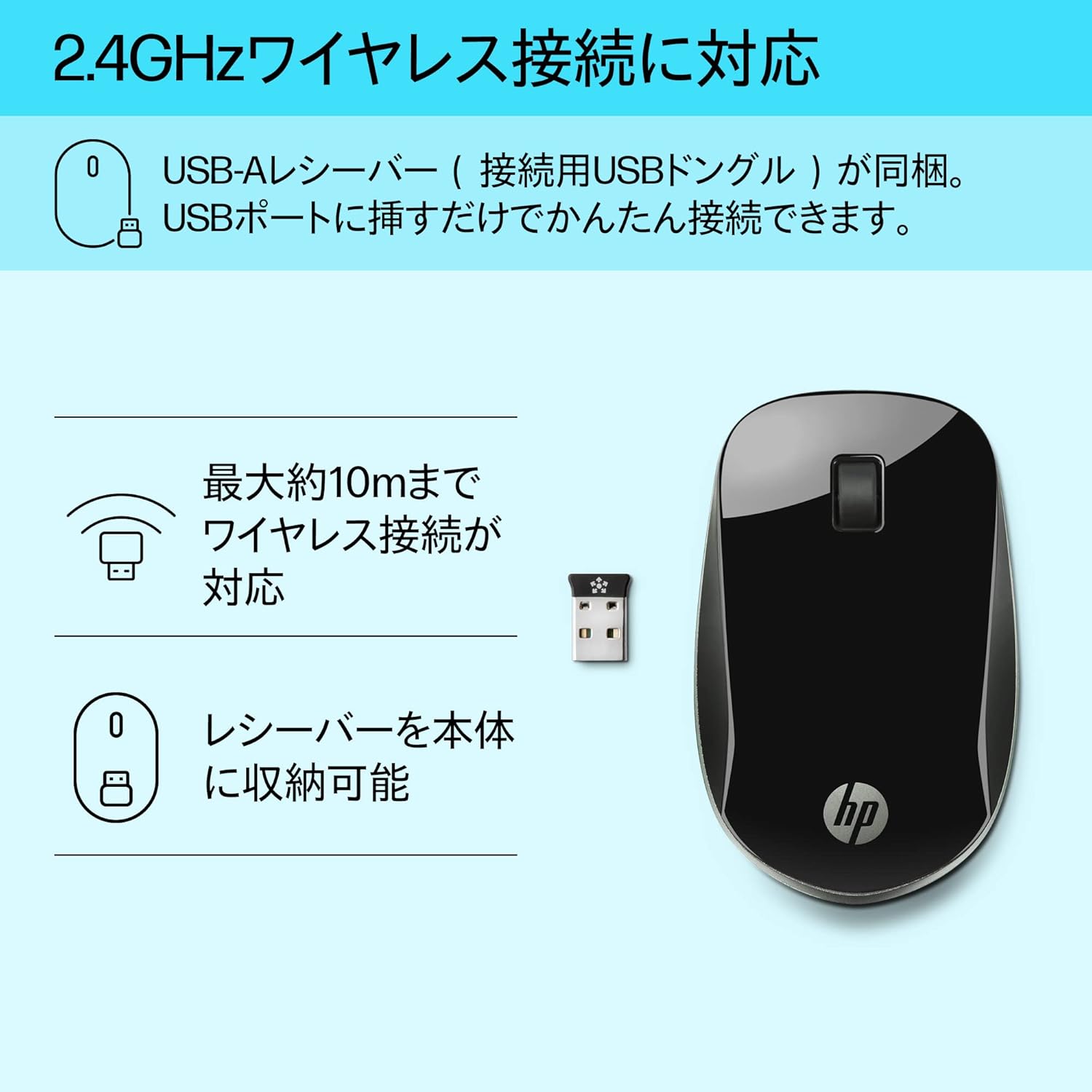
Figure 3: The HP Z4000 mouse and its 2.4GHz USB receiver, demonstrating the simple plug-and-play connection.
3. Bruk av musen
The HP Z4000 mouse features a standard three-button layout and a scroll wheel for intuitive navigation.
3.1 Grunnleggende funksjoner
- Venstre klikk: Primærknapp for å velge elementer, åpne files, og utfører kommandoer.
- Høyreklikk: Sekundær knapp for tilgang til hurtigmenyer og tilleggsalternativer.
- Rullehjul: Roll up or down to navigate through documents and web pages. The scroll wheel is also clickable for middle-click functionality (if supported by your operating system/application).

Figur 4: Øverst view of the mouse, indicating the left click, right click, and rubber scroll wheel for easy operation.
3.2 Ergonomi og design
The mouse features an arch-shaped, symmetrical design that comfortably fits both left and right hands. Its ultra-slim profile (less than 2.6 cm in height) promotes a natural hand and wrist position, reducing strain during extended use.
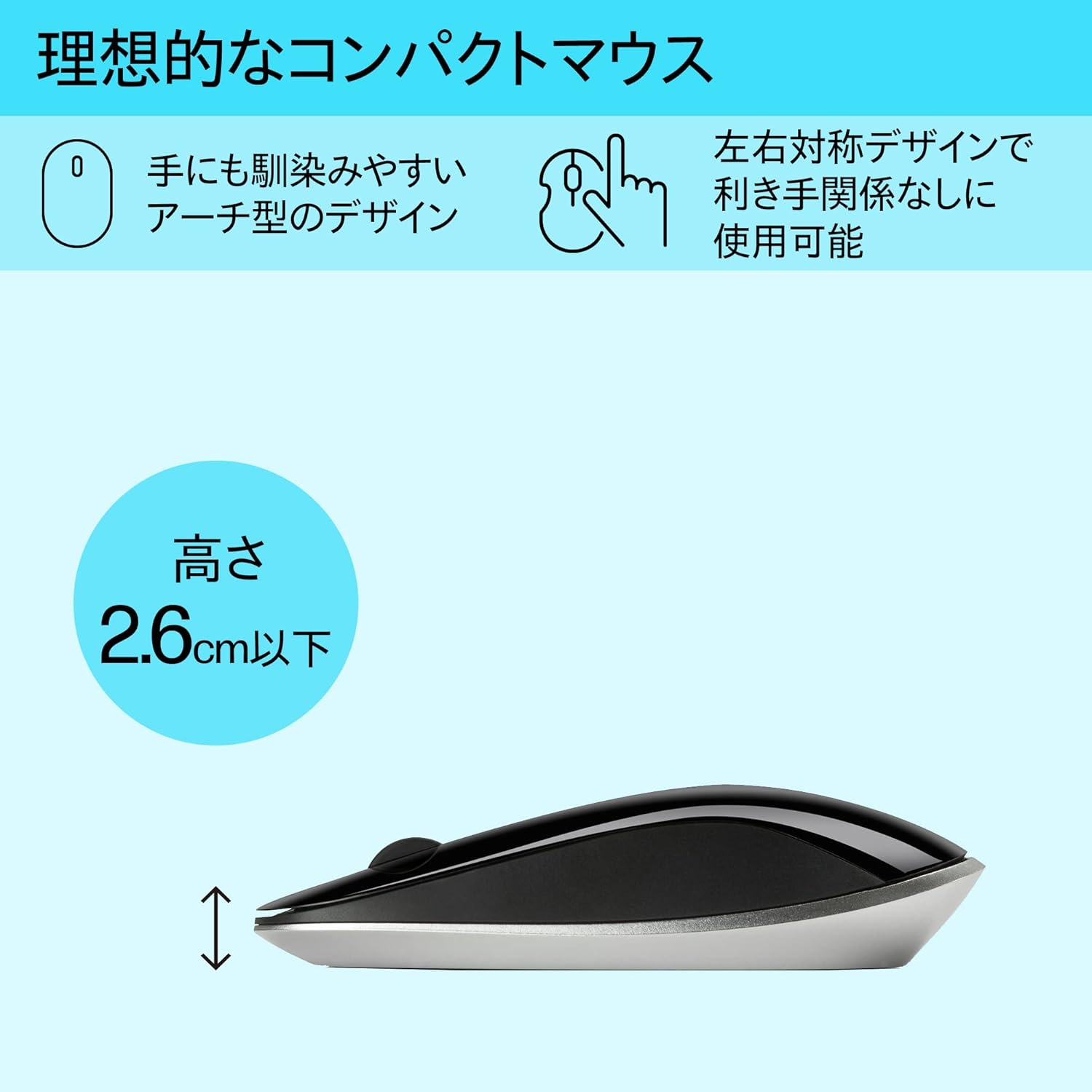
Figure 5: The ergonomic arch design and slim profile (under 2.6cm) of the HP Z4000 mouse, designed for comfortable use.
4. Vedlikehold
4.1 Rengjøring av musen
- Sørg for at musen er slått av før rengjøring.
- Bruk en myk, lofri klut lett dampavsluttes med vann eller en mild rengjøringsløsning.
- Wipe the surface of the mouse gently. Avoid excessive moisture.
- Ikke bruk skurende rengjøringsmidler eller løsemidler.
4.2 Batteribytte
The mouse uses one AA battery, with an average battery life of 12 months. When the mouse performance degrades or it stops responding, it's time to replace the battery.
- Turn off the mouse using the ON/OFF switch.
- Åpne batteridekselet på undersiden av musen.
- Fjern det gamle AA-batteriet.
- Sett inn et nytt AA-batteri, og pass på riktig polaritet.
- Lukk batteridekselet.
- Slå på musen igjen.
5. Feilsøking
5.1 Musen svarer ikke
- Sjekk strøm: Sørg for at musen er slått på.
- Sjekk batteri: Bytt ut AA-batteriet hvis det er lavt eller utladet.
- Sjekk mottaker: Sørg for at USB-mottakeren er ordentlig koblet til en fungerende USB-port på datamaskinen. Prøv en annen USB-port.
- Gjenopprett forbindelsen: If your mouse has a "CONNECT" button (refer to Figure 2), press it and then press the connect button on the receiver (if applicable, or simply re-insert the receiver).
- Avstand: Ensure the mouse is within the 10-meter (30ft) operating range of the receiver.
5.2 Uregelmessig markørbevegelse
- Flate: Bruk musen på en ren, ikke-reflekterende og jevn overflate. Unngå glass eller svært reflekterende overflater.
- Sensorrenslighet: Check the optical sensor on the underside of the mouse for any dust or debris and clean it gently with a soft cloth.
- Interferens: Move the mouse away from other wireless devices that might cause interference.
6. Spesifikasjoner
| Trekk | Detalj |
|---|---|
| Merke | HP |
| Modellnummer | H5N61AA |
| Tilkobling | 2.4 GHz trådløs (USB-mottaker) |
| Bevegelsesdeteksjon | Optisk |
| Antall knapper | 3 (Venstre, Høyre, klikk med rullehjulet) |
| Dimensjoner (LxBxH) | 10.1 x 2.5 x 6.4 cm (ca. 4 x 1 x 2.5 tommer) |
| Vekt | 231 g (ca. 8.1 oz) |
| Farge | Svart |
| Batteritype | 1 x AA -batteri (inkludert) |
| Gjennomsnittlig batterilevetid | 12 måneder |
| Kompatible operativsystemer | Linux, Windows 7, Windows XP (and newer versions) |
7. Garanti og støtte
The HP Ultra-Slim Z4000 Wireless Optical Mouse comes with a 1 års produsentgaranti fra kjøpsdatoen.
For warranty claims, technical support, or further assistance, please refer to the contact information provided in your product's warranty card or visit the official HP support webnettsted:
Vennligst ta vare på kjøpsbeviset for garantivalidering.