1. Produktet er overview
The ZEBRONICS Zeb-Dash is a 4-button USB wireless optical mouse designed for comfortable and efficient use. It features a high-precision optical sensor and 2.4GHz wireless technology for stable connectivity. This mouse is engineered for ease of use with a plug-and-play mechanism and smart energy-saving capabilities.

Bilde 1.1: Ovenfra og ned view of the ZEBRONICS Zeb-Dash Wireless Optical Mouse, showcasing its ergonomic design and the Zebronics logo.
2. Installasjonsinstruksjoner
Follow these steps to set up your Zeb-Dash wireless mouse:
- Sett inn batteri: Open the battery compartment located on the underside of the mouse. Insert one AAA battery, ensuring correct polarity.
- Finn USB-mottakeren: The nano USB receiver is typically stored inside the battery compartment or alongside the mouse in the packaging. Carefully remove it.
- Koble til mottaker: Plug the nano USB receiver into an available USB port on your laptop or desktop computer.
- System Sync: Allow approximately 6 to 7 seconds for the mouse to automatically sync with your system. No additional drivers are usually required for basic functionality.

Image 2.1: The underside of the Zeb-Dash mouse, showing the battery compartment and the nano USB receiver being inserted or removed. This illustrates the battery and receiver placement for setup.
3. Bruksanvisning
The Zeb-Dash mouse features four buttons for various functions:
- Venstreklikk-knapp: Standardvalg og aktivering.
- Høyreklikk-knapp: Åpner kontekstmenyer.
- Rullehjul: Navigerer vertikalt gjennom dokumenter og web sider. Fungerer også som en midtklikk-knapp.
- DPI-bryterknapp: Adjusts the mouse sensitivity (DPI) between 800, 1200, and 1600 DPI. Press to cycle through settings.
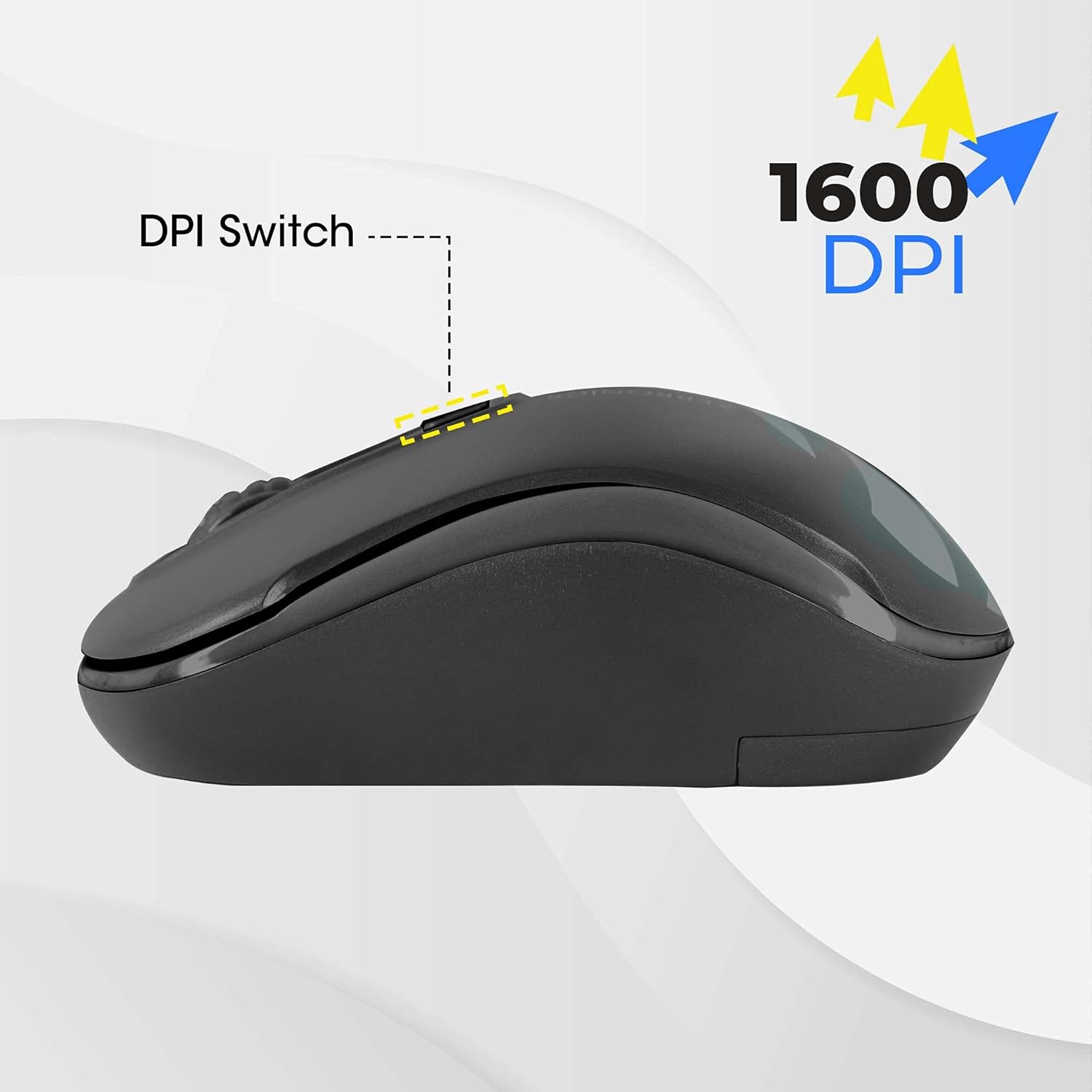
Image 3.1: A diagram highlighting the four buttons on the Zeb-Dash mouse: Left Click (1), Scroll Wheel (2), Right Click (3), and DPI Switch (4).
Energisparende funksjon
The Zeb-Dash mouse incorporates a smart energy-saving feature. It automatically enters a sleep mode when not in use, conserving battery power. There is no manual on/off switch; the mouse manages power consumption automatically.

Bilde 3.2: En side view of the Zeb-Dash mouse, emphasizing its ergonomic shape and the smart energy-saving capability.
4. Produktspesifikasjoner
| Trekk | Detalj |
|---|---|
| Merke | SEBRONIKKER |
| Modell | ZEB-DASH |
| Tilkoblingsteknologi | USB Wireless (2.4GHz) |
| Bevegelsesdeteksjonsteknologi | Optisk |
| DPI oppløsning | 800 / 1200 / 1600 DPI |
| Antall knapper | 4 |
| Button Strokes Life | 3 millioner sykluser |
| Effektiv rekkevidde | 20 meter |
| Strømkilde | Battery Powered (AAA battery, not included) |
| Dimensjoner (LxBxH) | 10 x 4 x 6 cm |
| Varevekt | 110 g |
| Systemkrav | IBM PC compatible system, Windows XP/Vista/7/8/10, Mac OS, or Android OS |
| Inkluderte komponenter | 1 mouse, 1 nano receiver (inside the mouse) |
5. Feilsøking
- Musen svarer ikke:
- Ensure the AAA battery is correctly inserted and has sufficient charge. Replace if necessary.
- Verify that the nano USB receiver is securely plugged into a functional USB port on your computer. Try a different USB port.
- Restart your computer to re-establish the connection.
- Periodisk tilkobling/forsinkelse:
- Move the mouse closer to the USB receiver to minimize interference.
- Ensure no other 2.4GHz wireless devices are causing interference in close proximity.
- Check the surface you are using the mouse on. Optical mice perform best on non-reflective, uniform surfaces.
- DPI-justering fungerer ikke:
- Press the DPI switch button firmly. Each press should cycle through the available DPI settings (800/1200/1600).
6. Garanti og støtte
The ZEBRONICS Zeb-Dash USB Wireless Optical Mouse comes with a 1 års garanti from the date of purchase. For warranty claims or technical support, please contact ZEBRONICS customer service. Keep your purchase receipt as proof of purchase.
For further assistance, you may visit the official ZEBRONICS webnettstedet eller se kontaktinformasjonen som er oppgitt på produktemballasjen.


