1. Introduksjon
This manual provides essential information for the safe and effective operation of your ORDRO HDR-AC5 4K Livestream Camcorder. Please read it thoroughly before using the device and retain it for future reference.
2. Sikkerhetsinformasjon
- Batterisikkerhet: Ensure batteries are charged for 3 hours before first use and installed correctly. Use only specified NP-120 3.7V 1700mAh lithium batteries.
- Minnekort: Format the memory card and restore default camera settings before initial video recording.
- Stabilitet: For high-quality video recording, it is recommended to install the camera on a handheld stabilizer or tripod.
- Water/Moisture: Keep the camcorder away from water and moisture to prevent damage.
- Temperatur: Avoid exposing the camcorder to extreme temperatures.
3. Pakkens innhold
Bekreft at alle varene er til stede i pakken din:
- ORDRO HDR-AC5 4K Livestream Camcorder
- NP-120 3.7V 1700mAh Lithium Battery (x2)
- Batterilader
- 6.5ft Mini USB Livestreaming Cable
- 64GB C10 Memory Card
- Mini kortleser
- Fjernkontroll
- 1 to 2 USB/MIC Cable
- HDMI/USB Cable
- Linsedeksel
- Brukerhåndbok
- Pakkeboks

4. Produktet er overview
The ORDRO HDR-AC5 is a compact 4K camcorder designed for high-quality video recording and live streaming. It features a 3.1-inch IPS touchscreen and 12x optical zoom.

5. Oppsett
5.1 Batteriinstallasjon og lading
- Insert the NP-120 battery into the battery compartment, ensuring correct orientation.
- Charge the battery for 3 hours before first use using the provided charger.
- The camcorder supports recording while charging; connect a USB cable to an external power bank if needed.
5.2 Memory Card Installation and Formatting
- Insert the 64GB C10 Memory Card into the designated slot.
- Before first use, format the memory card via the camera's menu.
- Restore the default settings of the camera after formatting.
5.3 Feste tilbehør
- Tripod/Stabilizer: Use the tripod mount on the bottom of the camera to attach it to a tripod or handheld stabilizer for improved stability.
- External Microphone/Light: The top slider allows for attachment of an external microphone or LED video light (accessories not included unless specified in package contents).
6. Bruksanvisning
6.1 Slå på/av
Open the 3.1-inch IPS touchscreen to power on the camcorder. Close the screen to power off.
6.2 Ta opp video
- The camcorder supports UHD (2880*2160@24fps) and FHD (1920*1080p@60fps) video resolutions.
- Ensure the focus distance is above 6.5ft for optimal auto-focus performance.
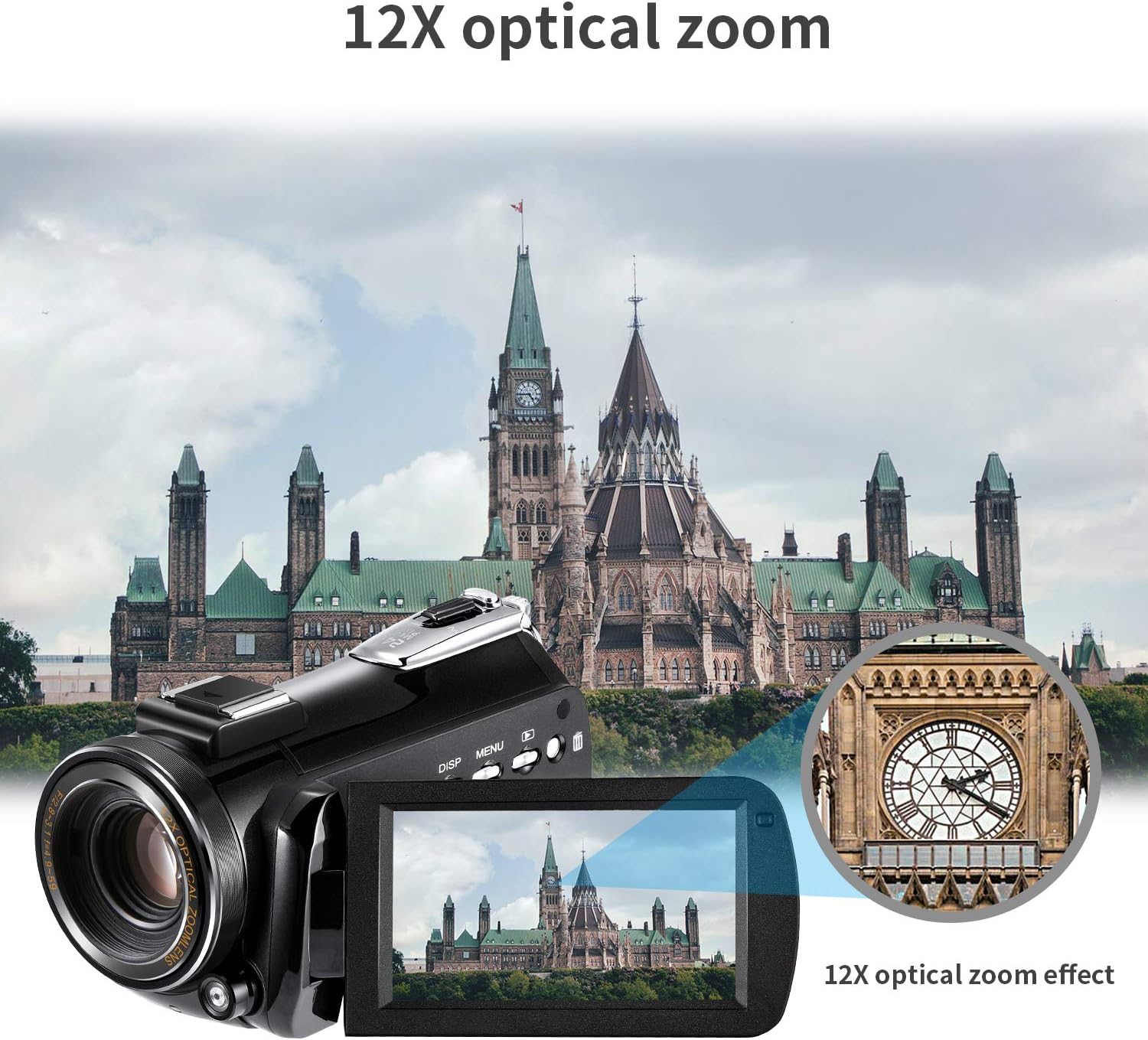
- Use the zoom controls to utilize the 12x optical zoom for clear distant shots without pixel loss.
6.3 Direktestrømming
Connect the camcorder to your PC using the provided 6.5ft mini USB cable. This enables real-time streaming to platforms like Facebook and YouTube.

6.4 Wi-Fi Connection and Remote Control
- Download the "D Video" app on your smartphone (Android or iOS).
- Connect your smartphone to the camcorder via Wi-Fi (within 9.8 feet) to control video and photo functions and share content.
- Use the included remote control to operate the camcorder from a distance (within 16 feet). Remember to remove the plastic sheet from the remote's battery compartment before use.

6.5 Webkamerafunksjonalitet
Connect the camcorder to your computer via USB. Press the "PHOTO" button on the camcorder to activate webcam mode for use with your PC.

6.6 Avspilling
You can directly plug the mini card reader (with the memory card inserted) into a TV or computer to watch high-quality video. Alternatively, use the camcorder's playback function via the touchscreen.
6.7 Time-lapse-fotografering
The camcorder supports time-lapse photography. Refer to the on-screen menu for specific settings and options.

6.8 Bevegelsesdeteksjon
The camcorder includes a motion detection feature. Consult the menu settings to enable and configure this function.
7. Vedlikehold
- Rengjøring: Bruk en myk, tørr klut til å rengjøre kamerahuset og objektivet. Unngå slipende rengjøringsmidler eller løsemidler.
- Lagring: Oppbevar videokameraet på et kjølig og tørt sted, unna direkte sollys og ekstreme temperaturer.
- Batteripleie: Ta ut batteriene hvis kameraet ikke skal brukes over lengre tid.
8. Feilsøking
- Kameraet slår seg ikke på: Sørg for at batteriet er fulladet og riktig installert.
- Fokusproblemer: Verify that the subject is at least 6.5ft away for proper auto-focus.
- Wi-Fi App Connectivity: Ensure the "D Video" app is installed and the smartphone is within range.
- Videokvalitet: For the best uncompressed video effect, connect the camera to a computer or TV.
9. Spesifikasjoner
| Trekk | Spesifikasjon |
|---|---|
| Merke | ORDRO |
| Modellnummer | HDR-AC5 |
| Varevekt | 10.9 unser |
| Farge | Svart |
| Fotosensorteknologi | CMOS (5.0 Megapixel high-sensitivity) |
| Videoopptaksoppløsning | 4K UHD (2880*2160@24fps), FHD (1920*1080p@60fps) |
| Optisk zoom | 12x |
| Skjermstørrelse | 3.1 Inches IPS Capacitive Touchscreen |
| Flash-minnetype | SD (supports up to 128GB) |
| Tilkoblingsteknologi | HDMI, USB, Wi-Fi |
| Støttet lydformat | AAC |
| Spesielle funksjoner | Time Lapse, Face Detection, Date Stamp, Motion Detection |
10. Offisielle produktvideoer
Optical Zoom Camera Demonstration
This video demonstrates the optical zoom capabilities of the ORDRO camcorder, showcasing its ability to zoom in on subjects without compromising image quality.
Super Clarity and Features Overview
En kort overview highlighting the super clarity and various features of the ORDRO HDR-AC5 camcorder, including its image stabilization (post-production) and overall functionality.
11. Garanti og støtte
If the product is damaged or accessories are missing upon arrival, please contact customer support for assistance and compensation.