Introduksjon
This manual provides comprehensive instructions for the operation and maintenance of your HAYLOU GT6 Wireless Earbuds. Please read this manual thoroughly before use to ensure proper functionality and to maximize your listening experience. The HAYLOU GT6 earbuds feature advanced Bluetooth 5.2 technology, ultra-low latency game mode, and smart touch controls, designed for convenience and high-quality audio.
Hva er i esken
Bekreft at alle varene er til stede i pakken:
- 1x Pair of HAYLOU GT6 Wireless Earbuds
- 1x ladeveske
- 1x USB-C ladekabel
- 1x brukerveiledning

Produkt overview
The HAYLOU GT6 earbuds are designed for comfort and performance. Each earbud is lightweight, weighing approximately 3.9 grams, and features a semi-in-ear design for extended wear. The charging case provides additional battery life and protects the earbuds when not in use.
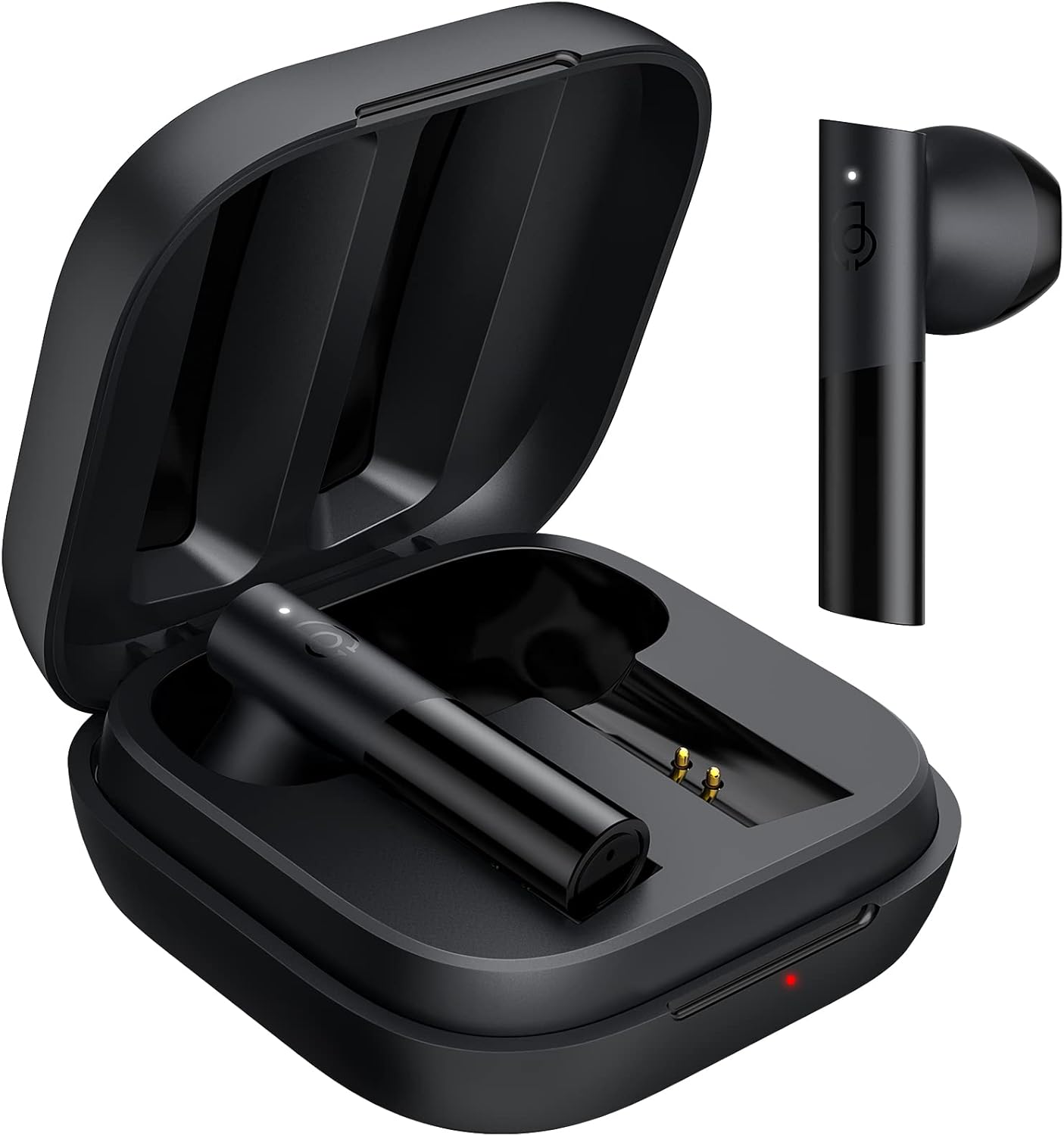
Nøkkelfunksjoner:
- Bluetooth 5.2: Ensures stable and fast connection.
- 12 mm dynamisk driver: Delivers balanced audio with clear bass, midrange, and treble.
- Spillmodus med ultralav latens: Reduces audio delay for gaming.
- Smart berøringskontroll: Manage music, calls, and modes with simple taps.
- IPX4 vannmotstand: Beskytter mot sprut og svette.
Oppsett
1. Førstegangslading
Before first use, fully charge the earbuds and the charging case. Connect the provided USB-C cable to the charging port on the case and to a power source. The indicator light on the case will show charging status.
2. Paring med enheten din
The HAYLOU GT6 earbuds support Bluetooth 5.2 for a stable connection.
- Sørg for at Bluetooth på enheten din er slått på.
- Open the charging case and take out both earbuds. They will automatically enter pairing mode, indicated by a blinking white light on the earbuds.
- Søk etter Bluetooth-enheter på enheten din og velg «Haylou GT6» fra listen.
- Once connected, a sound will confirm successful pairing.

Re-tilkobling: After initial pairing, the earbuds will automatically reconnect to the last paired device when taken out of the case, provided the device's Bluetooth is active.
Bruksanvisning
The HAYLOU GT6 earbuds feature intuitive touch controls on each earbud.
Touch Controls Overview:

- Strøm på: Take out from case.
- Slå av: Put back into case.
- Spill av/pause: Single tap (either earbud).
- Svar/legg på samtale: Single tap (either earbud).
- Hopp over spor fremover: Dobbelttrykk på høyre ørepropp.
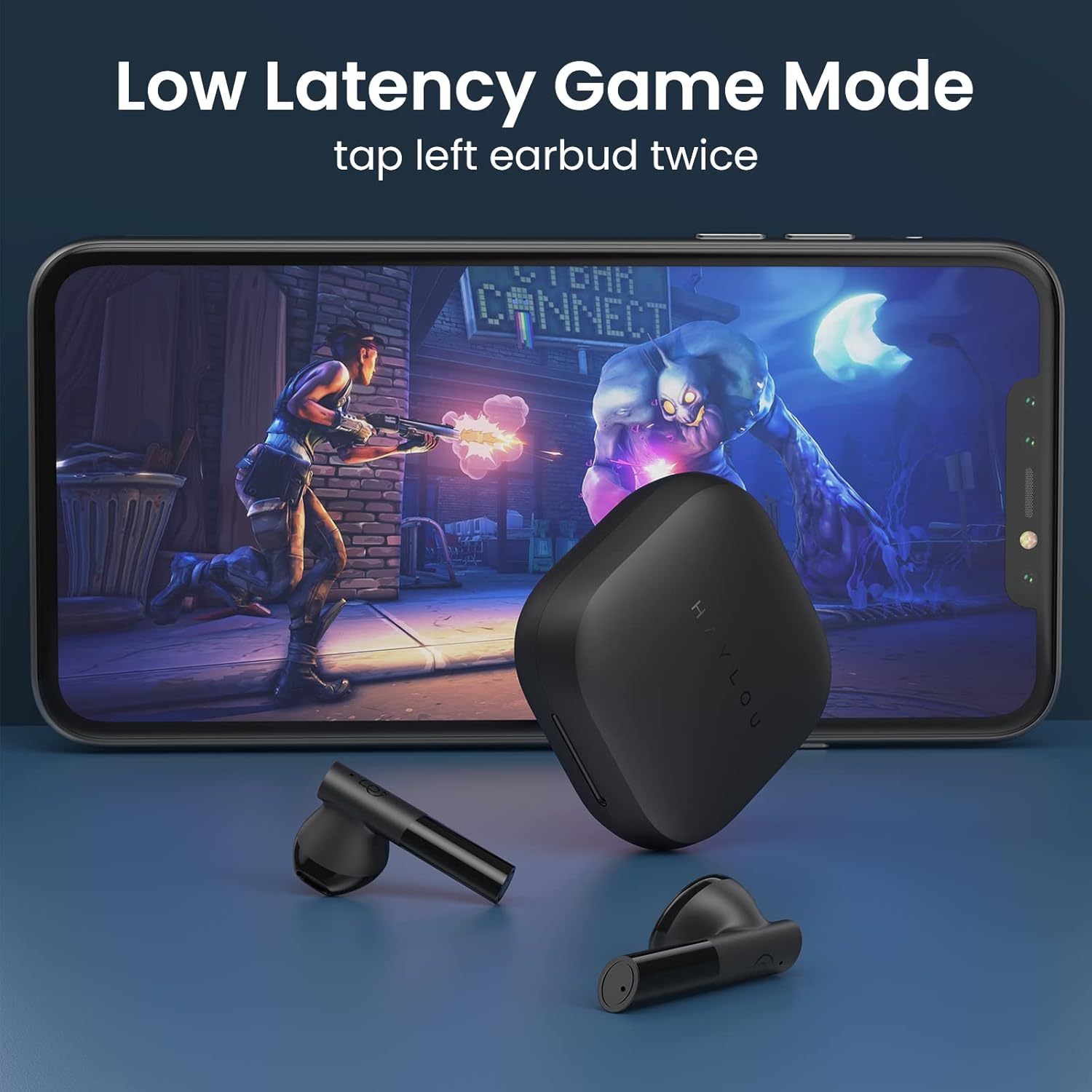
- Low Latency Game Mode On/Off: Dobbelttrykk på venstre ørepropp.
- Aktiver stemmeassistent: Triple tap (either earbud).
Spillmodus med lav forsinkelse
For an optimized gaming experience, activate the ultra-low latency mode. This reduces audio delay to approximately 65ms, ensuring synchronized sound with on-screen action.
- To activate/deactivate: Double tap the Igjen ørepropp.
Mono and Stereo Mode Switching
The earbuds support seamless switching between mono and stereo modes. When both earbuds are connected, they operate in stereo mode. To switch to mono mode, simply place one earbud back into the charging case. The remaining earbud will continue to function independently. To return to stereo mode, take the second earbud out of the case.
Official Operation Video Guide
For a visual demonstration of pairing, re-connection, mono/stereo switching, call handling, music control, low latency mode, voice assistant, and factory reset, please refer to the official operation video below:
Vedlikehold
- Rengjøring: Rengjør øreproppene og ladeetuiet regelmessig med en myk, tørr klut. Unngå bruk av sterke kjemikalier eller slipende materialer.
- Lagring: Oppbevar øreproppene i ladeetuiet når de ikke er i bruk for å beskytte dem mot støv og skader. Oppbevar dem på et kjølig og tørt sted, unna ekstreme temperaturer.
- Vannmotstand: The earbuds are IPX4 water-resistant, meaning they can withstand splashes and sweat. Do not submerge them in water or expose them to heavy rain.
Feilsøking
| Problem | Løsning |
|---|---|
| Øreplugger kan ikke pares | Ensure both earbuds are out of the case and have sufficient charge. Turn off and on your device's Bluetooth. If issues persist, perform a factory reset. |
| Kun én øreplugg fungerer | Place both earbuds back into the charging case, then take them out again simultaneously. Ensure both are charged. |
| Lavt volum | Adjust the volume on both your connected device and the earbuds. Ensure earbuds are properly seated in your ears. |
| Øreplugger lader ikke | Check the USB-C cable and power source. Ensure the charging contacts on the earbuds and inside the case are clean and free of debris. |
| Fabrikkinnstilling: |
|
Spesifikasjoner
| Trekk | Detalj |
|---|---|
| Modellnavn | GT6 |
| Tilkoblingsteknologi | Trådløs (Bluetooth) |
| Bluetooth-versjon | 5.2 |
| Bluetooth-rekkevidde | 10 meter |
| Type lyddriver | Dynamisk driver |
| Lyddriverstørrelse | 12 millimeter |
| Lydforsinkelse | 65 millisekunder (spillmodus) |
| Batterilevetid (ørepropper) | 5.5 timer |
| Total spilletid (med etui) | Opptil 20 timer |
| Kontrollmetode | Røre |
| Vannmotstandsnivå | IPX4 (vanntett) |
| Vekt (per ørepropp) | 3.9 gram (ca. 0.141 unser) |
| Materiale | Metall, plast |
| Farge | Svart |
| Kompatible enheter | iPhone, Android, Tablets, Laptops |
Garanti og støtte
For warranty information and technical support, please refer to the warranty card included in your product packaging or visit the official HAYLOU webnettstedet. Ta vare på kjøpskvitteringen som kjøpsbevis for garantikrav.
For further assistance, you may contact HAYLOU customer service through their official channels.


