1. Introduksjon
This manual provides essential information for setting up, operating, maintaining, and troubleshooting your HP Pavilion 15 Laptop. Designed for everyday computing, this laptop features an 11th Gen Intel Core i3-1115G4 Processor, 16 GB RAM, and a 512 GB PCIe SSD, running on Windows 10. Please read this manual thoroughly to ensure optimal performance and longevity of your device.

Figur 1.1: The HP Pavilion 15 Laptop in a typical usage environment, demonstrating its compact design suitable for various settings.
2. Oppsett
2.1 Utpakking og første inspeksjon
Fjern alle komponentene forsiktig fra emballasjen. Kontroller at alle elementene som er oppført nedenfor er til stede og uskadet.

Figur 2.1: Contents of the box, including the HP 15 Laptop, 45 W Smart AC power adapter, and setup poster. The image also details the laptop's dimensions and port locations.
- HP 15 bærbar PC
- 45 W Smart vekselstrømadapter
- Oppsett plakat
2.2 Tilkobling av strømadapteren
Koble strømadapteren til strømuttaket på den bærbare datamaskinen, og koble den deretter til en stikkontakt. Det anbefales å lade batteriet helt opp før første gangs bruk.
2.3 Første oppstart og oppsett av operativsystem
Trykk på av/på-knappen for å slå på den bærbare datamaskinen. Følg instruksjonene på skjermen for å fullføre Windows 10 Home-oppsettet, inkludert språkvalg, nettverkstilkobling og opprettelse av brukerkonto.
3. Bruk av den bærbare datamaskinen
3.1 Tastatur og pekeplate
The HP Pavilion 15 features a full-size keyboard with an integrated numeric keypad for efficient data entry. The touchpad supports multi-touch gestures for navigation.
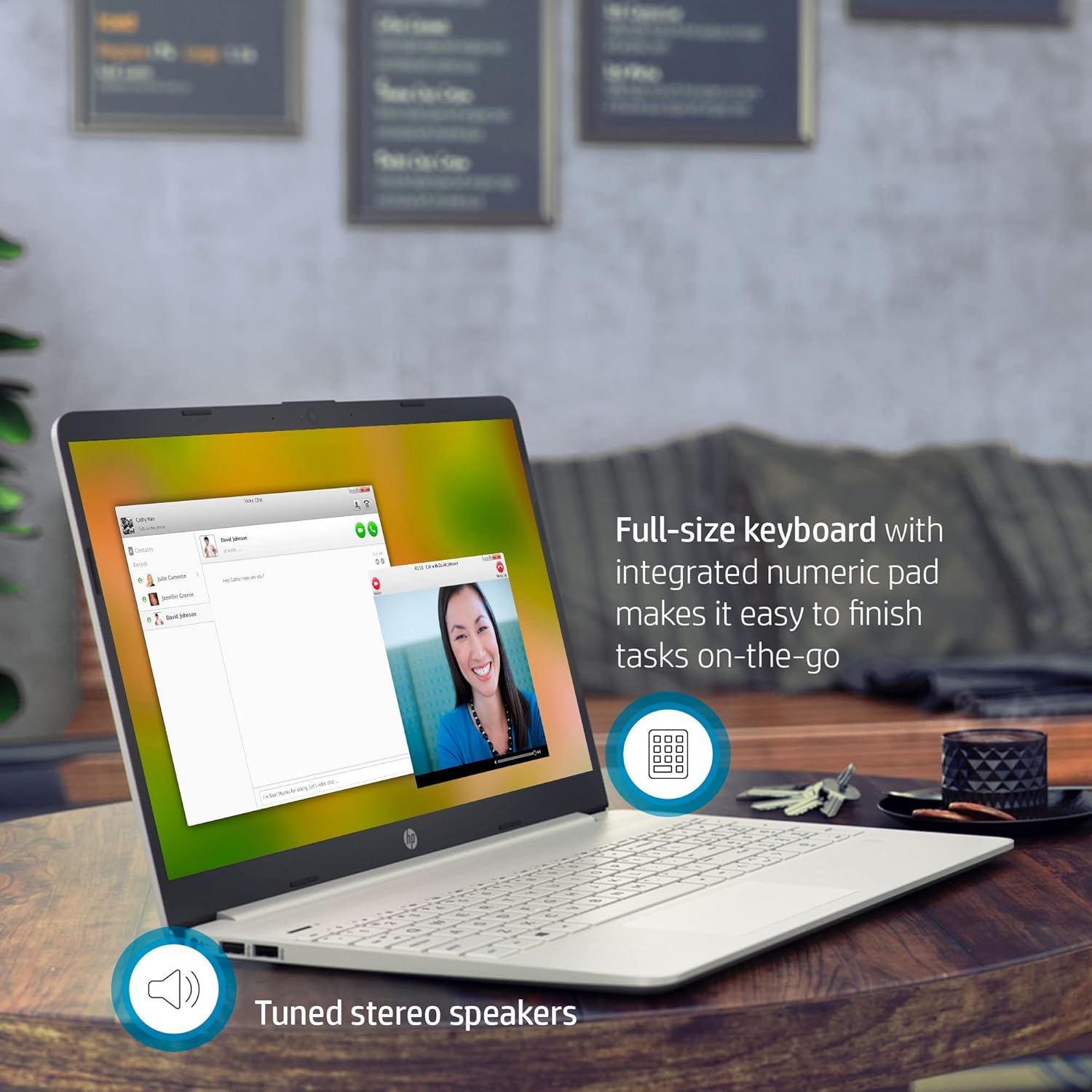
Figur 3.1: The HP Pavilion 15 Laptop showcasing its full-size keyboard with numeric pad and the location of the tuned stereo speakers.
3.2 Connecting External Devices (Ports)
Den bærbare datamaskinen din er utstyrt med forskjellige porter for tilkobling av eksterne enheter:
- 1 SuperSpeed USB Type-C® 5Gbps signaling rate: For high-speed data transfer and connecting compatible USB-C devices.
- 2 SuperSpeed USB Type-A 5Gbps signaling rate: For tilkobling av standard USB-enheter som mus, tastaturer eller eksterne harddisker.
- 1 HDMI 1.4b: For tilkobling til eksterne skjermer eller projektorer.
- 1 AC smart-pinne: For tilkobling av strømadapter.
- 1 Hodetelefon/mikrofon-kombinasjon: For lydinngang og -utgang.
- Multi-format SD media card reader: For lesing av SD-minnekort.
3.3 Trådløs tilkobling
The laptop supports Intel Wireless Wi-Fi for internet access and Bluetooth for connecting wireless peripherals.
- Wi-Fi: Få tilgang til nettverksinnstillingene i Windows for å koble til tilgjengelige Wi-Fi-nettverk.
- Bluetooth: Enable Bluetooth in Windows settings to pair with devices such as headphones or speakers.
3.4 Kamera og lyd
The HP Pavilion 15 includes an HP True Vision Camera with a dual array digital microphone, ideal for video conferencing and online communication. Tuned stereo speakers provide clear audio output.

Figur 3.2: The HP Pavilion 15 Laptop in use for a video call, demonstrating the HP True Vision Camera and the edge-to-edge HD micro-edge display.
3.5 Batteristyring
The laptop is designed to provide up to 11 hours of battery life under optimal conditions. To maximize battery longevity:
- Juster skjermens lysstyrke til et komfortabelt nivå.
- Lukk ubrukte applikasjoner.
- Bruk strømsparingsmodusene i Windows.
- Unngå ekstreme temperaturer.
4. Vedlikehold
4.1 Rengjøring av den bærbare datamaskinen
- Bruk en myk, lofri klut litt damprengjøres med vann eller et skjermrensemiddel for skjermen.
- Bruk en myk klut til tastaturet og kabinettet. Unngå sterke kjemikalier.
- Periodically use compressed air to clear dust from vents.
4.2 Programvareoppdateringer
Regularly update your Windows operating system and drivers to ensure security and optimal performance. Access Windows Update through the Settings menu.
4.3 Lagringshåndtering
Periodisk vedrview og slett unødvendig files to maintain sufficient free space on your 512 GB PCIe SSD, which contributes to faster system performance.
5. Feilsøking
5.1 Vanlige problemer og løsninger
- Den bærbare datamaskinen slår seg ikke på: Sørg for at strømadapteren er ordentlig tilkoblet og at batteriet har tilstrekkelig strøm. Prøv en annen stikkontakt.
- Ingen visning: Koble til en ekstern skjerm for å sjekke om problemet er med skjermen på den bærbare datamaskinen. Start den bærbare datamaskinen på nytt.
- Problemer med Wi-Fi-tilkobling: Sjekk om Wi-Fi er aktivert i Windows-innstillingene. Start ruteren og den bærbare datamaskinen på nytt.
- Treg ytelse: Lukk unødvendige apper, sjekk for skadelig programvare og sørg for tilstrekkelig ledig lagringsplass.
For mer detaljert feilsøking, se HPs kundestøtte website or the Windows Help documentation.
6. Spesifikasjoner
| Trekk | Detalj |
|---|---|
| Modellnavn | HP Pavilion 15 |
| Prosessor | 11th Gen Intel Core i3-1115G4 (up to 4.1 GHz) |
| Grafikk | Intel UHD-grafikk (integrert) |
| VÆR | 16 GB DDR4 SDRAM |
| Lagring | 512 GB PCIe NVMe M.2 Solid State Drive |
| Utstilling | 15.6-inch HD (1366 x 768) Micro-Edge, Anti-Glare |
| Operativsystem | Windows 10 Home (64-bit) |
| Havner | 1x SuperSpeed USB Type-C, 2x SuperSpeed USB Type-A, 1x HDMI 1.4b, 1x AC Smart Pin, 1x Headphone/Mic Combo, Multi-format SD Card Reader |
| Trådløs tilkobling | Intel Wireless Wi-Fi, Bluetooth |
| Kamera | HP True Vision Camera with dual array digital microphone |
| Lyd | High Definition Audio, Tuned stereo speakers |
| Batterilevetid | Opptil 11 timer (gjennomsnitt) |
| Dimensjoner (LxBxH) | 14.11 x 9.53 x 0.71 tommer (35.84 x 24.21 x 1.80 cm) |
| Vekt | 3.72 lbs (1.69 kg) |
| Farge | Naturlig sølv |
7. Garantiinformasjon
Your HP Pavilion 15 Laptop is covered by a standard manufacturer's warranty. Specific warranty terms and conditions may vary by region and purchase date. Please refer to the warranty documentation included with your product or visit the official HP support website for detailed information regarding your warranty coverage, including duration and service options.
8. Kundestøtte
For technical assistance, driver downloads, or further support, please visit the official HP support webnettsted. Du kan også finne vanlige spørsmål og fellesskapsfora der.
- HP-støtte Webnettsted: support.hp.com
- Online dokumentasjon: Access additional manuals and guides specific to your model.