1. Introduksjon
Thank you for choosing the HAYLOU PurFree Buds OW01 Open Ear Sport Headphones. These headphones are designed to provide a comfortable and secure audio experience while allowing you to remain aware of your surroundings. This manual provides detailed instructions on how to set up, operate, and maintain your new headphones.
2. Pakkens innhold
- HAYLOU PurFree Buds OW01 Open Ear Sport Headphones
- Ladeetui
- USB ladekabel
- Brukerhåndbok
3. Produktet er overview
Familiarize yourself with the components and design of your HAYLOU PurFree Buds.

Image: The HAYLOU PurFree Buds OW01 headphones, showcasing their open-ear design and overall appearance.

Image: Illustration of the open-ear design, highlighting comfort for long wear, protection of the eardrum, and skin-friendly silicone material.
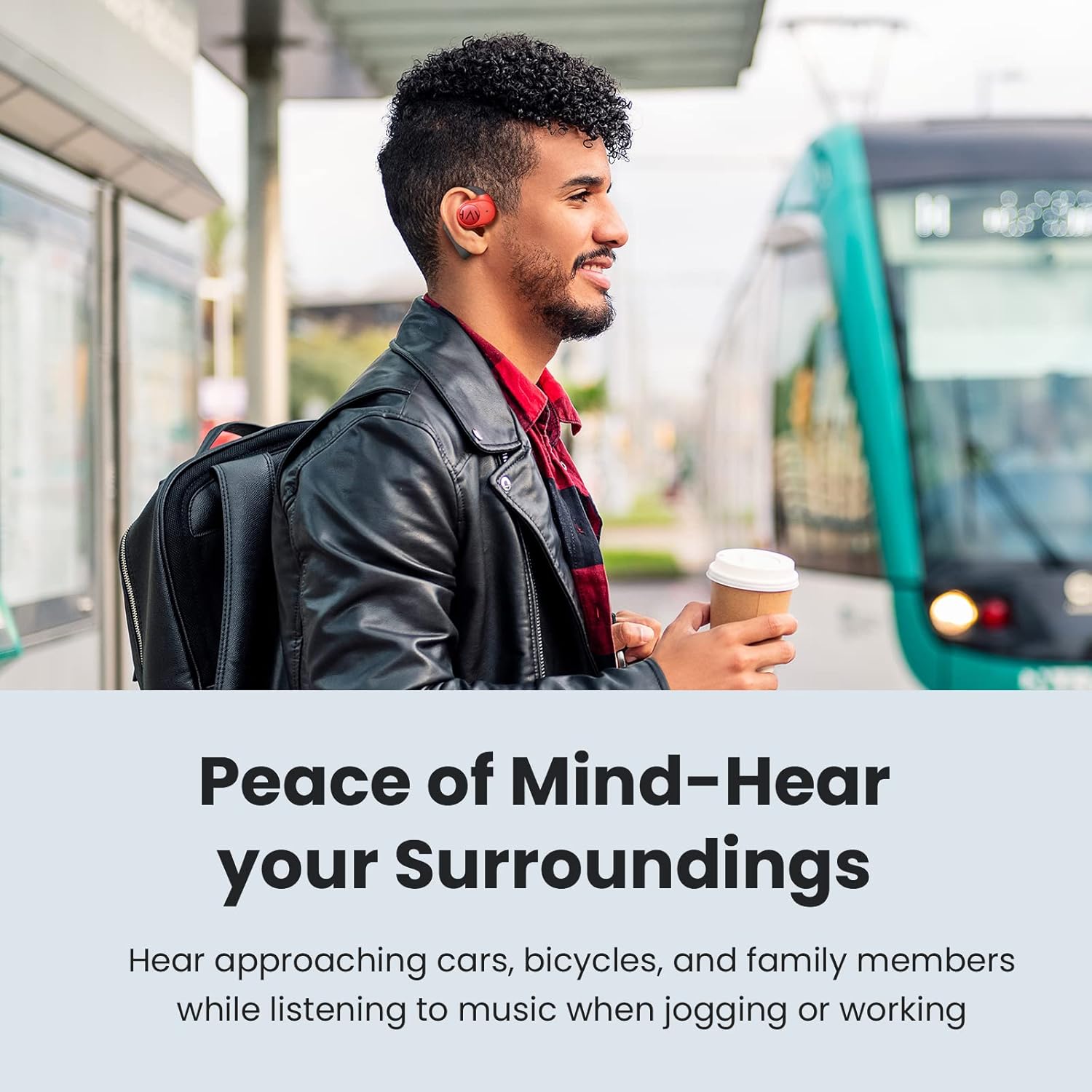
Image: Diagram showing the internal components, including the 16.2mm driver, microphone, QCC 3040 chipset, and Bluetooth 5.2 technology, emphasizing superior sound and anti-leakage design.

Image: A person wearing the open-ear headphones in an outdoor setting, demonstrating the ability to hear ambient sounds while listening to audio.
4. Oppsett
4.1 Lade hodetelefonene og etuiet
- Plasser øreproppene i ladeetuiet, og sørg for at de er riktig plassert.
- Koble USB-ladekabelen til ladeporten på etuiet og til en strømkilde (f.eks. USB-veggadapter, datamaskinens USB-port).
- The indicator lights on the charging case will show the charging status. A full charge typically takes approximately 2 hours for the case and earbuds.
- The earbuds provide up to 6 hours of playback on a single charge, with an additional 24 hours of playtime available from the fully charged case.

Image: The HAYLOU PurFree Buds and their charging case, illustrating the 6 hours of playtime per charge and 24 hours total with the case.
4.2 Bluetooth-paring
- Første gangs sammenkobling:
- Open the charging case. The earbuds will automatically enter pairing mode, and the indicator light on one earbud will flash.
- Aktiver Bluetooth på enheten din (smarttelefon, nettbrett osv.) og søk etter nye enheter.
- Select "HAYLOU PurFree Buds OW01" from the list of available devices.
- Når tilkoblingen er fullført, vil en talemelding bekrefte at paringen er fullført.
- Koble til på nytt:
- Øreproppene kobler seg automatisk til den sist parede enheten når de tas ut av ladeetuiet og Bluetooth er aktivert på enheten.
- Paring med en ny enhet:
- Disconnect the earbuds from the currently paired device. The earbuds will then enter pairing mode.
- Follow the "First-time Pairing" steps with the new device.
5. Bruksanvisning
The HAYLOU PurFree Buds feature intuitive touch controls.
5.1 Strøm på/av
- Strøm på: Open the charging case, or if already out, press and hold the touch area on both earbuds for 2 seconds.
- Slå av: Plasser øreproppene tilbake i ladeetuiet og lukk lokket, eller trykk og hold inne berøringsområdet på begge øreproppene i 5 sekunder.
5.2 Musikkavspilling
- Spill av/pause: Ett trykk på begge øreproppene.
- Neste spor: Dobbelttrykk på den høyre ørepluggen.
- Forrige spor: Dobbelttrykk på venstre øreplugg.
5.3 Samtalehåndtering
- Svar/avslutt samtale: Ett trykk på begge øreproppene.
- Avvis anrop: Trykk og hold inne på en av øreproppene i 2 sekunder.

Image: A user making a call with the HAYLOU PurFree Buds, illustrating the CVC dual microphone noise reduction feature for clear communication.
5.4 Volumkontroll
- Volum opp: Trippeltrykk på høyre øreplugg.
- Volum ned: Trippeltrykk på venstre øreplugg.
5.5 Stemmeassistent
- Aktiver stemmeassistent: Trykk og hold inne på en av øreproppene i 3 sekunder.
6. Vedlikehold
Riktig vedlikehold sikrer hodetelefonenes levetid og optimale ytelse.
- Rengjøring: Bruk en myk, tørr og lofri klut til å rengjøre øreproppene og ladeetuiet. Ikke bruk sterke kjemikalier eller slipende materialer.
- Vannmotstand: The headphones are IP55 waterproof, meaning they are resistant to sweat and light splashes. Do not submerge them in water or expose them to heavy rain. Ensure they are dry before placing them back in the charging case.
- Lagring: Store the headphones in their charging case when not in use to protect them from dust and damage. Avoid extreme temperatures.
- Lader: Lad hodetelefonene regelmessig, selv om de ikke brukes over lengre tid, for å opprettholde batterilevetiden.

Image: A person exercising, demonstrating the IP55 waterproof feature of the HAYLOU PurFree Buds, making them suitable for workouts.
7. Feilsøking
Hvis du støter på problemer, kan du se følgende vanlige problemer og løsninger.
| Problem | Løsning |
|---|---|
| Øreproppene slår seg ikke på. | Sørg for at øreproppene er ladet. Plasser dem i ladeetuiet og koble etuiet til en strømkilde. |
| Kan ikke kobles til enheten. |
|
| Ingen lyd fra ett eller begge øreproppene. |
|
| Ladeetuiet lader ikke. |
|
8. Spesifikasjoner
| Trekk | Detalj |
|---|---|
| Modellnavn | Haylou OW01 |
| Merke | HAYLOU |
| Tilkoblingsteknologi | Trådløs (Bluetooth 5.2) |
| Trådløs kommunikasjonsteknologi | Bluetooth |
| Øreplassering | Over Ear (Open Ear Design) |
| Driverstørrelse | 16.2 mm dynamiske drivere |
| Brikkesett | Qualcomm 3040 |
| Spilletid (øreplugger) | Opptil 6 timer |
| Total spilletid (med ladeetui) | Opptil 24 timer |
| Mikrofon | Dual Microphones with cVc Noise Cancellation |
| Vannmotstandsnivå | IP55 (Sweat and splash resistant) |
| Kontroll Type | Mediekontroll (berøring) |
| Materiale | Hudvennlig silikon |
| Varevekt | 9.2 ounces (Product weight, not individual earbud) |
9. Garanti og støtte
For warranty information, technical support, or further assistance, please refer to the official HAYLOU webnettstedet eller kontakt kundeservicen deres. Ta vare på kjøpskvitteringen for garantikrav.