Zebronics ZEB-PARADISE trådløse hodetelefoner brukerhåndbok
Model: ZEB-PARADISE
1. Produktet er overview
The Zebronics ZEB-PARADISE is a versatile wireless headphone designed for an immersive audio experience. It features Bluetooth connectivity, an AUX input, Micro SD card support, and an FM radio function, providing multiple ways to enjoy your music and manage calls.

Image 1: Zebronics ZEB-PARADISE Wireless Headphone. This image displays the over-ear design of the headphone, highlighting its sleek appearance and comfortable earcups.
2. Pakkens innhold
Vennligst kryss av i boksen for følgende elementer:
- 1 Unit Headphone
- 1 Unit Charging Cable
- 1 Unit Aux Cable
- 1 Unit User Manual
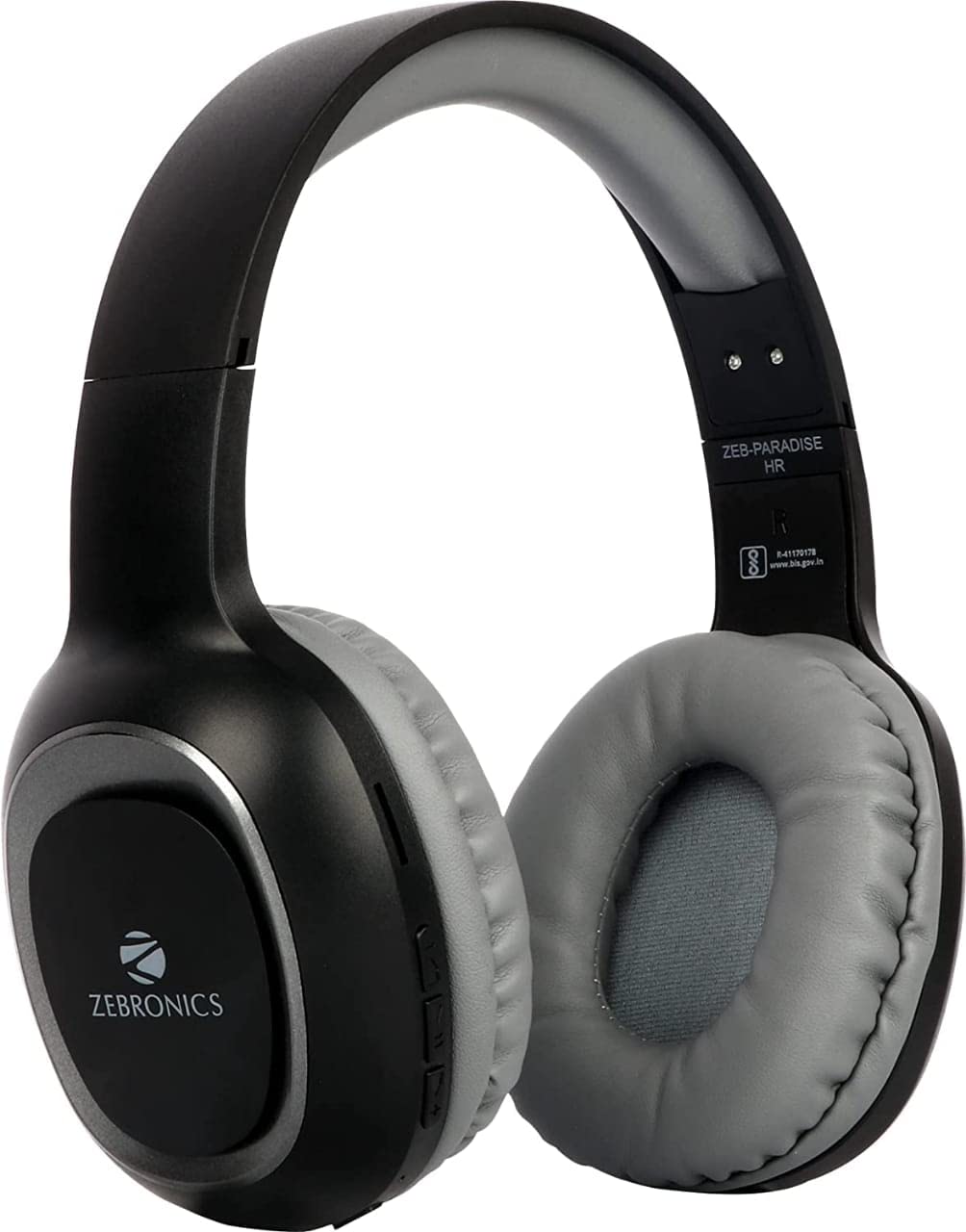
Image 2: Packaging of the Zebronics ZEB-PARADISE Wireless Headphone. This image shows the product box, detailing the package contents and key features printed on the packaging.
3. Sikkerhetsinformasjon
Forsiktighet:
Please be aware of your surroundings while using the headphone. Constant exposure to high volume may damage your hearing. Please use the headphone at moderate volume to protect your ears.
4. Nøkkelfunksjoner
- Bluetooth v4.2 Connectivity
- AUX Input for Wired Connection
- Micro SD Card Support for MP3 Playback
- FM-radiofunksjon
- Call Function with Built-in Microphone
- Media Volume Control
- Dual Pairing Capability
- 40mm Audio Drivers
- Innebygd oppladbart batteri
- Hurtigladingsstøtte
5. Oppsett
5.1 Charging the Headphone
- Connect the provided USB charging cable to the charging port on the headphone.
- Koble den andre enden av USB-kabelen til en USB-strømadapter (ikke inkludert) eller en datamaskins USB-port.
- LED-indikatoren lyser for å vise ladestatus. Den vil vanligvis slå seg av eller endre farge når den er fulladet.
5.2 Bluetooth-paring
- Ensure the headphone is fully charged.
- Trykk og hold inne av/på-knappen på hodetelefonene til LED-indikatoren blinker blått og rødt, som indikerer paringsmodus.
- Gå til Bluetooth-innstillingene på smarttelefonen eller den Bluetooth-aktiverte enheten din og søk etter tilgjengelige enheter.
- Select "ZEB-PARADISE" from the list of found devices.
- Når den er paret, vil LED-indikatoren blinke sakte blått eller forbli konstant blå.
5.3 Using the AUX Cable
- Connect one end of the provided 3.5mm AUX cable to the AUX input port on the headphone.
- Connect the other end of the AUX cable to the 3.5mm audio output jack of your audio device.
- Hodetelefonene vil automatisk bytte til AUX-modus.
6. Bruksanvisning
6.1 Grunnleggende kontroller
- Slå på/av: Trykk og hold inne strømknappen.
- Spill av/pause: Trykk på Play/Pause-knappen én gang.
- Volum opp/neste spor: Press the Volume Up (+) button to increase volume. Press and hold to skip to the next track.
- Volum ned/Forrige spor: Press the Volume Down (-) button to decrease volume. Press and hold to go to the previous track.
- Modusbryter: Press the 'M' button to switch between Bluetooth, FM Radio, and Micro SD modes.
6.2 Anropsfunksjon
- Svar på anrop: Trykk på Spill av/Pause-knappen én gang når du kommer inn en samtale.
- Avslutt samtale: Trykk på Spill av/Pause-knappen én gang under en samtale.
- Avvis anrop: Press and hold the Play/Pause button for 2 seconds when a call comes in.
- Ring siste nummer på nytt: Dobbelttrykk på Play/Pause-knappen.
6.3 FM-radiomodus
- Switch to FM Radio mode using the 'M' button.
- Press the Play/Pause button once to auto-scan and save available FM channels.
- Use the Volume Up (+) and Volume Down (-) buttons to navigate between saved channels.
6.4 Avspilling fra Micro SD-kort
- Insert a Micro SD card (with MP3 files) into the designated slot on the headphone.
- Switch to Micro SD mode using the 'M' button.
- Music playback will start automatically. Use the control buttons for play/pause, next/previous track, and volume adjustment.
7. Vedlikehold
- Rengjør hodetelefonene med en myk, tørr klut. Ikke bruk sterke kjemikalier eller slipende materialer.
- Unngå å utsette hodetelefonene for ekstreme temperaturer, fuktighet eller direkte sollys.
- Store the headphone in a cool, dry place when not in use.
- Do not attempt to disassemble or repair the headphone yourself, as this will void the warranty.
8. Feilsøking
- Ingen strøm: Ensure the headphone is fully charged. Connect it to a power source using the charging cable.
- Kan ikke pares via Bluetooth: Make sure the headphone is in pairing mode (flashing blue and red LED). Ensure Bluetooth is enabled on your device and it is within range. Try restarting both devices.
- Ingen lyd: Check the volume level on both the headphone and your connected device. Ensure the correct mode (Bluetooth, AUX, SD) is selected. If using AUX, ensure the cable is fully inserted.
- FM-radio fungerer ikke: Ensure you are in an area with good FM signal. Perform an auto-scan to save channels.
- Micro SD Card Not Playing: Ensure the Micro SD card is inserted correctly and contains compatible audio files (f.eks. MP3).
9. Tekniske spesifikasjoner
| Trekk | Spesifikasjon |
|---|---|
| Modell | ZEB-PARADIS |
| Tilkobling | Trådløs (Bluetooth v4.2) |
| Inkluderte komponenter | Headphone, Charging Cable, Aux Cable, User Manual |
| Drivere | 40 mm |
| Batteri | Innebygd oppladbar |
| Spesielle funksjoner | FM Radio, Micro SD Card Support, Call Function, Media Volume Control, Dual Pairing, Fast Charging |
| Hodetelefonuttak | 3.5 mm jekk |
| Formfaktor | Over Ear |
| Farge | Svart |
| Produsent | Zebronics India Private Limited |
10. Garanti og støtte
10.1 Garantiinformasjon
This product comes with a standard manufacturer's warranty. Please refer to the warranty card included in your package or contact customer support for detailed warranty terms and conditions.
10.2 Kundestøtte
For any complaints, feedback, or support inquiries, please contact:
Consumer Care Executive
Adresse: ZEBRONICS INDIA PRIVATE LIMITED, NO. 118, POONAMALLEE HIGH ROAD, CHENNAI-600084.
Telefon: 044-4000 0004
E-post: ENQUIRY@ZEBRONICS.COM
Du kan også besøke den offisielle webnettsted: www.zebronics.com


