Introduksjon
This manual provides detailed instructions for the setup, operation, and maintenance of your KSIX Compass Smartwatch. Designed for active lifestyles, this smartwatch features integrated GPS, call functionality, notification alerts, and comprehensive health monitoring. Please read this manual thoroughly to ensure proper use and to maximize your device's capabilities.
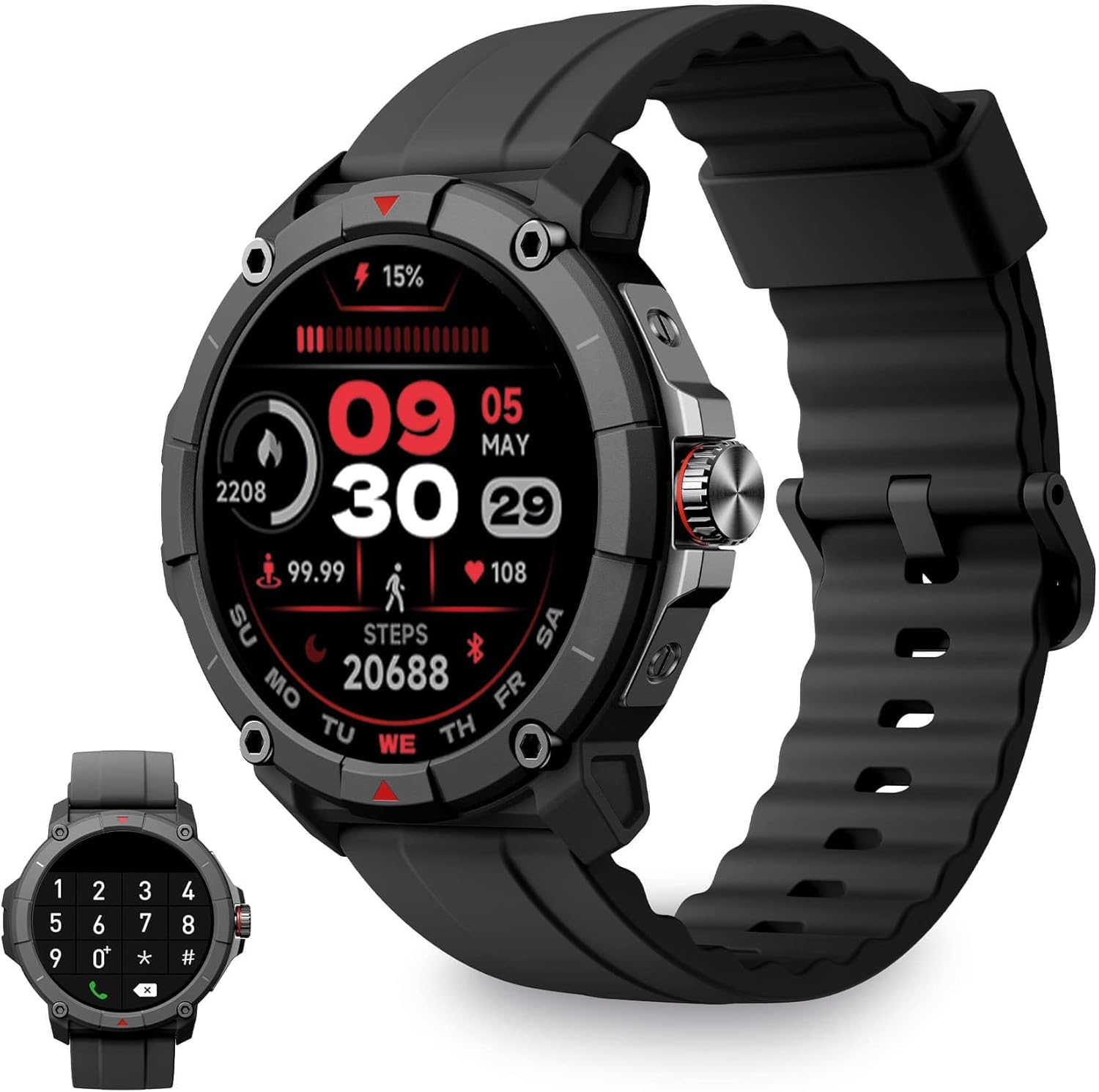
Image: KSIX Compass Smartwatch, front view showing the round display with a digital watch face, and the black silicone strap. A smaller inset image shows the dial pad on the watch screen.
1. Oppsett
1.1 Lading av enheten
Before initial use, fully charge your KSIX Compass Smartwatch.
- Koble ladekabelen til ladeporten på baksiden av smartklokken.
- Koble den andre enden av kabelen til en USB-strømadapter (ikke inkludert) eller en datamaskins USB-port.
- Klokkens display vil indikere ladestatus.
En full lading tar vanligvis omtrent 2.5 timer og gir opptil 7 dager of battery life, depending on usage.

Image: Close-up of the KSIX Compass Smartwatch's side, highlighting the rotating crown. Text overlays indicate "Charging Time: 2.5h" and "Battery Life: 7 days".
1.2 Paring med smarttelefonen din
To unlock all features, pair your smartwatch with the companion app.
- Last ned Veldig Fit app from the App Store (iOS 9.0 and above) or Google Play Store (Android 6.0 and above).
- Sørg for at Bluetooth er aktivert på smarttelefonen.
- Åpne VeryFit-appen og følg instruksjonene på skjermen for å opprette en konto eller logge inn.
- Select "Add Device" or similar option within the app and choose your KSIX Compass Smartwatch from the list of available devices.
- Bekreft paringsforespørselen på både smarttelefonen og smartklokken.
The watch uses Wireless BLE 5.3 for a stable connection.
2. Bruksanvisning
2.1 Grunnleggende navigering
- Berøringsskjerm: Sveip til venstre, høyre, opp eller ned for å navigere gjennom menyer og funksjoner. Trykk for å velge.
- Roterende krone: Rotate the crown on the side of the watch to scroll through lists or adjust settings. Press the crown to return to the home screen or confirm selections.

Image: The KSIX Compass Smartwatch displaying its 1.38-inch full-color TFT-LCD touchscreen. Several customizable watch faces are shown below, demonstrating different layouts and information displays.
2.2 Samtalefunksjonalitet
The KSIX Compass Smartwatch allows you to make and receive calls directly from your wrist using its built-in microphone and speaker.
- Ringe: Access the dial pad or contact list on the watch screen to initiate a call.
- Motta anrop: Når du kommer inn en samtale, kan du svare på eller avvise den direkte fra klokken.
2.3 Varsler
Receive notifications from various applications (e.g., WhatsApp, Instagram, Twitter) directly on your smartwatch when connected to your phone.

Image: The KSIX Compass Smartwatch displaying a call screen with options for frequent contacts and a dial pad. Below, icons for various social media and messaging apps (WhatsApp, Instagram, Twitter, Facebook, Gmail) are shown, representing notification capabilities.
2.4 Stemmeassistent
The smartwatch is compatible with your preferred voice assistant (Alexa, Siri, or Google Assistant). Activate the voice assistant feature on your watch and speak your commands.
2.5 Sport Modes and GPS Tracking
The KSIX Compass Smartwatch includes integrated GPS for tracking your routes during outdoor activities like running and hiking. It supports over 100 sport modes.
- Select your desired sport mode from the watch menu.
- Ensure GPS connection is successful before starting your activity.
- Track your route and performance data in real-time.
- Review detailed activity logs in the VeryFit app after your workout.

Image: The KSIX Compass Smartwatch display showing "GPS connection successful" with a green pin icon, ready to start an activity. A blurred outdoor path is visible in the background.
2.6 Helseovervåking
Monitor various health metrics directly from your wrist.
- Pulsmåler: Sporer pulsen din kontinuerlig.
- Blodoksygenmonitor (SpO2): Måler oksygenmetningsnivåer i blodet.
- Blodtrykksmåler: Gir blodtrykksmålinger.
- Søvnmonitor: Sporer søvnmønstre og -kvalitet.
- skritteller: Counts steps taken throughout the day.
- Stress Meter: Overvåker stressnivået.
- Pusteøvelser: Guides you through relaxation breathing.
- Menstruasjonssyklussporing: Hjelper med å spore og forutsi menstruasjonssykluser.
Alle helsedata kan være viewdetaljert i VeryFit-appen.
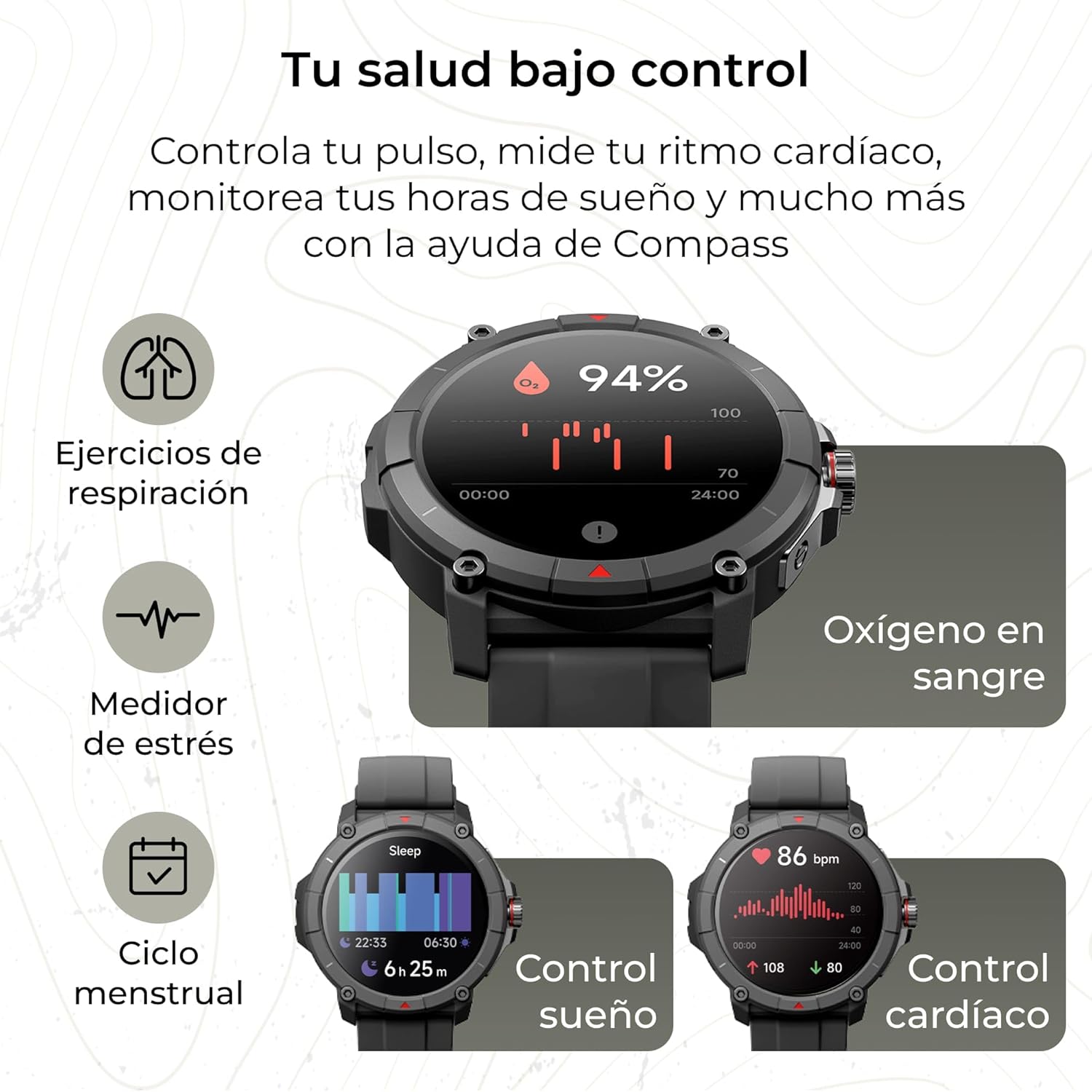
Image: The KSIX Compass Smartwatch displaying various health monitoring features. These include blood oxygen saturation (94%), heart rate control (86 bpm), sleep tracking (6h 25m), stress measurement, breathing exercises, and menstrual cycle tracking.
2.7 tilleggsfunksjoner
- Lommelykt: Access a quick flashlight function.
- Fjernkontroll for kamera: Styr smarttelefonens kamera eksternt.
- Tilpassbare urskiver: Choose from multiple watch faces to personalize your device.
3. Vedlikehold
3.1 Rengjøring av smartklokken
Regularly clean your smartwatch to ensure optimal performance and hygiene.
- Tørk av skjermen og huset med en myk, lofri klut.
- For gjenstridig smuss, litt dampen kluten med vann.
- Unngå bruk av sterke kjemikalier eller slipende materialer.
- Sørg for at ladekontaktene er rene og tørre før lading.
3.2 Vannmotstand
The KSIX Compass Smartwatch is water-resistant up to 2 meters for 30 minutes, with an IP68 and 2ATM protection rating.
- Den er egnet for daglig bruk, som håndvask, regn og grunne bad.
- Avoid hot water, saunas, or high-pressure water jets.
- Do not press buttons or operate the touchscreen underwater.
- Tørk klokken grundig etter at den har vært utsatt for vann.

Bilde: Et sammensatt bilde som visesasing various features of the KSIX Compass Smartwatch. Key elements include "100+ Sport Modes", "Integrated GPS", "2ATM Submersible" (with an image of the watch partially submerged in water), "7 Days Battery Life", "Hands-free Calling", "Customizable Dials", "Voice Assistants", and "24h Health Monitoring".
4. Feilsøking
4.1 Tilkoblingsproblemer
- Klokken kobles fra ofte:
- Sørg for at smartklokken er innenfor Bluetooth-rekkevidden til telefonen din.
- Check if the VeryFit app is running in the background and has necessary permissions.
- Restart both your phone's Bluetooth and the smartwatch.
- If issues persist, try unpairing and re-pairing the device through the VeryFit app.
- Kan ikke pares:
- Make sure the smartwatch is charged.
- Bekreft at Bluetooth er aktivert på telefonen din.
- Ensure no other devices are currently paired with the smartwatch.
- Restart your phone and the smartwatch, then try pairing again.
4.2 GPS-nøyaktighet
- Unøyaktige GPS-avlesninger:
- Sørg for at du er i et åpent utendørsområde med klar himmel view av himmelen for optimal GPS-signalmottak.
- Wait for the "GPS connection successful" message before starting your activity.
- Sync the watch with the VeryFit app regularly to update GPS assistance data.
4.3 Optimalisering av batterilevetid
- Reduser skjermens lysstyrke.
- Deaktiver kontinuerlig pulsmåling hvis det ikke er nødvendig.
- Begrens antall appvarsler.
- Turn off "Always-On Display" if available.
- Use power-saving modes if offered by the device.
5. Spesifikasjoner
| Merke | KSIX smart teknologien din |
| Modellnavn | Kompass |
| Modellnummer | BXSW18N |
| Farge | Svart |
| Operativsystem | Wear OS [UNCERTAIN] (Compatible with iOS 9.0+ and Android 6.0+) |
| Skjermstørrelse | 1.38 Inches (TFT-LCD Touchscreen) |
| Tilkobling | Wireless Bluetooth (BLE 5.3) |
| Spesielle funksjoner | Compass, GPS, Heart Rate Monitor, SpO2, Blood Pressure, Sleep Tracker, Pedometer, Voice Assistant, Call Functionality, Notifications, Flashlight, Camera Remote |
| Kompatible enheter | Smarttelefon, nettbrett |
| Batterisammensetning | Litium-ion |
| Batterilevetid | Opptil 7 dager (typisk bruk) |
| Ladetid | Ca. 2.5 timer |
| Vannmotstand | 2ATM, IP68 (up to 2 meters for 30 minutes) |
6. Sikkerhetsinformasjon
Vennligst følg følgende sikkerhetsretningslinjer:
- Ikke forsøk å demontere eller modifisere enheten.
- Hold enheten unna ekstreme temperaturer og direkte sollys.
- Unngå å utsette enheten for harde støt eller fall.
- Consult a medical professional before starting any new exercise regimen or if you have health concerns. The health monitoring features are for informational purposes and not for medical diagnosis.
- Kast enheten og batteriet på en ansvarlig måte i henhold til lokale forskrifter.


