Introduksjon
This manual provides essential instructions for the proper use and maintenance of your SDLOGAL Wireless Over Ear Headphones. Please read this guide thoroughly before operating the device to ensure optimal performance and longevity.
Pakkeinnhold
- SDLOGAL Wireless Over Ear Headphones
- USB-C ladekabel
- 3.5 mm lydkabel
- Brukerhåndbok
Produkt overview
The SDLOGAL Wireless Over Ear Headphones are designed for immersive audio experiences, featuring Bluetooth 5.4 connectivity, long battery life, and a comfortable, foldable design. They support both wireless and wired connections.

Figure 1: SDLOGAL Wireless Over Ear Headphones (Pink)

Figure 2: Key Function Guide for Headphone Controls
Kontroller
- Strømknapp: Long press for 3 seconds to turn on/off. Short press to play/pause. Double-tap for previous song. Triple-tap for next song.
- M-knapp: Double-click to switch between Music Mode and Game Mode. Triple-click to turn LED lighting on/off.
- Volumglider: Skyv opp eller ned for å justere volumet.
Oppsett
1. Lading av hodetelefonene
- Locate the USB-C charging port on the headphone.
- Connect the provided USB-C charging cable to the headphones and a compatible USB power source.
- The LED indicator will show charging status. A full charge provides over 40 hours of playback.
2. Slå på/av
- To power on, long press the Power Button for approximately 3 seconds until the LED lights activate.
- To power off, long press the Power Button for approximately 3 seconds.
3. Bluetooth-paring
- Sørg for at hodetelefonene er slått av.
- Long press the Power Button for 5 seconds to enter pairing mode. The LED indicator will flash, indicating it's ready to pair.
- Aktiver Bluetooth på enheten din (smarttelefon, nettbrett, datamaskin) og søk etter tilgjengelige enheter.
- Select "SDLOGAL Headphones" from the list.
- Når den er tilkoblet, vil LED-indikatoren slutte å blinke.
4. Kablet tilkobling
- Connect one end of the 3.5mm audio cable to the headphone's audio jack.
- Connect the other end to your audio device's 3.5mm port.
- The headphones can be used in wired mode even when the battery is depleted.

Figure 3: Wireless Bluetooth 5.4 and Wired Connection Options
Bruksanvisning
Musikkavspilling
- Spill av/pause: Trykk kort på strømknappen.
- Neste spor: Triple-tap the Power Button.
- Forrige spor: Double-tap the Power Button.
Samtalehåndtering
- Svar/avslutt samtale: Trykk kort på strømknappen.
- Avvis anrop: Trykk lenge på strømknappen.
Volumkontroll
- Slide the Volume Slider up to increase volume.
- Slide the Volume Slider down to decrease volume.
Switching Modes (Music/Game)
- Double-click the M Button to toggle between Music Mode and Game Mode.

Figure 4: Switching between Music and Game Modes
LED-lyskontroll
- Triple-click the M Button to turn the LED lights on or off.
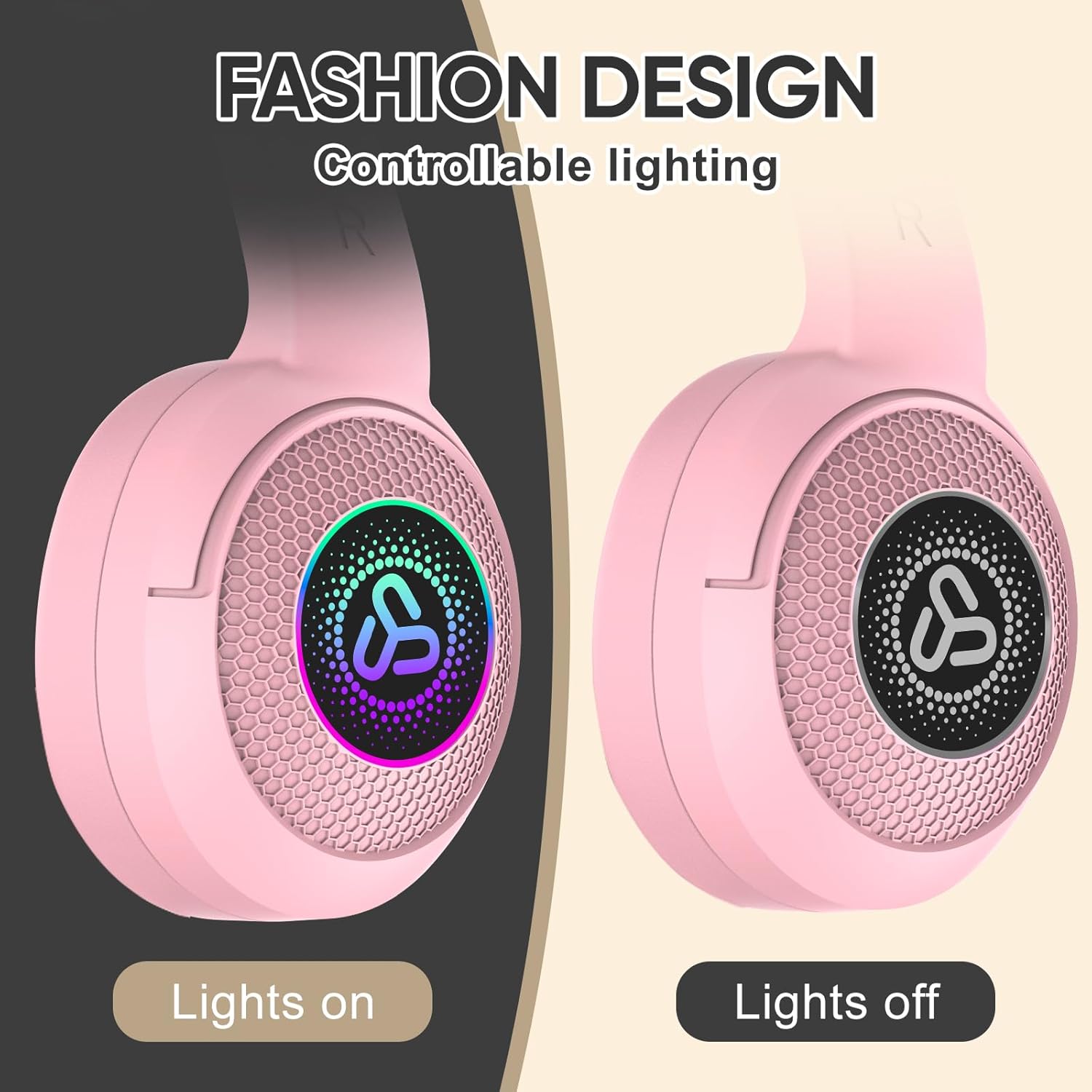
Figure 5: Controllable LED Lighting Feature
Komfort og design
The headphones feature high elastic sponge material and soft memory protein earmuffs for extended comfort. The adjustable headband ensures a secure and comfortable fit for various head sizes. The foldable and lightweight design allows for easy portability and storage.

Figure 6: Comfort and Folding Features

Figure 7: Compact, Foldable, and Lightweight Design
Batterilevetid
Equipped with low power consumption technology, these headphones offer over 40 hours of continuous music playback and more than 800 hours of standby time on a single full charge.

Figur 8: Utvidet batteriytelse
Vedlikehold
- Rengjør øreklokkene og hodebøylen regelmessig med en myk, tørr klut.
- Unngå å utsette hodetelefonene for ekstreme temperaturer, fuktighet eller direkte sollys.
- Ikke bruk skurende rengjøringsmidler eller løsemidler.
- Oppbevares på et kjølig, tørt sted når den ikke er i bruk.
Feilsøking
Ingen strøm
- Sørg for at hodetelefonene er fulladet.
- Long press the Power Button for 3 seconds to turn on.
Kan ikke pares via Bluetooth
- Sørg for at hodetelefonene er i paringsmodus (LED-lampen blinker).
- Sørg for at Bluetooth er aktivert på enheten din, og at den er innenfor rekkevidde (vanligvis 10 meter).
- Prøv å glemme enheten i telefonens Bluetooth-innstillinger og pare den på nytt.
Ingen lyd
- Sjekk volumnivået på både hodetelefonene og den tilkoblede enheten.
- If using a wired connection, ensure the 3.5mm cable is securely plugged into both devices.
- Hvis du bruker Bluetooth, må du sørge for at hodetelefonene er riktig paret og tilkoblet.
Spesifikasjoner
| Modellnavn | SDL-718-PI |
| Tilkoblingsteknologi | Trådløs (Bluetooth 5.4) |
| Batterilevetid | 40 timer (avspilling) |
| Standby-tid | 800 timer |
| Type lyddriver | Dynamisk driver |
| Materiale | Sponge, Memory Protein |
| Varevekt | 11.3 unser |
| Spesielle funksjoner | Fast Charging, Lightweight, Noise Cancellation, Controllable LED Lighting, Music & Game Modes |
| UPC | 721545538598 |
Offisielle produktvideoer
Video 1: Overview of SDLOGAL Wireless Over Ear Headphones by Shangyinghui-US. This video demonstrates the headphones' features and design.
Video 2: Demonstration of SYH US LYEJ Headphones by Shangyinghui-US. This video highlights the product's functionality and user experience.
Garanti og støtte
For warranty information or technical support, please refer to the contact details provided on the product packaging or visit the official SDLOGAL webnettstedet. Ta vare på kjøpskvitteringen for garantikrav.


