1. Introduksjon
Thank you for choosing the sdlogal KU-618-UP UHF Wireless Rechargeable Dynamic Microphone System. This system is designed to provide clear and stable audio transmission for various applications, including home karaoke, performances, interviews, and public speaking. Featuring two handheld microphones and a compact receiver, this system offers ease of use with automatic pairing and adjustable frequencies. Please read this manual thoroughly to ensure proper setup and optimal performance of your new microphone system.
2. Pakkens innhold
Ved utpakking, vennligst kontroller at alle varene som er oppført nedenfor er inkludert og i god stand:
- 2 x håndholdte mikrofoner
- 1 x mottaker
- 1 x 6.35 mm lydkabel
- 1 x Power Cable (for receiver)
- 1 x brukerhåndbok
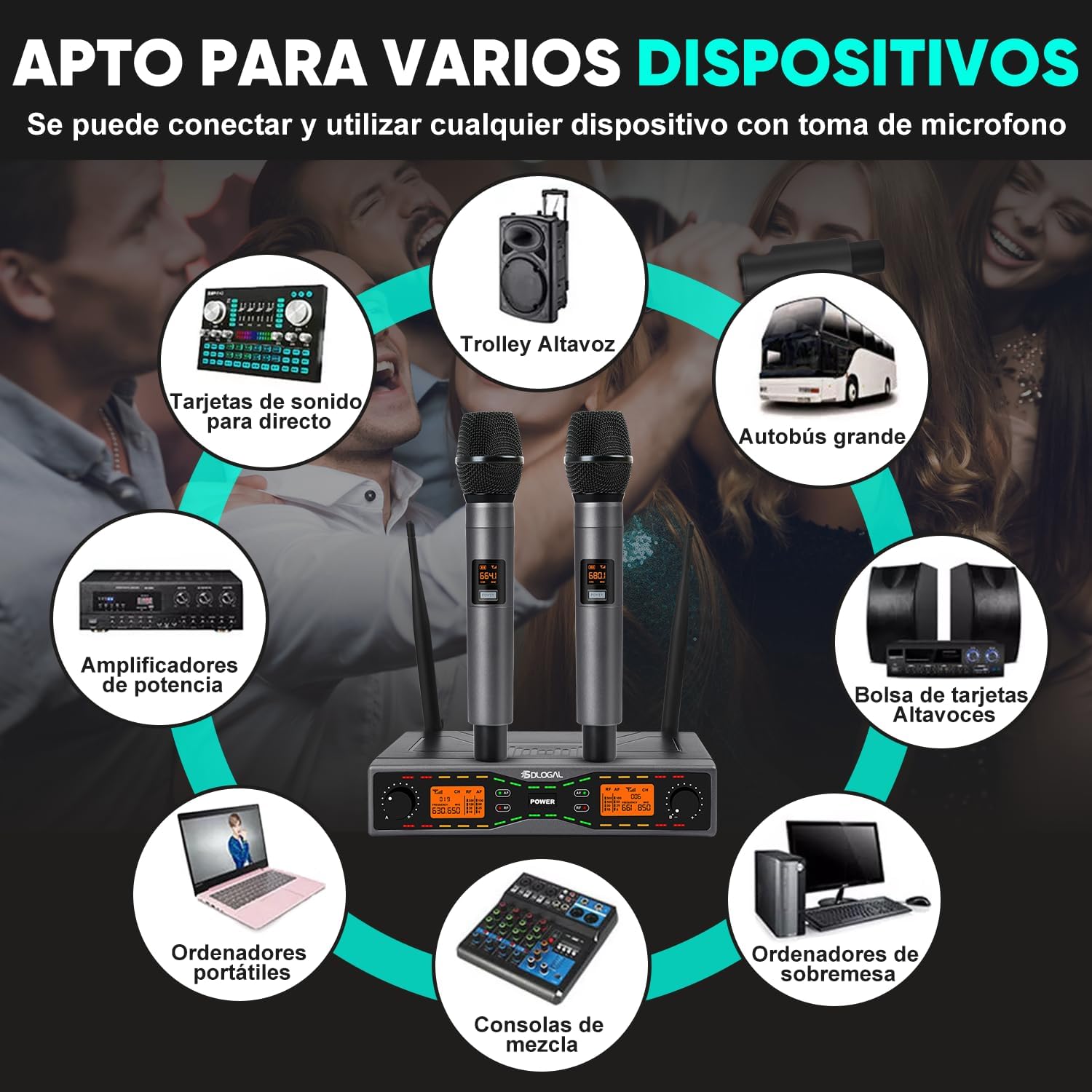
Bilde: Overview of the sdlogal KU-618-UP wireless microphone system components, including two microphones, a receiver, and cables.
3. Produktet er overview
3.1. Mikrofonfunksjoner
- Dynamic Cardioid Capsule: Captures clear sound while minimizing background noise.
- Oppladbar: Built-in lithium-ion battery for extended use.
- LED display: Shows battery level, channel, and frequency for easy monitoring.
- Slitesterk ABS Casing: Lett, men robust konstruksjon.

Image: Close-up of the microphone's LED display, indicating battery level, channel, and frequency.
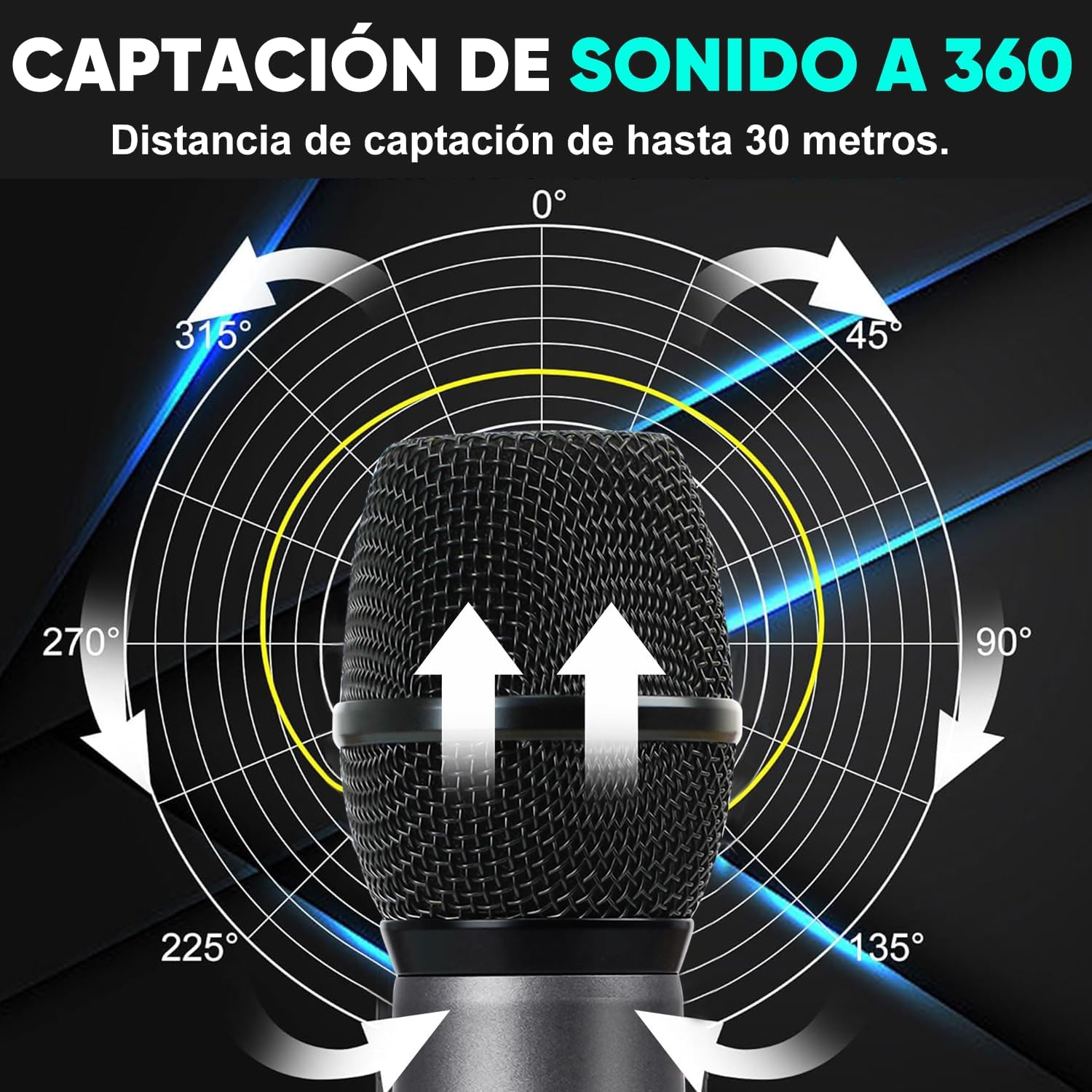
Image: Diagram illustrating the 360-degree sound capture capability of the microphone, highlighting its cardioid orientation.
3.2. Mottakerfunksjoner
- Doble antenner: Enhances signal stability and transmission range (15-30 meters).
- Automatisk sammenkobling: Simplifies setup by automatically connecting with microphones.
- Justerbare frekvenser: Allows selection of optimal frequencies to avoid interference.
- Flere utgangsalternativer: Includes 6.35mm and XLR connectors for versatile connectivity.
Bilde: Detaljert view of the receiver's front and rear panels, showing volume controls, power switch, LCD screens, and various audio output ports (XLR, 6.35mm).
4. Oppsett
4.1. Førstegangslading
Before first use, ensure both microphones are fully charged. The microphones are rechargeable via a Type-C port (charger not included, 5V2A recommended). Charging time is approximately 2-3 hours for 4-5 hours of working time.
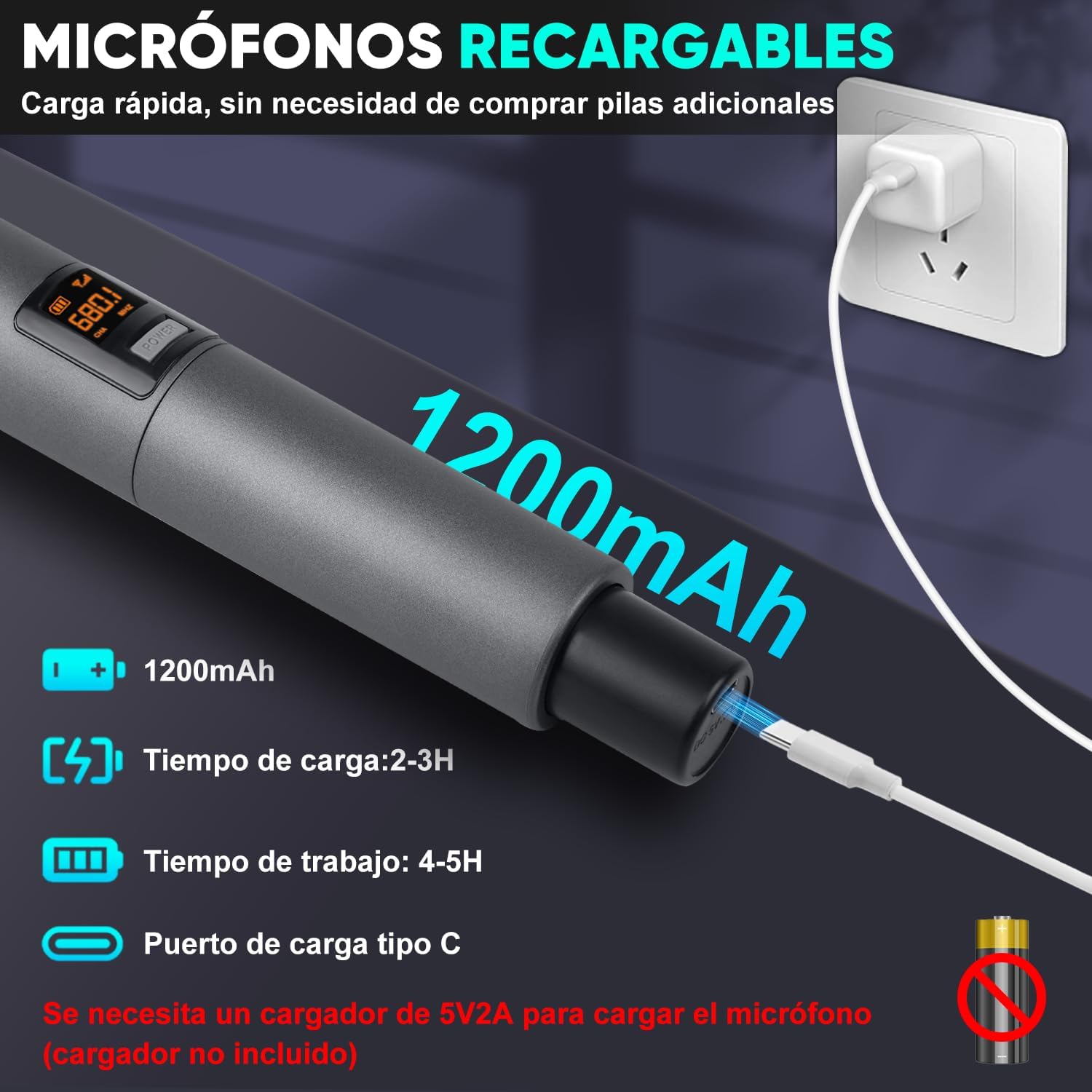
Image: A microphone connected to a wall adapter via a USB Type-C cable for charging, with details on battery capacity and charging times.
4.2. Koble til mottakeren
- Connect the receiver to a power source using the provided power cable.
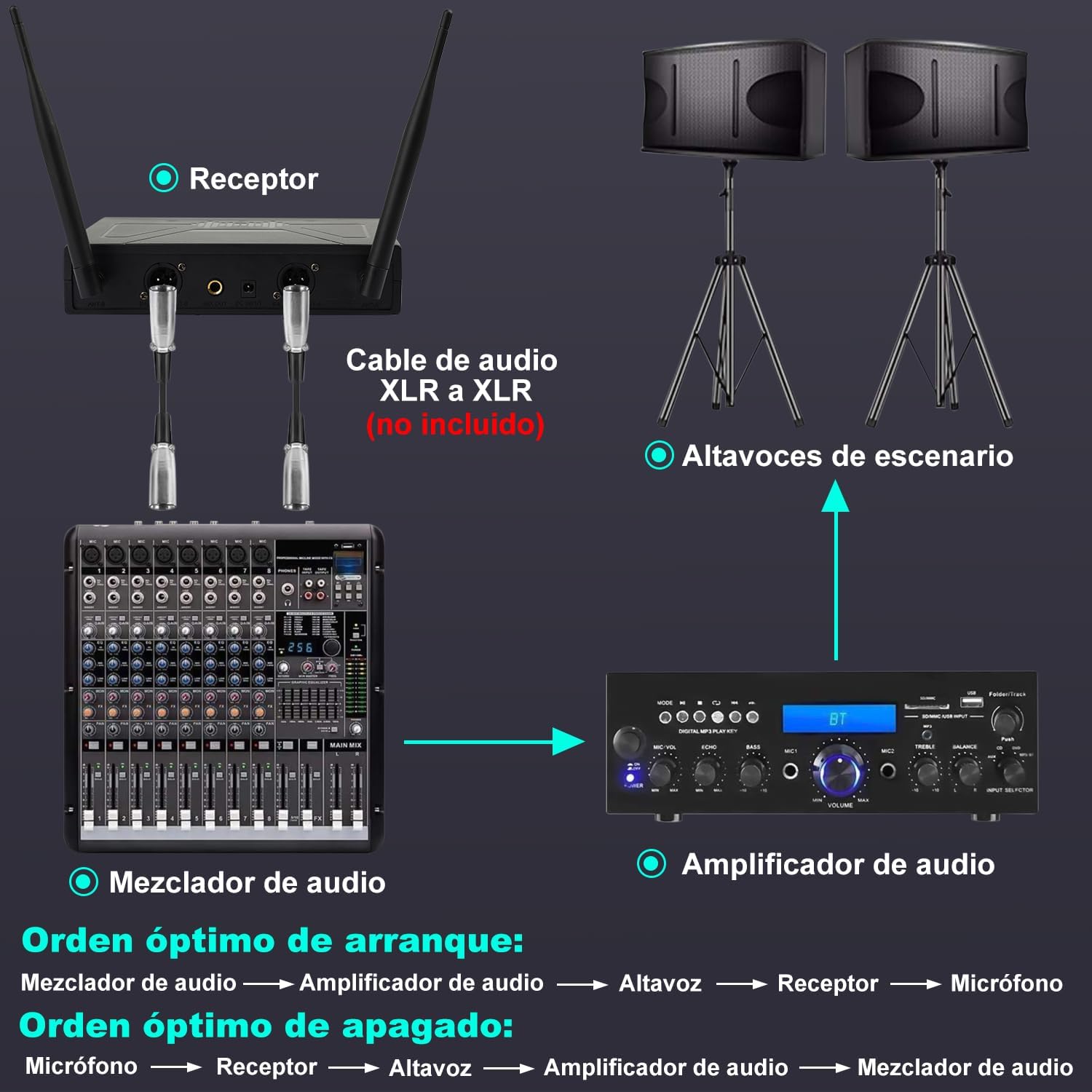
- Connect the receiver to your audio equipment (e.g., amplifier, mixer, karaoke machine) using the 6.35mm audio cable or XLR cables (XLR cables not included).
- Ensure your audio equipment is turned off before making connections.
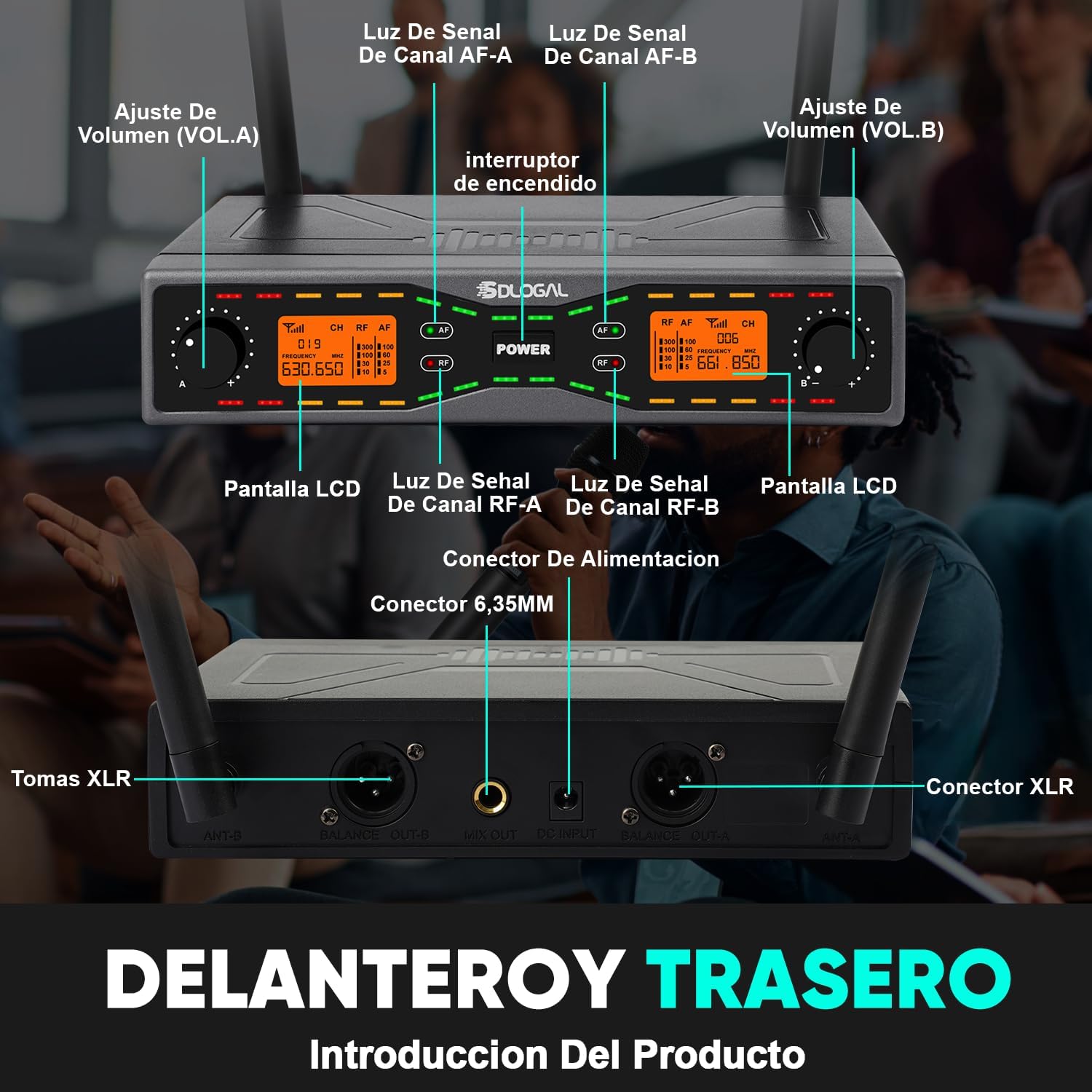
Image: A visual guide demonstrating the optimal connection order for the receiver, audio mixer, audio amplifier, and stage høyttalere.
4.3. Powering On and Automatic Pairing
- Slå på mottakeren.
- Turn on each handheld microphone. The microphones and receiver will automatically pair. The LED display on the microphones and the RF signal indicators on the receiver will confirm successful pairing.
Video: Demonstrates the automatic pairing process between the TONOR TW-820 wireless microphones and receiver, showing the system powering on and connecting seamlessly.
Video: Illustrates the auto-pairing feature of the TONOR TW-630 wireless microphone system, highlighting the metal casing and ease of connection between microphone and receiver.
5. Drift
5.1. Adjusting Volume and Frequencies
- Use the volume knobs on the receiver to adjust the output level of each microphone (VOL.A and VOL.B).
- If you experience interference, you can adjust the frequency. The system supports adjustable frequencies to find a clear channel. Refer to the receiver's display for current frequency information.
Video: Shows how to adjust frequencies and use the auto-scan function on the Gc Er101 wireless microphone receiver to avoid interference, along with details on the metal microphone and anti-slip ring.
Video: En kort innledningview demonstrating frequency adjustment and auto-scan features on a TONOR wireless microphone system.
5.2. Mikrofonbruk
- Hold the microphone firmly, ensuring your hand does not cover the grille or antenna area for optimal sound and signal.
- Maintain a suitable distance from your mouth to prevent distortion and feedback.
- The system offers a transmission distance of 15-30 meters, providing freedom of movement.

Image: Various scenarios depicting individuals using wireless microphones, emphasizing the 30-meter wireless coverage for events like weddings, performances, and presentations.
5.3. Power Mode Setting (if applicable)
Some microphone models may feature adjustable power modes (e.g., HI/LO) to optimize range and battery life. Consult your microphone's specific controls for this feature.
Video: Demonstrates how to set the transmitter power mode (HI/LO) on the SGPRO D-332 wireless microphone, affecting the operational range.
6. Vedlikehold
- Clean the microphones and receiver with a soft, dry cloth. Do not use liquid cleaners.
- Oppbevar systemet på et kjølig og tørt sted, unna direkte sollys og ekstreme temperaturer.
- Ensure microphones are fully charged before long-term storage to preserve battery health.
7. Feilsøking
7.1. No Sound from Microphone
- Check RF Level: Verify if the receiver's display shows the RF level. If not, the microphone is not paired. Follow the setup instructions for automatic pairing.
- Check Mute Status: If the microphone is paired, check if it is muted and deactivate the mute function.
- Sjekk tilkoblinger: Ensure all cables are securely connected between the receiver and your audio equipment.
- Sjekk strøm: Confirm both microphones and the receiver are powered on and have sufficient battery.
Video: Troubleshooting guide for no sound from the microphone, showing how to check pairing status and mute function on the receiver and microphone.
7.2. Forstyrrelser eller dårlig lydkvalitet
- Juster frekvens: Use the frequency adjustment feature on the receiver to find a clear channel.
- Reduser avstand: Ensure the microphones are within the optimal operating range of the receiver (15-30 meters).
- Unngå hindringer: Minimize physical obstructions between the microphones and the receiver.
- Sjekk batterier: Low battery levels can affect signal quality. Recharge or replace batteries as needed.
8. Spesifikasjoner
| Trekk | Spesifikasjon |
|---|---|
| Mikrofontype | Dynamisk, håndholdt |
| Polar mønster | Nyre |
| Tilkoblingsteknologi | UHF trådløs |
| Sendingsavstand | 15-30 meter |
| Frekvensrespons | 75Hz-12KHz |
| Antall kanaler | 2 |
| Strømkilde | Battery (1 Lithium Ion per mic, included) |
| Microphone Casing Materiale | ABS |
| Spesielle funksjoner | Long-distance transmission, 360-degree signal, Adjustable Frequency |
| Kompatible enheter | Karaoke machine, Audio Mixers, Amplifiers, Computers |
| Modellnummer | KU-618-UP |
9. Sikkerhetsinformasjon
- Ikke utsett enheten for regn eller fuktighet.
- Unngå å miste eller utsette enheten for sterke støt.
- Ikke forsøk å demontere eller modifisere enheten. Dette vil ugyldiggjøre garantien.
- Hold apparatet unna varmekilder og åpen ild.
- Use only the specified charging accessories for the microphones.
10. Garanti og støtte
Your sdlogal KU-618-UP UHF Wireless Rechargeable Dynamic Microphone System is covered by a standard manufacturer's warranty. For detailed warranty information, technical support, or service inquiries, please refer to the contact information provided on the product packaging or the official sdlogal webnettstedet. Vennligst ta vare på kjøpsbeviset for garantikrav.


