1. Introduksjon
Takk for kjøpetasing the LG 43 inch UHD AI UA73 4K Smart TV. This television combines stunning 4K Ultra High Definition visuals with advanced Artificial Intelligence features and the intuitive webOS25 platform. Enjoy vibrant colors, sharp details, and smart functionalities including AI-powered search and voice control. This manual provides essential information for setting up, operating, and maintaining your new television.
2. Sikkerhetsinformasjon
Please read all safety instructions carefully before using your TV. Keep this manual for future reference.
2.1 Elektrisk sikkerhet
- Ikke overbelast vegguttak eller skjøteledninger.
- Sørg for at strømledningen er ordentlig koblet til TV-en og stikkontakten.
- Ikke berør støpselet med våte hender.
2.2 Plassering
- Place the TV on a stable, level surface or mount it securely to a wall using a compatible VESA mount.
- Sørg for tilstrekkelig ventilasjon rundt TV-en for å forhindre overoppheting.
- Hold TV-en unna direkte sollys, varmekilder og fuktighet.
2.3 Rengjøring
- Koble fra TV-en før rengjøring.
- Use a soft, dry cloth to clean the screen and exterior. Do not use liquid cleaners or sprays directly on the TV.
3. Pakkens innhold
Kontroller at alle varene er til stede i esken:
- LG 43 inch UHD AI 4K Smart TV (Model 43UA73006LA)
- AI Magic Remote Control
- Strømledning
- TV-stativ (2 stk.) og skruer
- User Manual and Regulatory Information
- Batterier til fjernkontroll (AA x 2)
4. Oppsett
4.1 Utpakking og montering av stativ
- Ta TV-en forsiktig ut av emballasjen. Det anbefales at du er to personer til dette trinnet.
- Plasser TV-skjermen med ned på en myk, flat overflate for å unngå skade.
- Attach the stand pieces to the TV using the provided screws, ensuring they are securely fastened. Refer to the diagram in the quick setup guide for specific screw locations.
- Alternatively, if wall-mounting, follow the instructions provided with your VESA-compatible wall mount kit.
4.2 Koble til eksterne enheter
Connect external devices such as Blu-ray players, game consoles, or soundbars to the appropriate ports on the back of the TV.
- HDMI-porter: For HD-video og -lyd.
- USB-porter: For tilkobling av USB-lagringsenheter.
- Antenne-/kabelinngang: For tilkobling av antenne eller kabel-TV.
- Optisk digital lydutgang: For tilkobling til en lydplanke eller lydmottaker.
4.3 Første oppstart og nettverkstilkobling
- Koble strømledningen til TV-en og deretter til en stikkontakt.
- Trykk på av/på-knappen på fjernkontrollen eller på TV-en.
- Follow the on-screen instructions for the initial setup wizard. This will guide you through language selection, time zone, and network connection.
- Velg Wi-Fi-nettverket ditt og skriv inn passordet, eller koble til en Ethernet-kabel for en kablet tilkobling.
5. Drift
5.1 AI Magic Remote Control
The AI Magic Remote allows for intuitive control of your TV, including point-and-click navigation and voice commands.
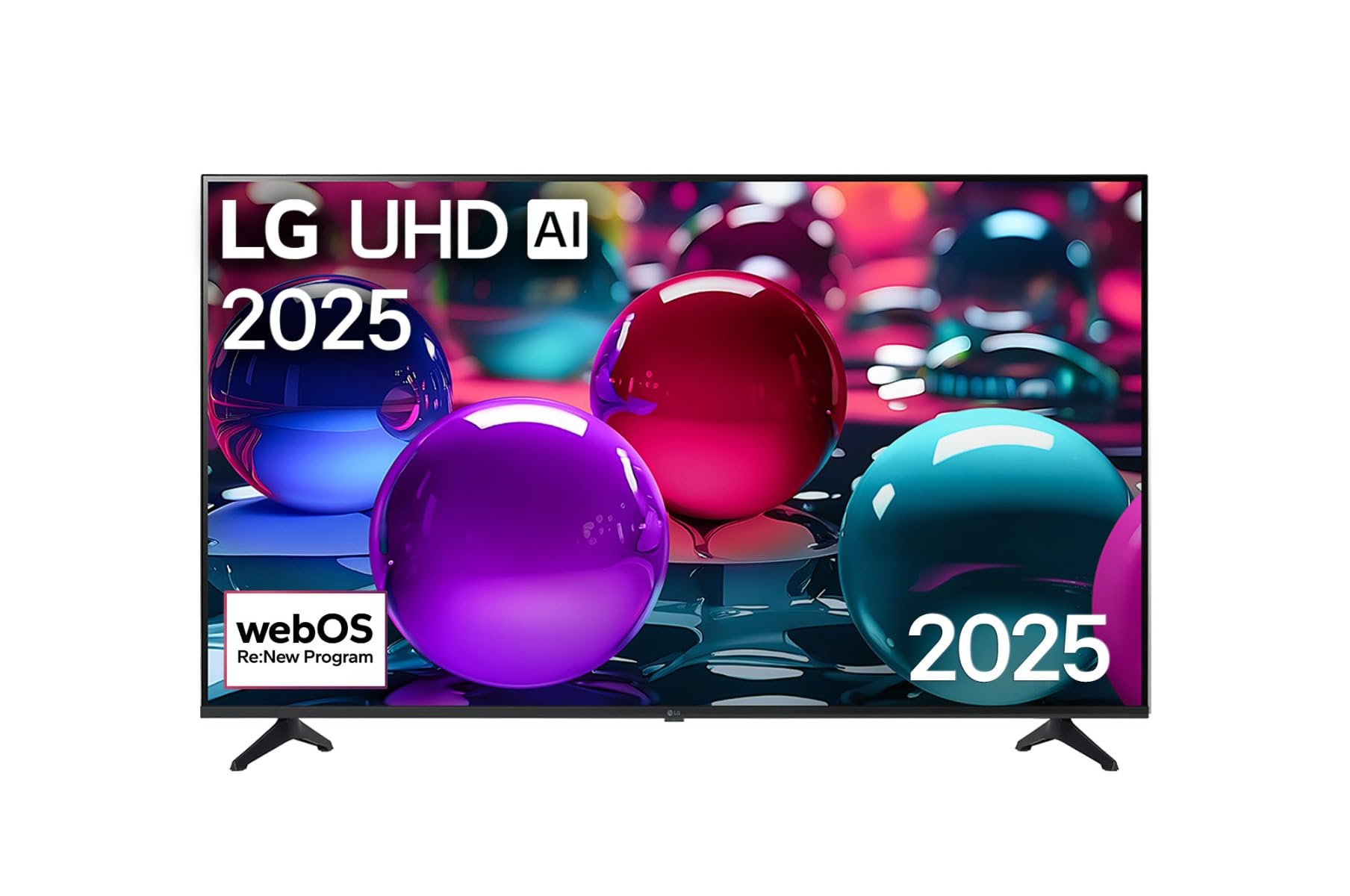
This image displays the LG 43 inch UHD AI 4K Smart TV, highlighting its webOS Re:New Program and Artificial Intelligence features. The accompanying AI Magic Remote is shown with a speech bubble indicating 'Just speak!', emphasizing its voice control capabilities.
- Strømknapp: Slår TV-en på eller av.
- Scroll Wheel/OK Button: Navigerer i menyer og bekrefter valg.
- Talekommandoknapp: Press and hold to activate AI Search, AI Chatbot, or AI Concierge. Speak your command into the remote.
- Hjem-knapp: Får tilgang til webOS-startskjerm.
- Tilbake-knapp: Går tilbake til forrige skjermbilde.
- Volum opp/ned: Justerer volumet.
- Kanal opp/ned: Bytter kanal.
5.2 webOS-grensesnitt
De webOS Home screen provides quick access to apps, inputs, and settings. Use the Magic Remote to point and click on desired options or navigate with the directional buttons.
- Appstarter: Customize and access your favorite streaming services and applications.
- Inngangsvelger: Switch between HDMI inputs, USB, or live TV.
- Innstillinger: Adjust picture, sound, network, and general TV settings.
5.3 AI-funksjoner
Leverage the power of AI for enhanced TV experience:
- AI-søk: Use voice commands to find content, information, or apps quickly.
- AI-chatbot: Interact with the TV for assistance or information.
- AI-concierge: Receive personalized content recommendations and smart home integration.
6. Vedlikehold
6.1 Rengjøre TV-en
For å opprettholde TV-ens utseende og ytelse:
- Trekk alltid ut støpselet til TV-en før rengjøring.
- Bruk en myk, lofri klut til å tørke forsiktig av skjermen. For gjenstridige merker, tørk littampSkyll kluten med vann, og tørk deretter av umiddelbart.
- Rengjør TV-rammen og stativet med en myk, tørr klut.
- Do not use abrasive cleaners, alcohol, benzene, or thinners, as these can damage the screen or finish.
6.2 Programvareoppdateringer
Your LG Smart TV periodically receives software updates to improve performance and add new features. Ensure your TV is connected to the internet to receive these updates automatically. You can also manually check for updates in the TV's settings menu.
7. Feilsøking
Hvis du støter på problemer med TV-en, kan du se følgende vanlige løsninger:
| Problem | Mulig løsning |
|---|---|
| Ingen strøm | Check if the power cord is securely plugged in. Try a different power outlet. |
| Ikke noe bilde, men det er lyd | Sørg for at riktig inngangskilde er valgt. Sjekk kabeltilkoblingene til eksterne enheter. |
| Ingen lyd, men bildet er der | Check volume levels and mute settings. Verify audio output settings in the TV menu. |
| Fjernkontrollen virker ikke | Replace batteries. Ensure there are no obstructions between the remote and the TV. Re-pair the Magic Remote if necessary (refer to TV settings). |
| Kan ikke koble til Wi-Fi | Restart your router and modem. Check Wi-Fi password. Ensure the TV is within range of the router. |
| Problemer med bildekvaliteten (f.eks. uskarpt, forvrengt) | Check the resolution of the input source. Adjust picture settings in the TV menu. |
Hvis problemet vedvarer, kan du kontakte LGs kundestøtte.
8. Spesifikasjoner
| Trekk | Detalj |
|---|---|
| Merke | LG |
| Modellnavn | 43UA73006LA |
| Skjermstørrelse | 43 tommer |
| Skjermteknologi | LED |
| Oppløsning | 4K UHD (3840 x 2160) |
| Aspektforhold | 16:9 |
| Operativsystem | webOS25 |
| Spesielle funksjoner | AI Processor, AI Magic Remote, HDR10, Sleep Timer |
| Farge | Svart |
| Varevekt | 6.8 kilo (14.96 pund) |
| Produktdimensjoner | 37.68 x 37.68 x 21.97 tommer |
| Dato først tilgjengelig | 28. november 2025 |
9. Garanti og støtte
9.1 Produktgaranti
Your LG 43 inch UHD AI UA73 4K Smart TV is covered by a limited manufacturer's warranty. Please refer to the warranty card included in your package for specific terms, conditions, and duration of coverage. Keep your proof of purchase for warranty claims.
9.2 Kundestøtte
For technical assistance, troubleshooting beyond this manual, or warranty service, please contact LG Customer Support:
- Webnettsted: Besøk den offisielle LG-kundestøtten website for FAQs, downloads, and service requests.
- Telefon: Refer to your warranty card or LG's official webnettsted for regionale kontaktnumre.