1. Introduksjon
Thank you for choosing the LG 34 Inch UltraWide WQHD Curved Monitor. This manual provides essential information for the safe and efficient use of your new monitor. Please read it thoroughly before operating the device and keep it for future reference.
Pakkeinnhold
- LG 34 Inch UltraWide Curved Monitor
- Skjermstativ (base og hals)
- Strømkabel
- HDMI-kabel
- DisplayPort-kabel
- USB-C-kabel
- Brukerhåndbok og garantikort
2. Nøkkelfunksjoner
- 34-inch WQHD UltraWide Curved Display: Expansive 21:9 screen (3440 x 1440) for enhanced productivity and immersive viewing.
- HDR Display with 99% sRGB: Delivers vibrant, natural colors and distinct image layers, supporting HDR brightness performance.
- 120Hz høy oppdateringsfrekvens: Ensures fluid scrolling and dynamic content for a comfortable visual experience.
- 5ms (GTG) Response Time: Provides quick pixel response for smooth motion.
- LG Switch for Multitasking & Eye Care: Enables quick split-screen functionality, customizable layouts, and Reader Mode to reduce eye strain.
- Justerbart stativ: Supports height, tilt, and swivel adjustments for optimal viewing vinkler.
- Innebygde høyttalere: Integrated audio for convenience.
- Flere tilkoblingsalternativer: Includes DisplayPort and HDMI inputs.
3. Oppsett
3.1 Montering av stativet
Carefully remove the monitor and stand components from the packaging. Follow the instructions below to attach the stand to the monitor.
- Plasser skjermen med forsiden ned på en myk, ren overflate for å unngå riper.
- Fest stativhalsen til skjermens bakpanel. Sørg for at den klikker ordentlig på plass.
- Attach the stand base to the bottom of the stand neck. Tighten the screw(s) firmly to secure the base.
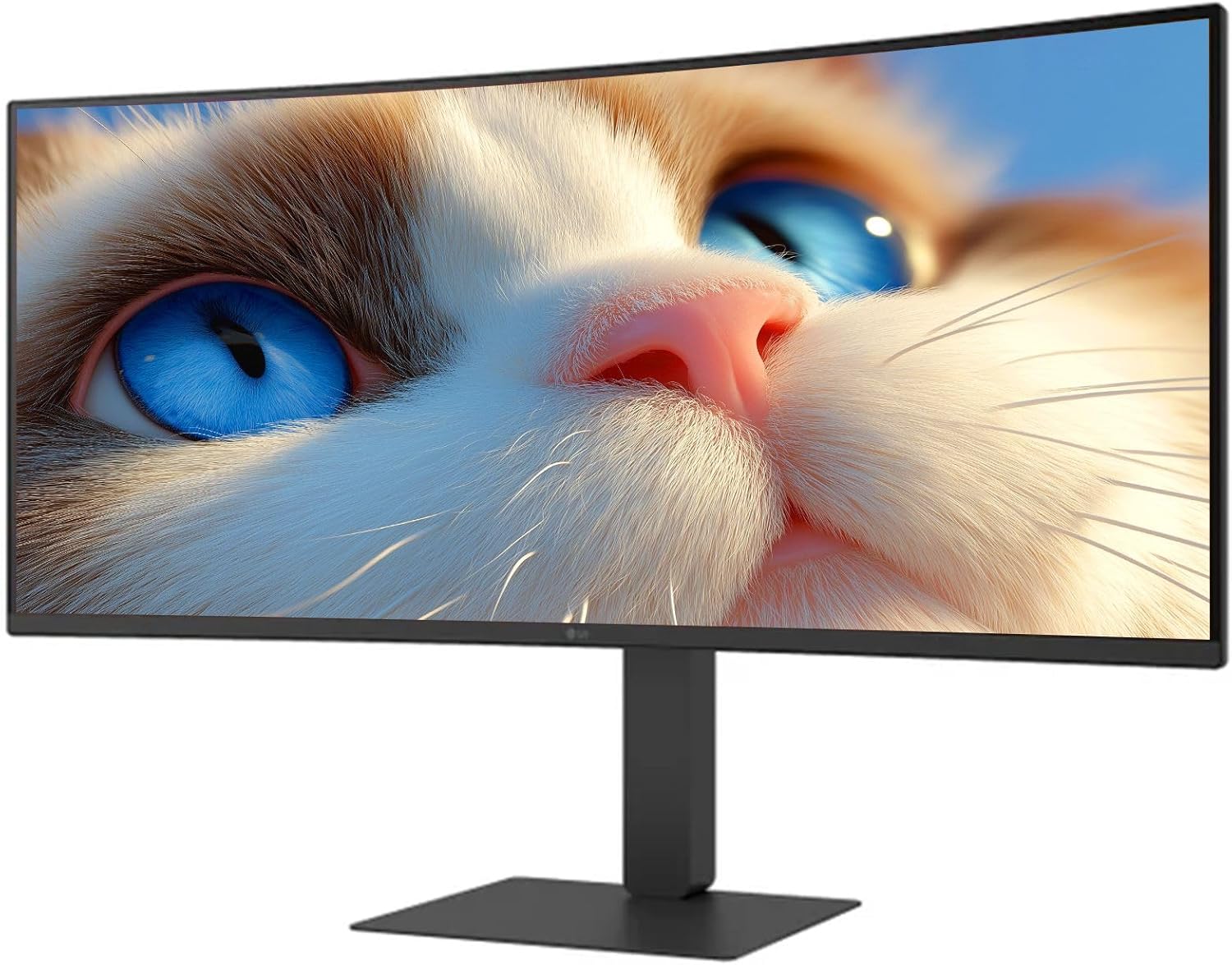
Figur 1: Foran view of the LG 34 Inch UltraWide Curved Monitor with stand.

Figur 2: Side view of the LG 34 Inch UltraWide Curved Monitor with stand.
3.2 Koble til skjermen
Koble skjermen til datamaskinen eller andre enheter med de riktige kablene.
- Koble strømkabelen til skjermens strøminngang og deretter til en stikkontakt.
- For video input, connect either an HDMI cable or a DisplayPort cable from your computer's graphics card to the corresponding port on the monitor.
- If your computer supports USB-C, you can use the provided USB-C cable for video, audio, and data transfer.

Figur 3: Bak view of the monitor showing available ports for connectivity.
4. Betjening av monitoren
4.1 Strøm på/av
Press the power button, usually located on the bottom center of the monitor, to turn the monitor on or off. The power indicator light will illuminate when the monitor is on.
4.2 On-Screen Display (OSD)-meny
The OSD menu allows you to adjust various monitor settings. Use the joystick button (typically located on the bottom center) to navigate the menu.
- Bildemodus: Select from various preset modes (e.g., Custom, Reader, HDR Effect) or customize settings like brightness, contrast, and sharpness.
- Inndata: Manually select the input source (HDMI, DisplayPort, USB-C).
- General: Access settings for language, OSD transparency, and power-saving options.
4.3 Justering av stativet
The monitor stand offers ergonomic adjustments for your comfort:
- Høydejustering: Skyv eller dra forsiktig skjermen opp eller ned til ønsket høyde.
- Justering av vippe: Hold both sides of the monitor and tilt it forwards or backwards.
- Svingjustering: Roter skjermen til venstre eller høyre på basen.
5. Vedlikehold
5.1 Rengjøre skjermen
For å sikre at skjermen din holder lenge og har optimal ytelse, bør du følge disse rengjøringsretningslinjene:
- Trekk alltid ut skjermens strømledning fra stikkontakten før rengjøring.
- Bruk en myk, lofri klut litt damprengjøres med vann eller en spesialisert skjermrenser.
- Ikke spray rengjøringsmiddel direkte på skjermen.
- Avoid using abrasive cleaners, solvents, or ammonia-based products.
6. Feilsøking
Hvis du støter på problemer med skjermen, kan du se følgende vanlige løsninger:
- Ingen strøm: Sørg for at strømkabelen er ordentlig koblet til både skjermen og stikkontakten. Sjekk om stikkontakten fungerer.
- Ingen signal: Verify that the video cable (HDMI, DisplayPort, or USB-C) is correctly connected to both the monitor and your computer. Ensure the correct input source is selected in the OSD menu.
- Flimrende skjerm: Check the video cable connection. Try adjusting the refresh rate in your computer's display settings.
- Bildeforvrengning: Reset the monitor to factory settings via the OSD menu. Ensure your computer's display resolution matches the monitor's native resolution (3440 x 1440).
- Ingen lyd fra innebygde høyttalere: Check the volume settings on both the monitor and your computer. Ensure the audio output is correctly routed to the monitor.
If the problem persists after trying these steps, please contact LG customer support.
7. Spesifikasjoner
| Trekk | Spesifikasjon |
|---|---|
| Merke | LG |
| Modellnummer | 195174134092 |
| Skjermstørrelse | 34 tommer |
| Maksimal oppløsning | WQHD (3440 x 1440) |
| Oppdateringsfrekvens | 120 Hz |
| Responstid | 5 ms (GTG) |
| Aspektforhold | 21:9 |
| Fargeskala | sRGB 99 % |
| HDR-støtte | HDR10 |
| Viewing vinkel | 178 degrees (R/L), 178 degrees (U/D) |
| Skjermkoblinger | 1 x HDMI, 1 x DisplayPort |
| Eye Relief Features | Low blue light, Flicker-free, Anti-glare, Reader Mode |
| Innebygde høyttalere | Ja |
| Produktmål (med stativ) | 8.7" D x 32.1" B x 19.2" H |
| Produktvekt (med stativ) | 16.8 pund |
8. Garanti og støtte
Your LG 34 Inch UltraWide Curved Monitor comes with a standard manufacturer's warranty. Please refer to the warranty card included in your package for detailed terms and conditions.
For technical support, service, or further inquiries, please visit the official LG website or contact their customer service hotline. Keep your purchase receipt and product serial number (located on the back of the monitor) handy when contacting support.