📘 Proxicast manuals • Free online PDFs
Proxicast logo

Proxicast Manuals & User Guides

Proxicast manufactures commercial-grade 3G/4G/5G/LTE/WiFi data communications equipment, antennas, cables, IP remote power switches, and accessories.

Tip: include the full model number printed on your Proxicast label for the best match.

About Proxicast manuals on Manuals.plus

Proxicast

Proxicast, LLC is a leading manufacturer of professional-grade wireless equipment and network management devices. Since 2000, they have specialized in designing high-performance 4G/5G antennas, coaxial cables, and accessories for industrial, M2M, and IoT applications. Additionally, Proxicast is well known for its MSNSwitch series of internet-enabled IP remote power switches, which can automatically power-cycle AC devices upon loss of internet connectivity.

Known for reliability, their products are widely used by system integrators for emergency services, video surveillance, and factory automation.

Proxicast manuals

De nyeste manualene fra manuals+ kuratert for dette merket.

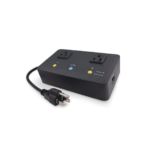
proxicast UIS-722b MSN Switch brukerveiledning

9. november 2024
proxicast UIS-722b MSN Switch Document Revision History Date Comments Jan. 11, 2024 Added model UIS-722b Oct. 17, 2023 First release This Tech Note Applies Only to MSNS witch Models:  UIS722b,…

Proxicast manuals from online retailers

Telit LE910-NAG MiniPCIe Modem Module Brukerhåndbok

LE910-NAG • August 14, 2025
Omfattende brukerhåndbok for Telit LE910-NAG MiniPCIe-modemmodulen, som dekker installasjon, drift, vedlikehold, feilsøking og detaljerte spesifikasjoner for 4G/LTE- og GPS-funksjonaliteter.

Proxicast support FAQ

Vanlige spørsmål om manualer, registrering og støtte for dette merket.

  • Where can I find firmware updates for my Proxicast MSNSwitch?

    Firmware updates can be downloaded from the Proxicast support page or through the ezDevice app and Cloud4UIS.com web service for compatible models.

  • How do I factory reset my Proxicast MSNSwitch?

    Hold the Factory Reset button on the device for 20 seconds, releasing it when all three LEDs start blinking to clear the configuration.

  • How do I contact Proxicast customer support?

    You can reach Proxicast support by phone at 1-877-777-7694, or by emailing support@proxicast.com.

  • What does the UIS feature on the MSNSwitch do?

    The Uninterrupted Internet Service (UIS) function monitors your internet connection and automatically power-cycles connected AC devices if connectivity is lost.